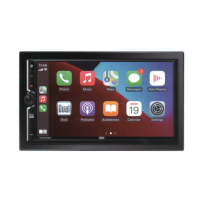
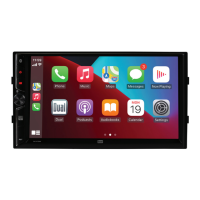
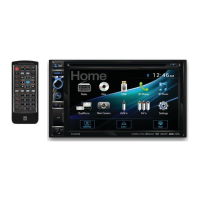
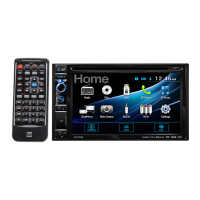
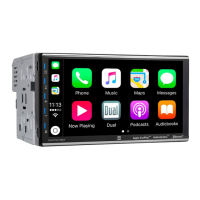
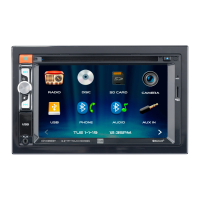
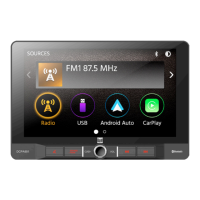
The DCPA901 is a media receiver designed for in-vehicle use, featuring Android Auto™ and CarPlay™ compatibility, along with a 9-inch digital TFT display. This device allows for various media playback options, communication, and navigation functionalities, all while prioritizing driver safety through specific operational limitations.
Function Description
The core function of the DCPA901 is to serve as a central media and communication hub in a vehicle. It supports Android Auto™ and CarPlay™, enabling seamless integration with compatible smartphones for accessing navigation, music, and messaging apps. The large 9-inch digital TFT display provides a clear and intuitive interface for interaction.
For audio entertainment, the unit includes an AM/FM tuner, allowing users to listen to their favorite radio stations. It also features USB operation for playing MP3/FLAC files from a flash drive. Bluetooth® connectivity facilitates hands-free calling and audio streaming from mobile devices.
The device supports auxiliary audio/video inputs (RCA) for connecting external media sources. Additionally, it has a rear camera input, which can automatically display the camera feed when the vehicle is in reverse, enhancing safety during parking and maneuvering.
Usage Features
General Operation:
The DCPA901 is designed for user-friendly interaction. It powers on and off with a momentary press and hold of the power button. Volume control is managed via "VOL+" and "VOL-" buttons, while a MUTE button silences audio and can be canceled by rotating the volume knob. The main menu, accessible via a "MODE" button or an icon on the screen, provides access to various operational modes such as Radio, USB, Android Auto, CarPlay, BT Phone, BT Audio, and AV In/Settings. The display brightness can be adjusted using a dedicated dimmer icon.
Radio Operation:
In AM/FM tuner mode, users can select between FM1, FM2, FM3, AM1, and AM2 bands. Stations can be tuned manually or automatically using "Seek Tune Down" and "Seek Tune Up" buttons. Up to 18 FM and 12 AM stations can be stored as presets. An "AS/PS" function allows for auto-storing available stations or scanning through presets. The unit also supports direct frequency input via a keypad.
USB Operation:
When a USB flash drive is inserted, the unit can play MP3/FLAC files. The interface displays track information, and users can navigate through files and folders. Features include repeat (current track or all tracks in folder) and random playback. Users can also search for music files and adjust equalizer settings.
Bluetooth Operation:
The DCPA901 enables hands-free calls and audio streaming via Bluetooth®. To use these features, a Bluetooth device must first be "paired" with the unit. The unit broadcasts a pairing signal, and the device name "DCPA901" will appear on the mobile device for connection. Once paired, the unit can automatically connect to the last connected device if the "Auto connect" feature is enabled. The Bluetooth phone interface includes a keypad for dialing, access to phone contacts, and a call log. Bluetooth music streaming allows for audio transfer between the unit and the mobile phone.
Apple CarPlay™ and Android Auto™ Operation:
These features provide a smart interface for compatible smartphones. Users can voice-control (via Siri or Google Assistant) navigation, music, phone calls, and messaging apps. The unit mirrors the phone screen, displaying app interfaces for easy interaction. For safety, some features are limited while driving. Wireless connection is supported, requiring Bluetooth pairing and WLAN connection for CarPlay.
The unit has RCA inputs for connecting external audio/video sources. A rear view camera (not included) can be connected to the camera input. When connected to the reverse lamp circuitry, the unit automatically switches to camera mode when the vehicle is in reverse.
The built-in Steering Wheel Control (SWC) interface is compatible with PAC steering wheel control modules, with the PAC SWI-RC being recommended. This allows users to control various unit functions (e.g., volume, seek, mode, mute, Bluetooth talk/end) directly from their vehicle's steering wheel, enhancing convenience and safety.
Maintenance Features
Reset Function:
In case of abnormal operation or if the unit becomes inoperable, a RESET button is located behind the front panel, directly under the USB port. Pressing this button with the tip of a pen will reset the main processor to its default settings, which can resolve many software-related issues. This also restores factory default software settings.
Fuse Replacement:
The unit uses a 15 amp ATC mini style fuse. If a fuse blows, it must be replaced with a new one of the correct rating and amperage to prevent malfunction. Disconnecting the wiring harness first is recommended before replacing a fuse to prevent short circuits.
Cleaning the Monitor:
To clean the monitor, only a dry silicone cloth or soft cloth should be used. Harsh solvents like paint thinner or alcohol should be avoided as they can scratch the surface or remove printing.
Troubleshooting Guide:
The manual includes a troubleshooting section to help users diagnose and resolve common issues such as the unit not turning on, having power but no sound, blowing fuses, having audio but no video, or the IR remote not working. This guide provides potential causes and corresponding actions to take, such as checking connections, replacing fuses, insulating wires, or applying the parking brake.
Safety Notes:
The DCPA901 incorporates several safety features and recommendations. Video playback is restricted while the vehicle is moving, operating only when the vehicle is in "Park" and the parking brake is engaged. This is a crucial safety feature to prevent driver distraction. Users are advised to drive responsibly and safely, especially when using mobile phone devices or compatible apps. Professional installation by an authorized dealer is highly recommended. The unit is designed for 12VDC negative ground vehicles only. Precautions against direct sunlight, excessive heat, dust, dirt, excessive shock, and water splashing are also outlined. The manual also warns against touching liquid crystal fluid if the LCD is damaged, as it can be hazardous.


 To Next Page
 Tuner Specifications