11
General Operation
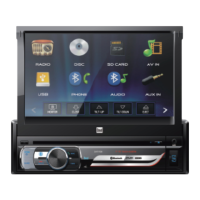
DV271BT OPERATION
Time:
• Hour - Press < or > to adjust the hour down or up.
• Minute - Press < or > to adjust the minutes down or up.
• Format - Select between a 12HR or 24HR clock display.
Video:
• Brightness - Drag to adjust between 0 and 12.
• Contrast - Drag to adjust between 0 and 12.
• Hue - Drag to adjust between 0 and 12.
• Saturation - Drag to adjust between 0 and 12.
• Sharpness - Drag to adjust between 0 and 12.
Language:
• English - Set the unit language to English.
Steering Wheel Controls (SWC):
• See insert for SWS programming information.
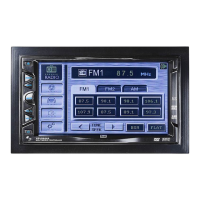
To resolve abnormal operation or if the unit is inoperable, use the tip
of a pen to press the RESET button (located behind the faceplate). The
unit will reset the main processor to the default settings.
From any mode of operation, press Audio to adjust the following
Audio options:
• EQ - Select from the preset EQ options: CLASSIC, ROCK, POP,
JAZZ, BEAT OR FLAT, or select USER to manually adjust 60Hz,
150Hz, 400Hz, 1kHz, 3kHz, 7kHz, 15kHz between -7 and 7.
• Fader/Balance - Drag to adjust Fader options between 8F (front)
and 8R (rear) and Balance options between 8L (left) and 8R
(right).
• Subwoofer/Loudness
- Adjust subwoofer volume from 1-6, or turn subwoofer OFF.
- Select between OFF, LOW or HIGH loudness levels.
- Center frequency: FLAT, 80Hz, 120Hz, 160Hz.
• Loudness
- Select between OFF/ON.
- Loud Cutoff Frequency: 400 Hz, 800Hz, 2400 Hz.
Setup Menu
Reset
Audio


 To Next Page