15
DV271BT OPERATION
CD/USB/SD Card Operation
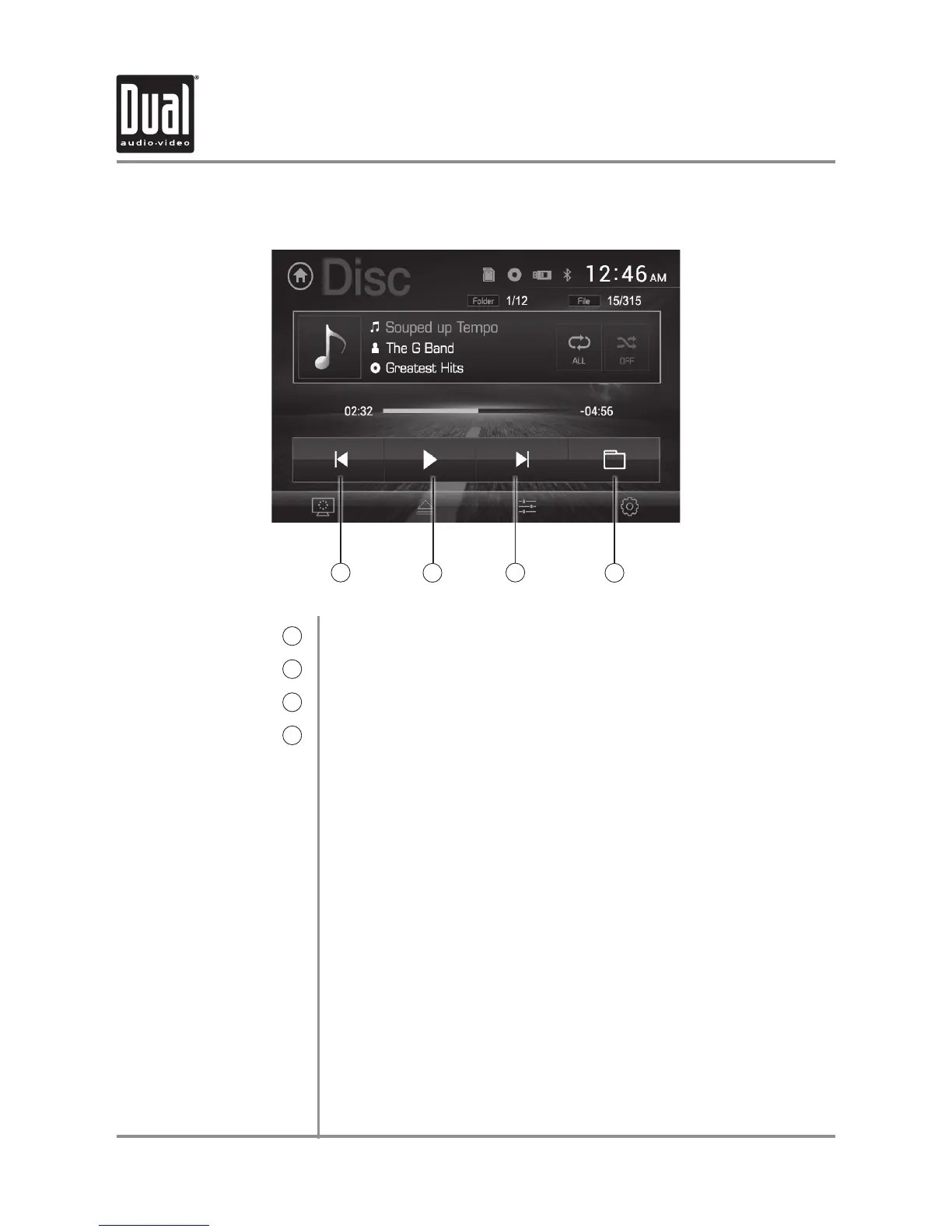
Previous File/Track
5
Play / Pause
6
Next File/Track
7
Direct File Access
8
Press to go back to the previous file or track.
Press to pause or resume playback.
Press to advance to the next file or track.
Press to access the directory of folders and files. Use the up/down
arrows to scroll through the folder list, then press on the name of the
desired folder to access it. Use the up/down arrows to scroll through
the file list, then press on the name of the desired file to access it.
The default display will show Music files. Select the Photo or Video
icons at the bottom of the screen to display those files instead.
5
6
7
8


 To Next Page