10
XM Radio Activation
Activating Your XM Receiver
(when connected)
Tuning Modes
Basic Channel Selection
Direct Channel Selection
Category Recall
1. Press
MODE to select XM Radio.
2. Verify channel 1 (XM Preview Channel) is playing.
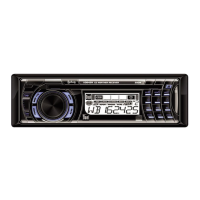
3. Select Channel 0. The XM receiver’s eight character Radio
ID number will appear on the XDMR7710 display.
The Radio ID number is also located on the XM receiver
unit (sold separately).
4. Record the number here for future reference:
5. Activate your XM Satellite Radio service.
To subscribe, log onto
http://www.xmradio.com/activation
or call 1-800-967-2346.
Note:
You will need to keep your XDMR7710 turned on for at least
one hour after requesting activation to receive the full
channel line-up.
Press BAND to select between XM DIRECT, XM1 and XM2
bands.
Press TUNE
nn
or TUNE
ll
momentarily to select the
next available channel. Press and hold to advance quickly.
Press BAND to select XM DIRECT channel entry band.
“DIRECT” will momentarily appear in the display. Enter
the desired channel using buttons 1-0, then press
FUNC for
3 seconds to confirm the selected channel. If the channel is
not available, the current channel will be retained.
Press FUNC once to display the category of the currently
selected channel for 10 seconds. The CATEGORY icon will
appear on the display.
XM Radio Operation
XDMR7710 OPERATION


 To Next Page