6
General Operation
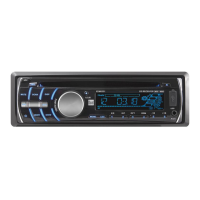
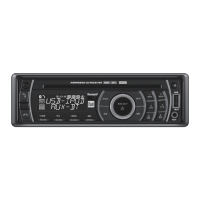
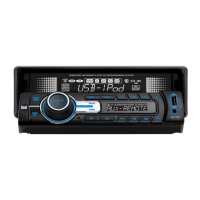
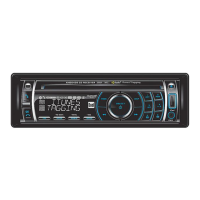
XHD6430 OPERATION
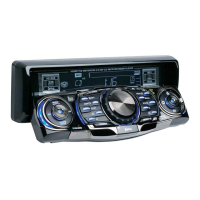
Faceplate Removal
Semi-Permanent
Faceplate Installation
Power On/Off
Mode
Auxiliary Input
Steering Wheel Interface
Input
Volume
Mute
Reset
Display
Set the Clock
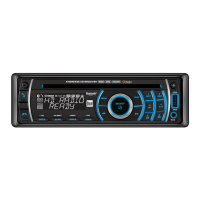
Press RELEASEandpullawayfromtheleftsidetoremove.
Tore-install,insertrightsideoffaceplatefirstthenpush
leftsidetosecure.
Removetrimringandinstallsupplied#1x7/32”Phillips
headscrewthroughleftsideofmountingframeintofaceplate.
Press oranyotherbutton(excepteject)toturntheuniton.
Insertingadiscwillturntheunitonautomatically.Pressand
hold toturntheunitoff.
Press MODEtoselectbetweenAM/FM,CDplayer,operation
of iPod
®
,USB,auxiliaryinputandBluetoothmodes.Modesof
operationareindicatedinthedisplay.
Note:CDmodewillnotappearunlessaCDisinserted.USB
modewillnotappearunlessaUSBdeviceisconnected.
OperationofiPodmodewillnotappearunlessaniPoddevice
isconnected.Bluetoothmodewillnotappearunlessthe
BTM60Bluetoothmoduleisconnected.
Insert3.5mmplugtoconnectyourportableaudiodevice.
Thesteeringwheelinterfaceinputlocatedonthebackofthe
headunitallowsconnectiontothePAC (Pacific Accessory
Corporation) SWI-PSinterfacemodule(soldseparately).Visit
www.pac-audio.comfordetails.
Toconfiguresteeringwheelcontrols,followtheinstructions
providedwiththePAC SWI-PSinterfacemodule.After
installingtheinterfacemodule,insertthemodule's3.5mm
jackintotheportonthebackoftheheadunit.
Adjustvolumeusingvolumeknob(00-46).
Press tosilencetheaudio.“MUTE”willflashinthe
display.Press againtocancel.
Press to RESETtheunituponinitialinstallationorif
abnormaloperationoccurs.Theresetbuttonislocated
behindthefaceplate.
Press DISPtoselectbetweenclockanddifferenttypesof
information,suchasradiofrequency,CDtrackorMP3/USB
songinformation.
Withtheuniton,pressandholdDISPuntiltheclockbegins
toflash,thenrelease.PressTUNE
nn
toadjustthe
hoursandTUNE
ll
toadjusttheminutes.PressDISP
momentarilytosavetheselectedtime.


 To Next Page