7
XHD6430 OPERATION
General Operation
Setup Menu
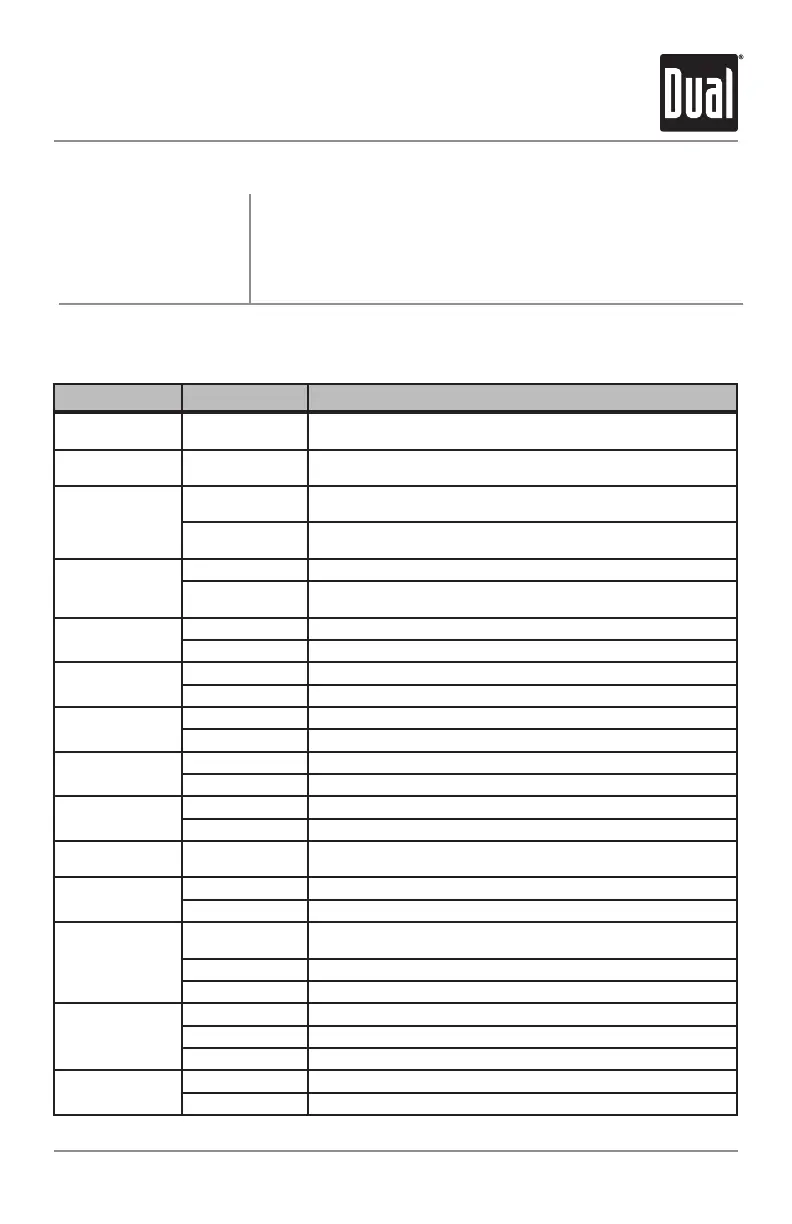
Menu Function Options Action
Auto Station
Store
AUTOSTORE
Press SELECTtoseekandsave6strongstationsinthecurrentband.
(Tuner mode only)
Delete Tags
DELETETAGS
Press SELECTtopermanentlydeletealliTunestagscurrentlysavedin
theunit.(Tuner mode only)
Tuning Mode
TUNERDIGITAL
Programstheunittotunetodigitalandanalogradiostations.(Tuner
mode only)
TUNERANALOG
Programstheunittotunetoanalogradiostationsonly.(Tuner mode
only)
Loudness
Curve
LOUDOFF Disablestheloudnessfunction.
LOUDON
Enablestheloudnessfunction.Activatingthisfeaturewillenhancethe
bassandtreblefrequencieswhenlisteningtomusicatlowvolumes.
Clock
Display
CLOCKOFF Programsunittonotdisplaytheclockwhenthepowerisoff.
CLOCKON Programsunittodisplaytheclockwhenthepowerisoff.
Auxiliary
Input
AUXON Enablesthefrontpanel3.5mmauxiliaryinput.
AUXOFF Disablestheauxiliaryinput.
Rear/Sub
RCA output
R/SSUB ProgramstheRear/SubRCApreampoutputtosubwoofer.
R/SREAR ProgramstheRear/SubRCApreampoutputtorear.
Beep Confirmation
BEEPOFF Disablestheconfirmationbeep.
BEEPON Enablestheconfirmationbeep.
Local/Distance
Tuning
LOCALOFF Activatesstandarddistancetuning.
LOCALON Activateslocaltuningforstrongstationsonly.
Programmable
Turn On Volume
PRO-VOL#
Programsunittoturnonataspecificvolume
(defaultisOFF).
Power on Message
MESSAGEOFF Disablespoweronmessage.
MESSAGEON Enablespoweronmessagetobedisplayed.
Scrolling
Option
SCROLLONCE
Programsunittoscrollonce,thenshowthefirst10charactersonthe
display.
SCROLLON Programsunittoscrollcontinuously.
SCROLLOFF Programsunittoshowthefirst10charactersonthedisplay.
Illumination
Dimmer
DIMMERHIGH Programsunittothebrightestilluminationlevel.
DIMMERMEDIUM Programsunittothemiddleilluminationlevel.
DIMMERLOW Programsunittothedimmestilluminationlevel.
Demonstration
Mode
DEMOOFF Disablesthedemonstrationmode.
DEMOON Enablesthedemonstrationmessage.
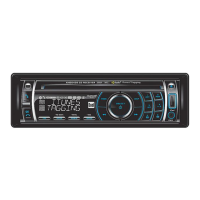
PressandholdAUDIO/MENUformorethan3secondstoaccessthe
setupmenu,thenpressAUDIO/MENUtocyclethroughmenuoptions.
Whendesiredoptionappearsinthedisplay,rotatethevolume knob
left/righttoadjustoractivatethedesiredfunction.PressESCtoexit
themenuatanytime.
Setup Menu


 To Next Page