EasyManua.ls Logo

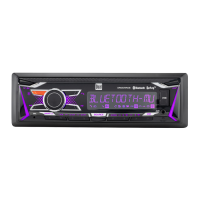
Dual XRM47BT - User Manual

Dual XRM47BT
14 pages
Print Icon
To Next Page IconTo Next Page
Loading...
INSTALLATION/OWNER'S MANUAL
AM/FM Receiver with Bluetooth / Fixed Face
XRM47BT

Questions and Answers

  • K
    Kim SmithJul 29, 2025
    How to fix a Dual Car Receiver that won't turn on?
    • M
      Mallory ZavalaJul 30, 2025
      If your Dual Car Receiver won't turn on, it could be due to several reasons. First, check the yellow wire connection and ensure it has the correct voltage (11~16VDC). Second, verify the black wire is properly connected to the ground. Lastly, inspect the fuse and replace it if it's blown.
  • C
    coxleonardAug 4, 2025
    Why does my Dual XRM47BT Car Receiver keep blowing fuses?
    • B
      Brian ObrienAug 4, 2025
      If your Dual Car Receiver keeps blowing fuses, there might be a short circuit. Check if the yellow or red wire is touching the chassis ground, looking for any pinched wires. Also, examine the speaker wires to ensure they aren't touching the chassis ground, again checking for pinched wires. Finally, make sure you are using a fuse with the correct rating.
  • D
    Douglas FarmerAug 10, 2025
    What to do if my Dual Car Receiver has power but no sound?
    • L
      lancekleinAug 10, 2025
      If your Dual Car Receiver has power but no sound, the issue might be with the speaker connections. Check the connections at the speakers to ensure they are properly connected. Also, make sure that none of the speaker wires are touching each other or the chassis ground; insulate any bare wires to prevent this.
  • N
    Nancy PerezAug 16, 2025
    What does 'NO FILE' mean on my Dual Car Receiver display?
    • E
      Erin BlackAug 16, 2025
      If 'NO FILE' appears on the display of your Dual Car Receiver, it means the device cannot find any playable MP3 files. Check the device to ensure it contains valid MP3 files.
  • J
    John VazquezAug 22, 2025
    What does 'NO SUPPORT' mean on my Dual Car Receiver display?
    • R
      rogerjeffersonAug 22, 2025
      If 'NO SUPPORT' appears on the display of your Dual Car Receiver, it indicates that an invalid ID3 tag version is present. Ensure that the MP3 files use Version 1.0 to 2.0 ID3 tags, as these are the supported versions.

Dual XRM47BT Specifications

General IconGeneral
BluetoothYes
Auxiliary InputYes
USB InputYes
TunerAM/FM
Display TypeLCD
DIN SizeSingle DIN
SD Card InputNo
Remote ControlYes
DisplayLCD
CompatibilityMP3, WMA
Rear Camera InputNo
TypeDigital Media Receiver
Peak Power Output50 watts x 4 channels

Videos

How to Connect Your Phone to the Dual XRM47BT Radio - Easy Step-by-Step Guide

Related product manuals