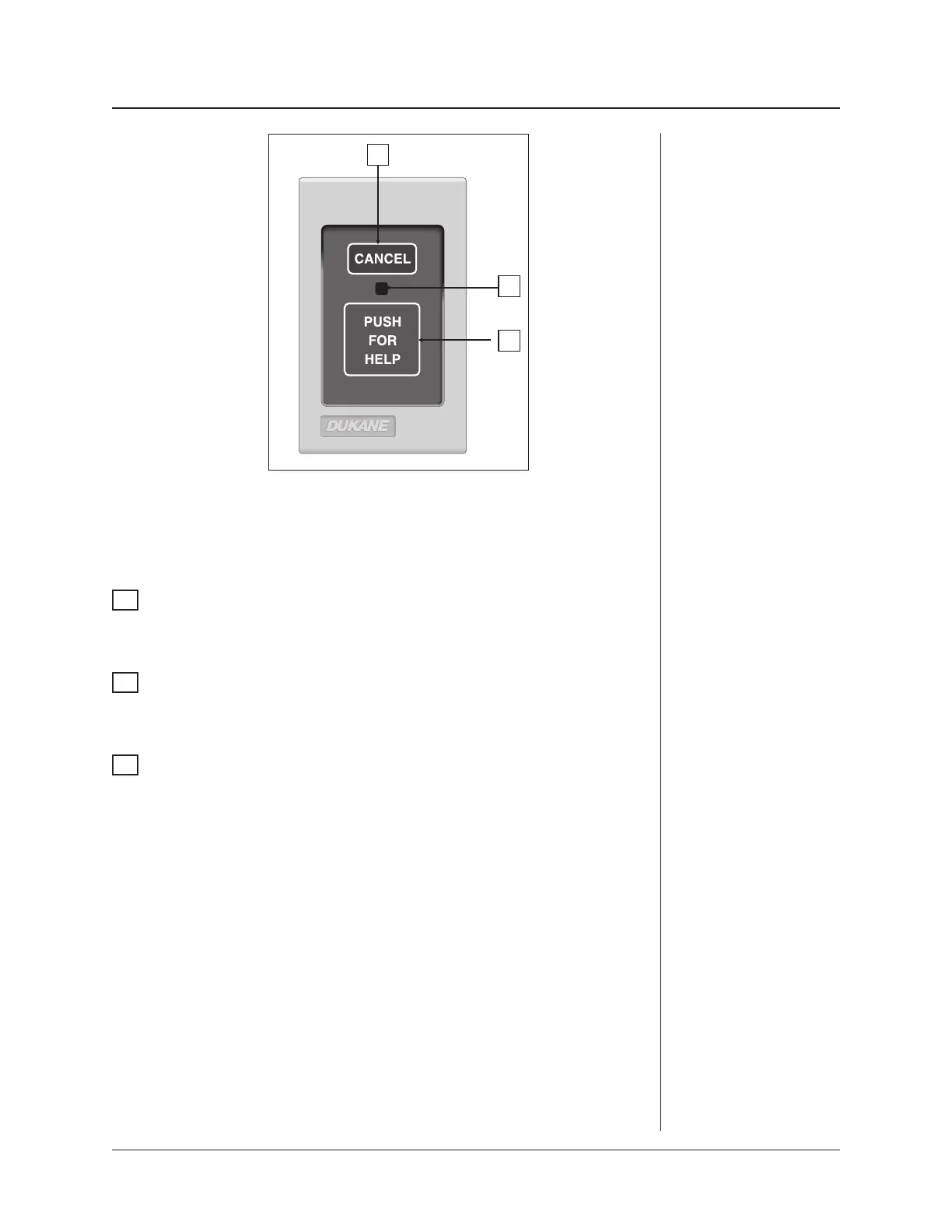
This station is activated by pressing the large red touchpad, which places an emer-
gency call to the master station. The call can only be canceled from the originating
station by pressing the CANCEL touchpad, causing the LED indicator to go out.
1
PUSH FOR HELP Touchpad
Pressing this touchpad places an emergency call to the master station and causes
the red section of the associated corridor and zone lights to flash.
2
Call Assurance LED
The call assurance LED flashes any time a call is placed from this station and
continues flashing until the call is canceled at the originating station.
3
CANCEL Touchpad
Pressing this touchpad cancels any pending call made from this station.
ProCare 2000 Operation Manual
35
Lavatory/
Emergency
Station
Model
9A3010
3
2
1


 To Next Page