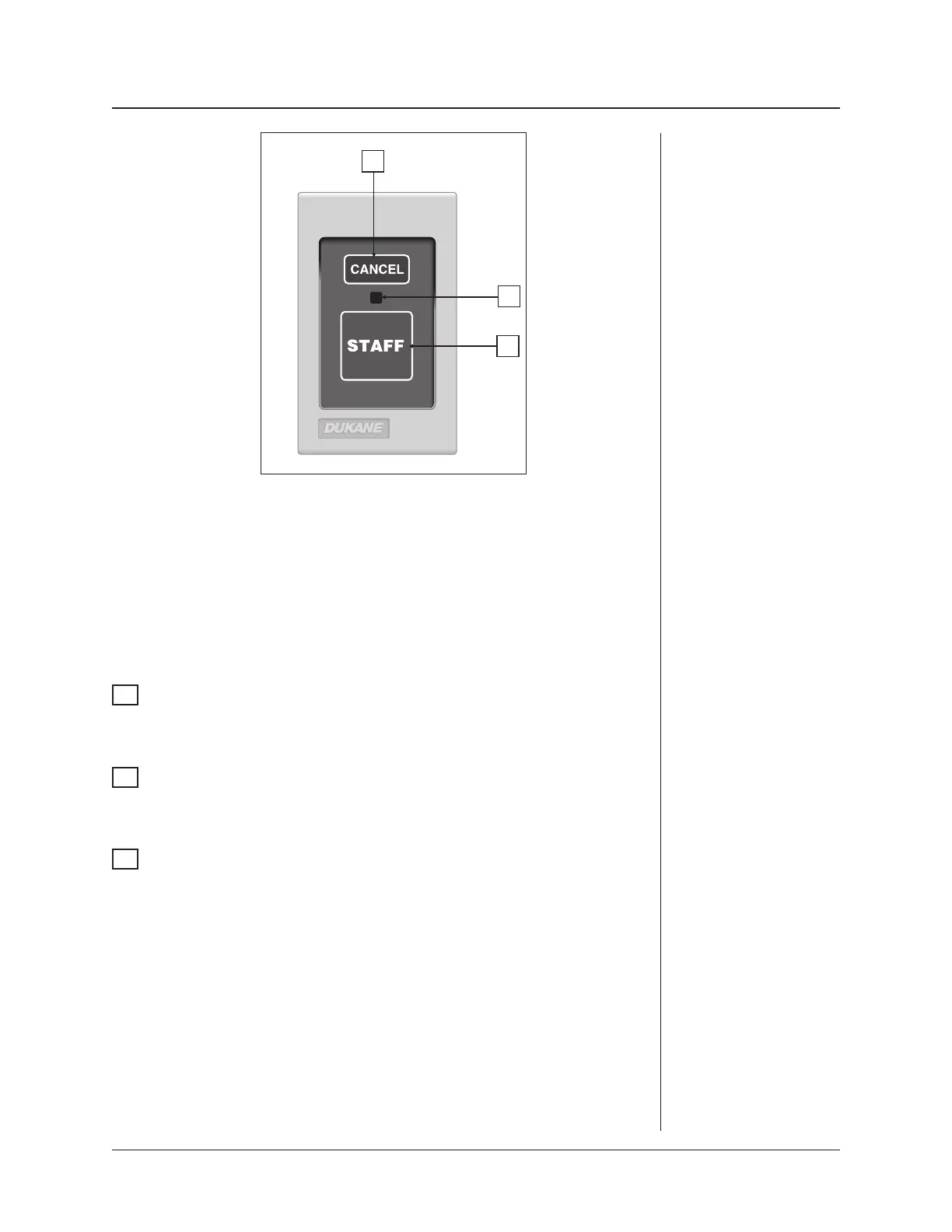
This station is activated by pressing the large green touchpad, which places an emer-
gency call to the master station. The call can only be canceled from the originating
station by pressing the CANCEL touchpad, causing the LED indicator to go out.
Distinct tone and visual annunciation at the master, duty, and follow stations is avail-
able only if 437-00112 Option C or 437-00182 Option D firmware is installed and
the call point is programmed as staff emergency at the master station.
1
STAFF Touchpad
Pressing this touchpad places a staff emergency call to the master station and
causes the green section of the associated corridor and zone lights to flash.
2
Call Assurance LED
The call assurance LED flashes any time a call is placed from this station and
continues flashing until the call is canceled at the originating station.
3
CANCEL Touchpad
Pressing this touchpad cancels any pending call made from this station.
ProCare 2000 Operation Manual
37
Staff Emergency
Station
Model
9A3020
3
2
1


 To Next Page