26
Owner's Manual for Duke Flexbake 5
TM
Proof and Bake Oven with WiFi Connectivity
PROGRAMMING CONTROLS continued
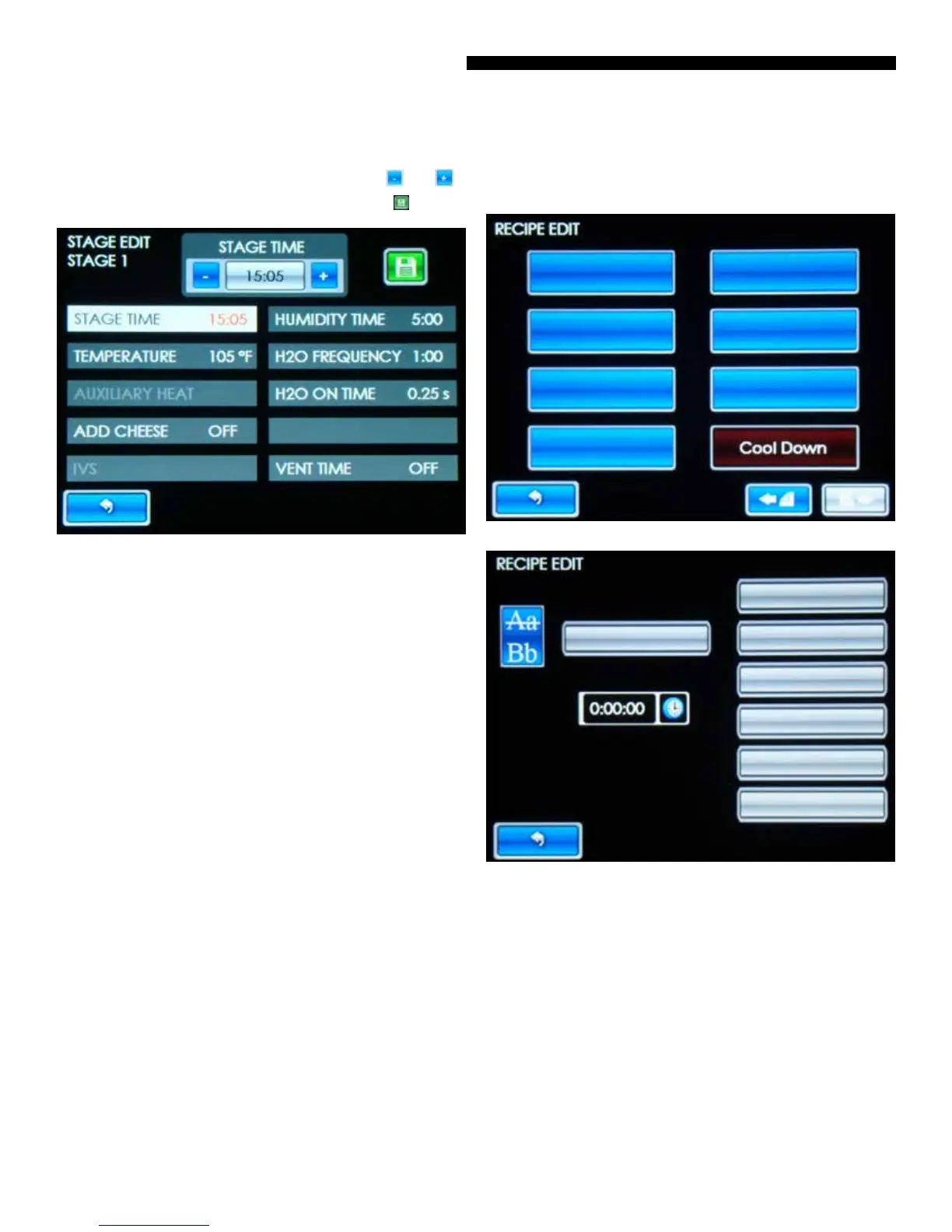
• Touch the parameter you want to change (Stage Time,
Temperature, etc.). Adjust the value using the and
buttons and save your changes by pressing the button.
Figure: Stage Edit Selection Screen
• STAGE TIME – Time or duration of stage.
• TEMPERATURE – Temperature set point of stage.
• AUXILIARY HEAT – Percentage of auxiliary heater power.
(Only on Bake Stages)
• ADD CHEESE – Toggles between OFF and ON. Turns ON
the CHEESE ALARM.
• IVS – Toggles between OFF and ON. Turns ON the IVS
hood (if equipped), mm:ss from the end of the stage.
• HUMIDITY TIME – Toggles between OFF and the length of
time additional humidity is added to the beginning of the
stage.
• H2O FREQUENCY – Frequency or time between calls
for water during HUMIDITY TIME. (1:00 is strongly
recommended.)
• H2O ON TIME – Time or duration of water introduced.
(0.25s is strongly recommended.)
• VENT TIME – Toggles between OFF and the time or
duration of powered vent cycle from the end of the stage.
NOTE: To add a new recipe, touch a ‘Blank’ button. To add a
stage to a new or existing recipe, touch the next consecutive
‘Blank’ button.
Figure: Blank Recipe Edit Selection Screen
Figure: Blank Stage Edit Selection Screen



 To Next Page