27
Owner’s Manual for Duke Flexbake 5
TM
Proof and Bake Oven with WiFi Connectivity
PROGRAMMING CONTROLS continued
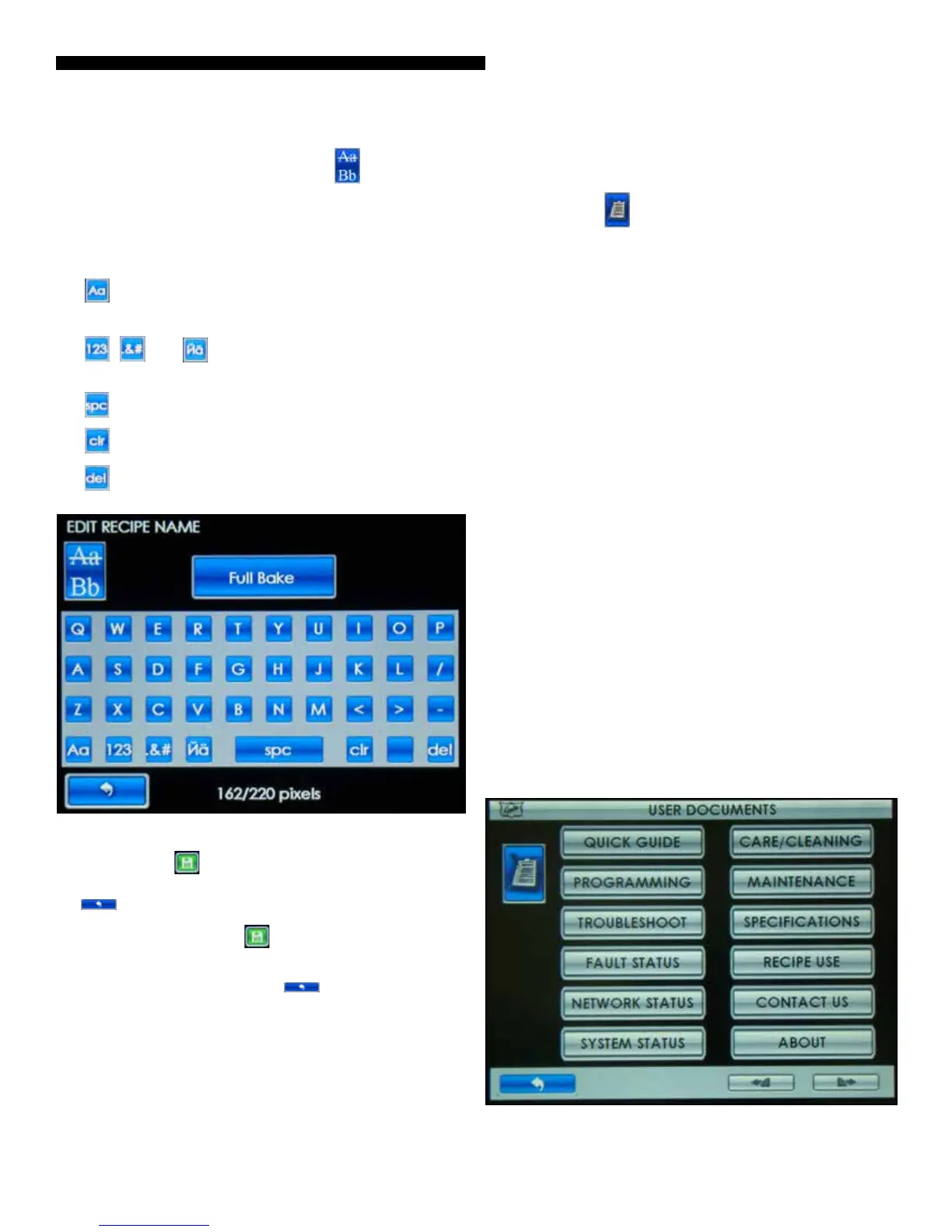
Step 4 To edit the recipe name, touch the button for the
EDIT RECIPE NAME screen.
NOTE: Typing will add letters/characters to the end of the
text.
PRESS:
•
TO TOGGLE THE KEYBOARD BETWEEN THE UPPER/
LOWER CASE CHARACTER SET.
• , AND FOR THE NUMBER AND SYMBOL
KEYBOARDS.
• TO SPACE
• TO CLEAR ALL TEXT
• TO DELETE/BACKSPACE
Figure: Edit Recipe Name Screen
Step 5 Touch the button to save the changes and return
to the RECIPE EDIT Screen. If no changes are required touch
the button to go back to the RECIPE EDIT Screen.
NOTE: You must touch the
button to save the changes
you made.
Step 6 When complete, touch the
button to go back to
the previous screen. Press multiple times to return to the main
screen.
USER USER DOCUMENTS
Step 1 Touch the button.
Step 2 Touch the button for the information you want to view.
• QUICK GUIDE – Overview of unit function
• PROGRAMMING – Overview of secondary function
• TROUBLESHOOT – Overview of troubleshooting steps
• FAULT STATUS – Touching will display fault status. If a
fault exists, a fault message with a detailed description,
instruction to clear the fault and if it reoccurs, further
details of the fault and likely failed component to
communicate to the service provider to better ensure an
ecient repair is displayed.
• NETWORK STATUS – Touching will display unit network
status.
• SYSTEM STATUS – Touching will display unit status
• CARE/CLEANING – User safety, cleaning and door gasket
check instructions
• MAINTENANCE – Overview of maintenance items
• SPECIFICATIONS – Overview of unit specications
• RECIPE USE – Touching will display recipe usage
(resettable counts and 24 hr counts). Touch X to reset the
counts for a specic recipe.
• CONTACT US – Contact information
• ABOUT – Software revision information
Figure: User Documents Screen



 To Next Page