13
9. OPERATIONS
7
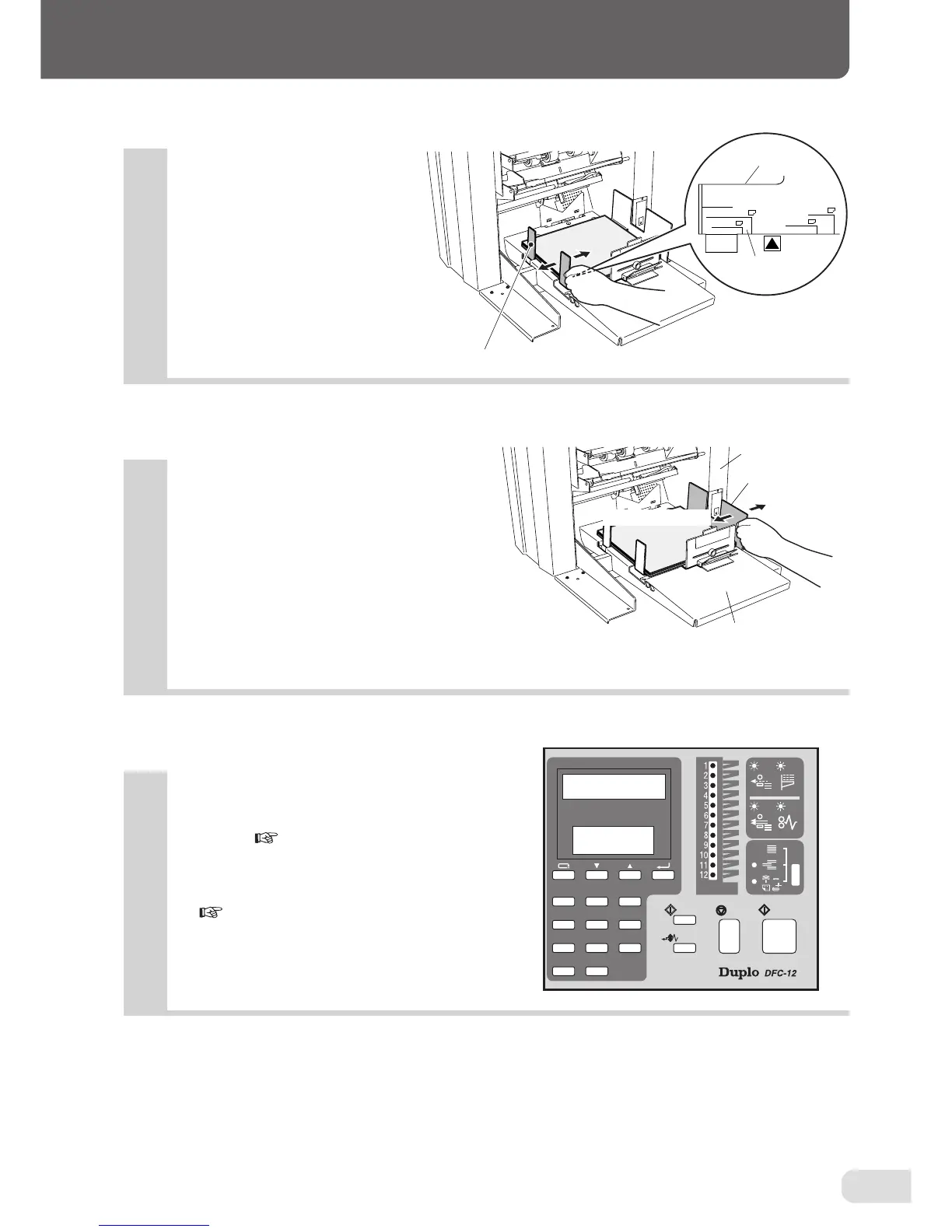
Adjust the side guide F to the paper size.
9
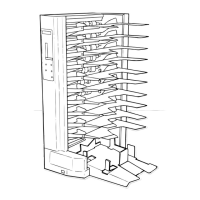
Set the collation mode, paper receiving
method, and count display method on
the control panel.
• For details, refer to "11. USING THE CONTROL
PANEL" ( page 19).
• When using the downstream unit, refer to "12.
CONNECTING THE DOWNSTREAM UNIT"
( page 27).
8
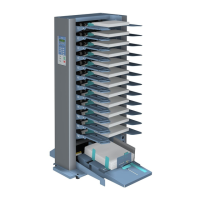
When set to the STRAIGHT mode, move
the side guide B until it touches the pa-
per receiving table. When set to the OFF-
SET mode, move it until it
touches the
side frame.
Side guide F
B5
LGL. LTR IV
A4. A5
B4. B5
11x17
Side guide F
Paper size scale
Side guide B
OFFSET mode
Side frame
Paper receiving table
STRAIGHT mode
321
654
987
C
0



 To Next Page