Before You Start
EN-10
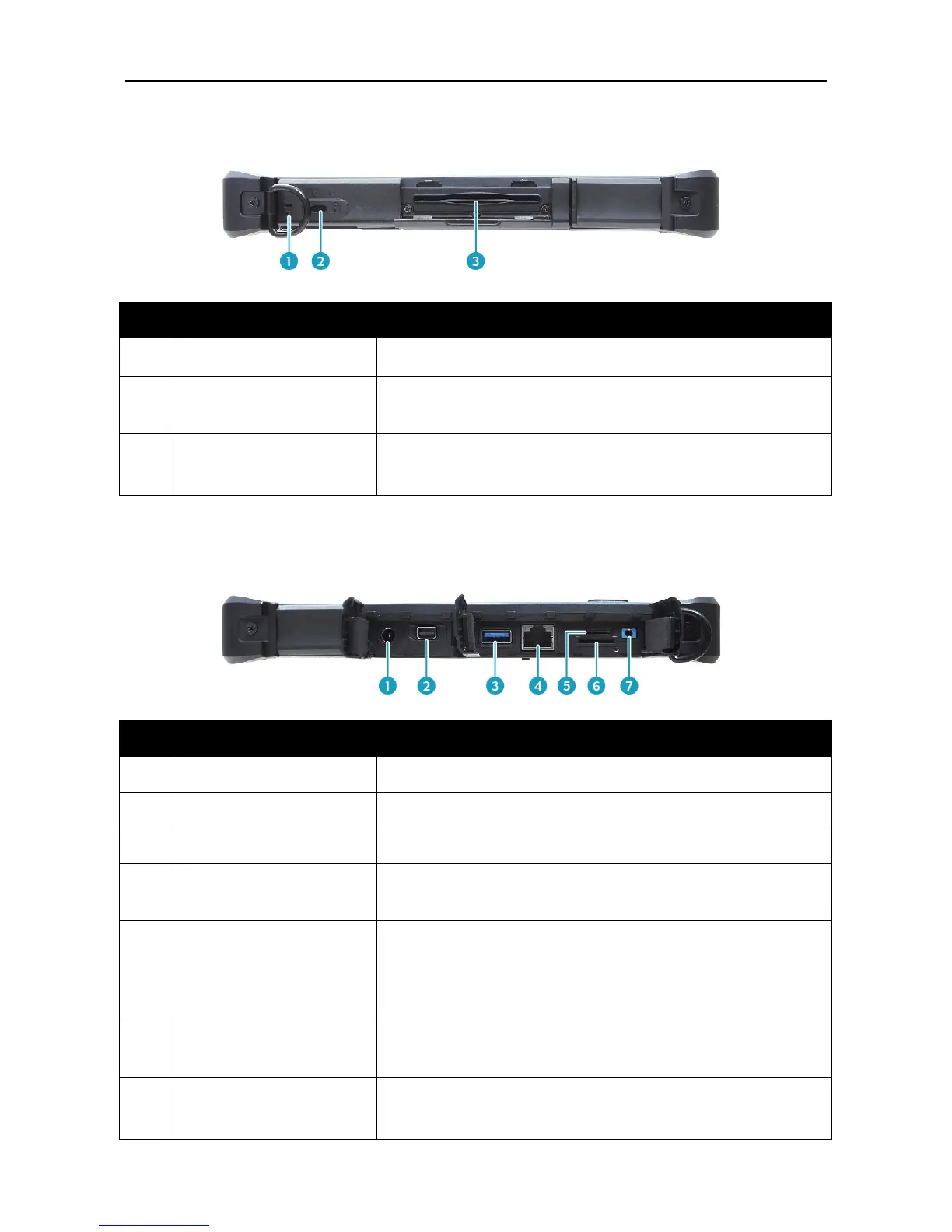
Left View
Attach the strap for the stylus pen.
Connect a Kensington-compatible tablet PC
security lock.
Smart card reader
(for selected model)
Use to insert smart cards.
Connect the power adapter.
Connect to an external display.
Connect USB 3.0 peripheral devices.
Connect to a local area network (LAN) using an
Ethernet cable.
Use to insert memory cards to transfer pictures,
music, and data between your Tablet PC and flash
compatible devices. The card reader supports
micro-SDHC and micro-SDXC.
Use to insert a SIM card for WWAN module
connection.
Connect a headphone or an external speakers or
microphone.



 To Next Page