Operating Your Tablet PC
EN-22
Configuring the Programmable Button (P2)
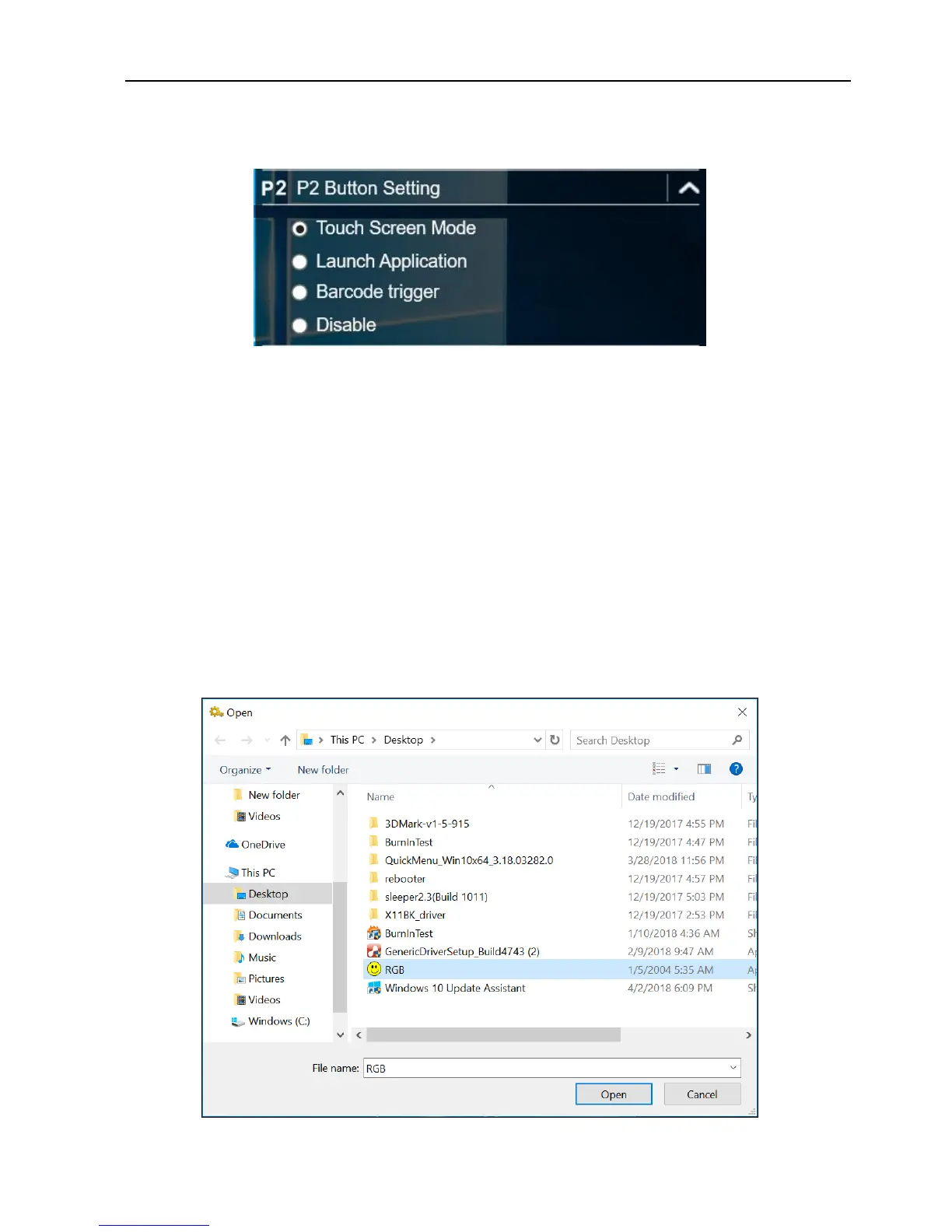
On the P2 Button Setting section, you can assign the function for the P2 button.
There are four available options:
Touch Screen Mode: Toggle the touch screen mode.
Launch Application: Shortcut key for launching the specific application. To
assign the application, refer to the “Assigning an Application the P2 Button”
section.
The default application is Quick menu.
Barcode trigger: Scan the barcode (if the barcode scanner is integrated).
Off: No function.
Assigning an Application the P2 Button
Tap the P-Key tab to assign an application to the P2 button. Select the desired
application and click Open.



 To Next Page