Making Connections
EN-35
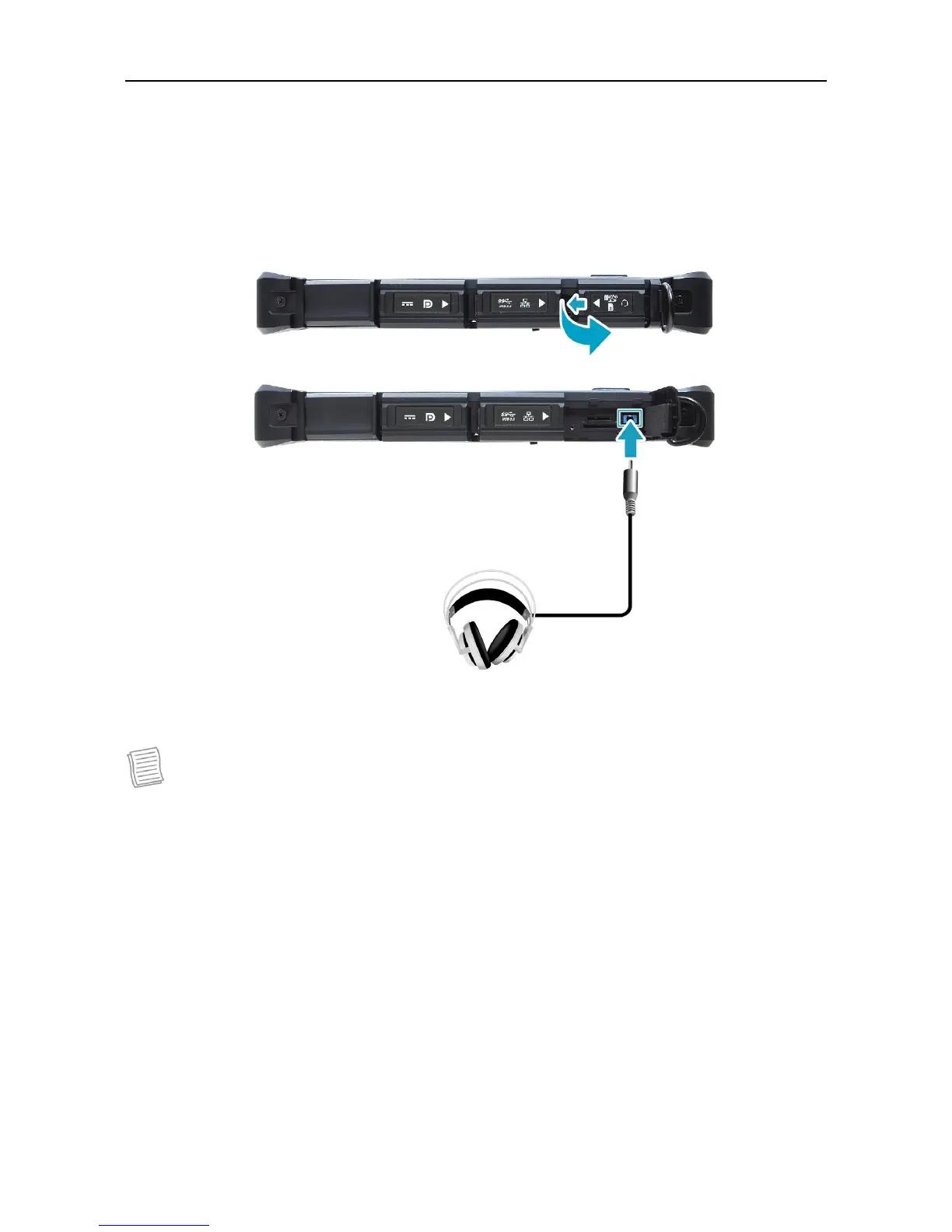
Connecting the Microphone/Headset
Your tablet PC is equipped with audio combo jack that enables you to use the
headset or microphone.
To connect to a headset, open the memory/SIM card cover and plug the
stereo headphone cable into the audio combo jack of your device.
To connect to a microphone, open the memory/SIM card cover and plug the
microphone cable into the audio combo of your device.
NOTE
The headset and microphone are not included in the package. They are sold
separately.



 To Next Page