Making Connections
EN-33
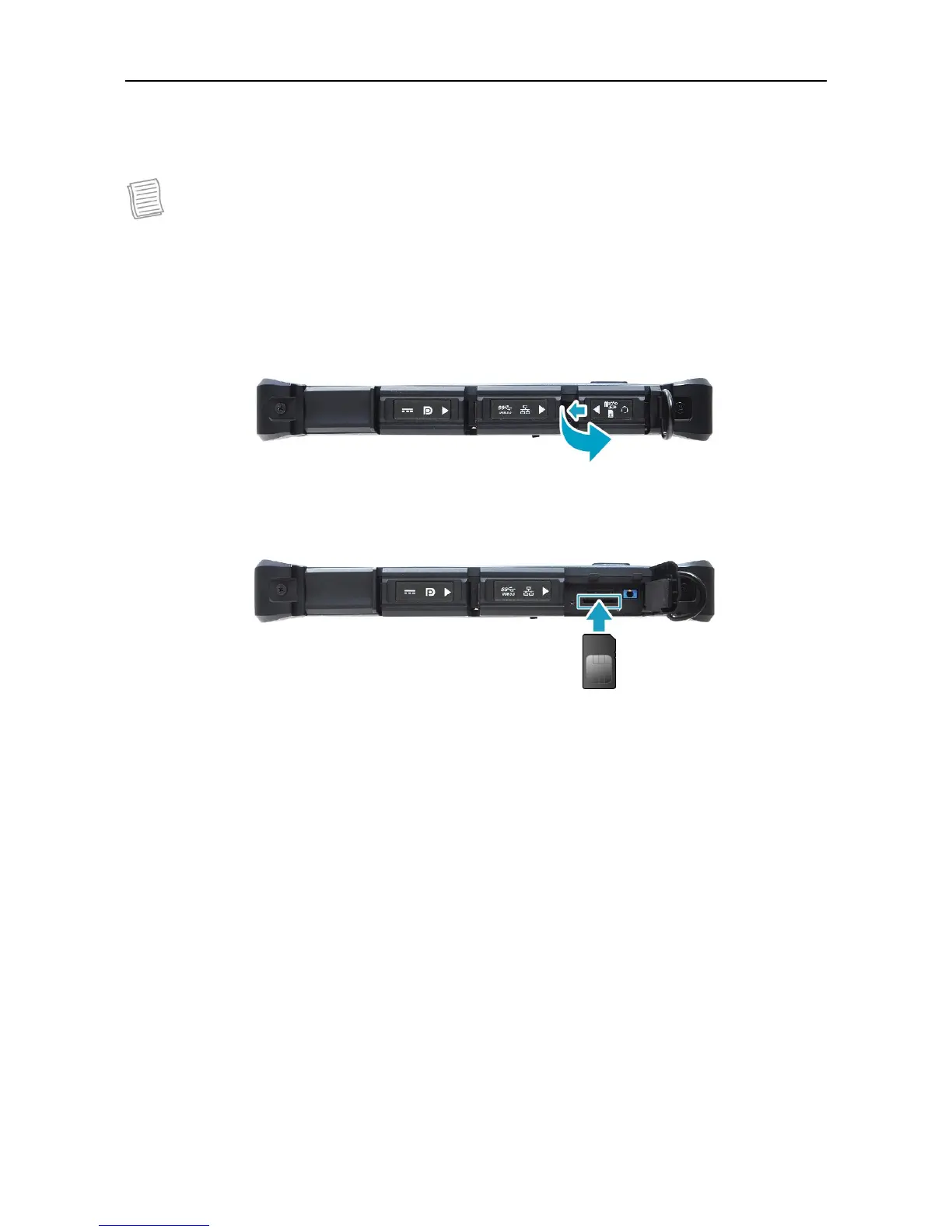
Installing the SIM Card
You can use a SIM card for wireless internet access.
NOTE
Check the availability of service and plan rates of data connection with your
network service provider.
It is recommended turn off the tablet PC before you insert the SIM card.
1. Slide to the left to open the memory/SIM card cover.
2. Push a valid SIM card into the SIM card slot until it clicks into place.
3. Close the memory/SIM card cover.



 To Next Page