R
DURASTAR.COM
17
LOUVERED AIR FLOW
SETTING VERTICAL ANGLE ( )
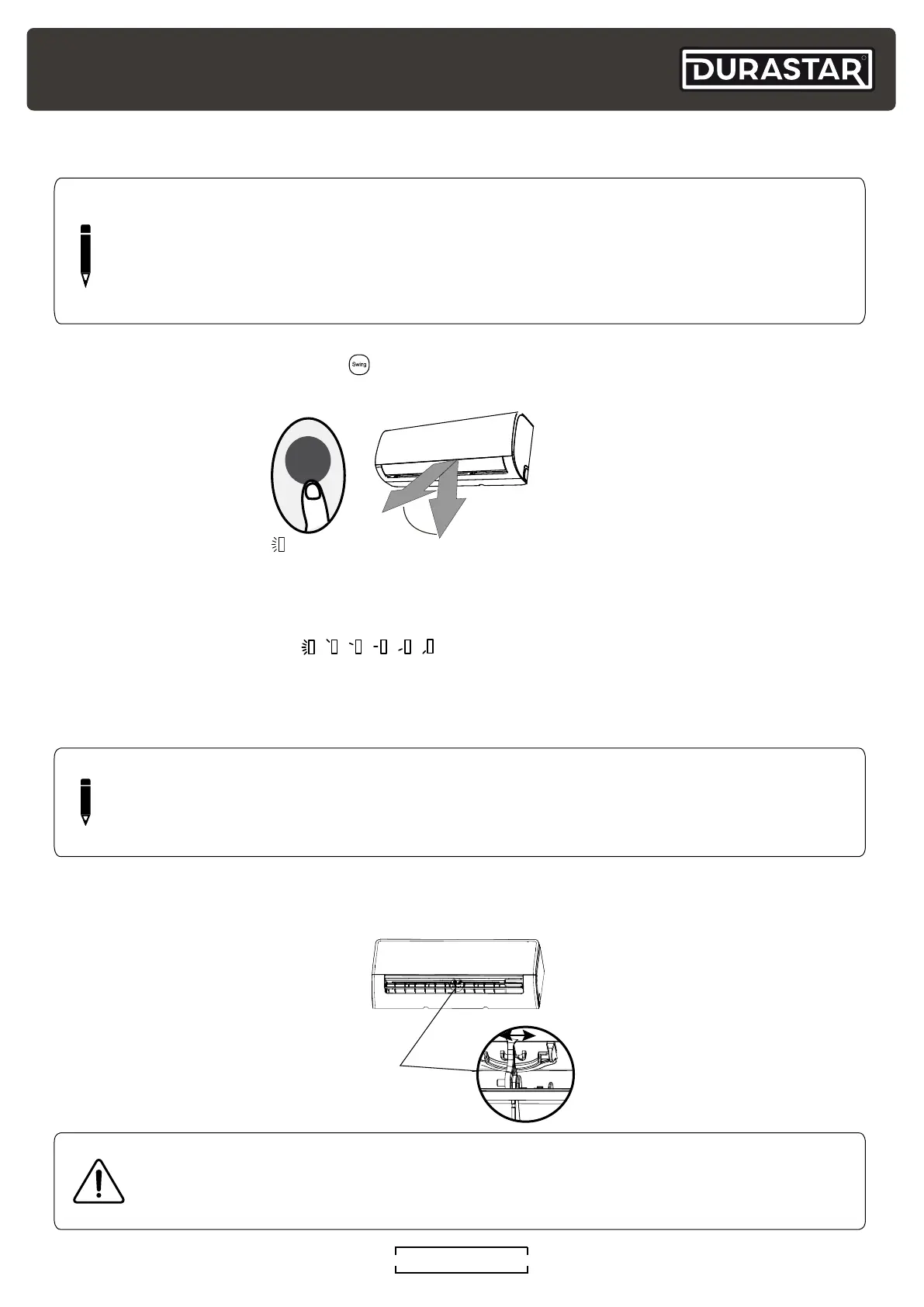
While the unit is on, press the SWING button on the remote control to set the vertical direction of
airflow.
AUTOMATIC SWING ( )
Press the SWING button once to start the automatic vertical (up and down) movement of the
louver. Press again to make it stop.
FIXED LOUVER ANGLE (
)
Quickly press the SWING button 2-6 times to adjust the fixed angle of the louver. Each press will
adjust the louver by 6°. Press the button until the desired angle is reached. The remote will display
the selected angle.
CAUTION
Do not put your fingers in or near the blower and suction side of the unit. The high-
speed fan inside the unit may cause injury.
NOTE
Do not move louver by hand. This will cause the louver to become out of sync. If this
occurs, turn off the unit and shut off the breaker for 30 seconds, then restart the unit. This
will reset the louver.
SETTING HORIZONTAL ANGLE
The horizontal angle of the airflow must be set manually. Grip the deflector rod and manually
adjust it to your preferred direction.
Rod
Range
Swing
NOTE
When using COOL or DRY mode, do not set louver at too vertical an angle for long
periods of time. This can cause water to condense on the louver blade, which will drop on
your floor or furnishings. When using COOL or HEAT mode, setting the louver at too small
an angle can reduce the performance of the unit due to restricted air flow.



 To Next Page