EasyManua.ls Logo

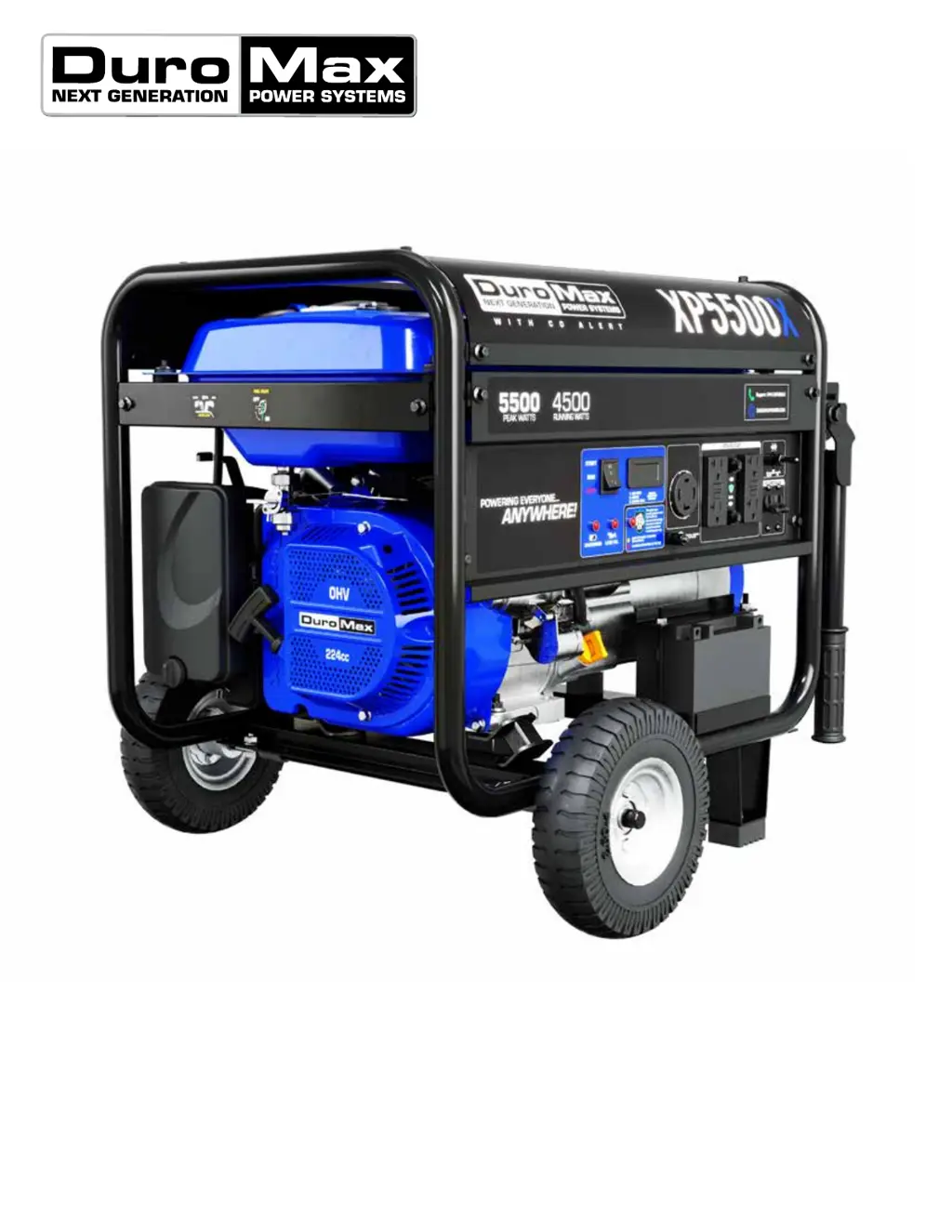
DUROMAX XP5500X - User Manual

DUROMAX XP5500X
70 pages
Print Icon
To Next Page IconTo Next Page
Loading...
XP5500X
USER MANUAL
5800 Ontario Mills Pkwy
Ontario, CA 91764 USA
www.DuroMaxPower.com
Call our Customer Care Team Toll Free 8-5 pm PST Mon-Fri
844-DUROMAX
This manual provides information regarding
the operation and maintenance of these
products. We have made every effort to
ensure the accuracy of the information in
this manual. We reserve the right to change
this product at any time without prior
notice.

Questions and Answers

  • T
    Tyler HensleyJul 29, 2025
    How to start a DUROMAX XP5500X when it won't start?
    • R
      Robert LeonJul 29, 2025
      If your DUROMAX Portable Generator won't start, several factors could be the cause. First, ensure the engine switch is set to “RUN” and the fuel valve is “OPEN”. Check that the choke is closed and that there is enough fuel, making sure the fuel isn't old or contaminated. Inspect the spark plug; it may need cleaning or replacing. Also, verify the generator is on a level surface and that the oil level is sufficient. Address these potential issues to get your generator running.
  • T
    Thomas LivingstonAug 8, 2025
    What to do if my DUROMAX XP5500X Portable Generator runs but has no electrical output?
    • K
      Kimberly HillAug 8, 2025
      If your DUROMAX Portable Generator runs but provides no electrical output, check that the circuit breaker is turned “ON”. Also, check the wiring connections and replace any faulty extension cords. Finally, disconnect any devices that might be malfunctioning.
  • N
    Nicole ScottAug 18, 2025
    Why does my DUROMAX XP5500X run but not support all connected devices?
    • P
      pwilliamsAug 18, 2025
      If your DUROMAX Portable Generator runs but doesn't support all connected electrical devices, it might be overloaded. Disconnect some items to reduce the load. Another reason could be a malfunctioning device, so try disconnecting devices one by one to identify the faulty one. Lastly, a dirty air filter can cause this issue, so clean or replace it.

Summary

General Safety Procedures

Safety Alert Symbol and Warning Words

Explains the meaning of safety alert symbols and words like DANGER, WARNING, CAUTION.

Carbon Monoxide and Heat Hazards

Details dangers of carbon monoxide and high temperatures from generator exhaust.

Flammable Vapor and Electrical Shock Risks

Warns about flammable gasoline vapors and electrocution hazards.

Generator Hazard Markings and Labels

Identifies key hazard labels on the generator, including CO guard warnings.

High Temperature and Exhaust Warnings

Highlights warnings for hot surfaces and exhaust, advising to avoid touching.

Carbon Monoxide Safety

Understanding Carbon Monoxide Dangers

Explains what carbon monoxide is and its life-threatening risks.

CO Alert System Functionality

Details the features and operation of the DuroMax CO Alert system.

Generator Setup

Step 6: Grounding the Generator

Instructs on proper grounding procedures for electrical safety.

Starting the Generator

Step 1: Check Oil Level

Provides steps to check the engine oil level before operation.

Using the Generator

AC Usage and Wattage Requirements

Explains AC power connection and wattage considerations for connected devices.

Connecting Loads to the Generator

Details how to properly connect electrical devices to the generator's outlets.

Maintenance and Care

Maintenance Schedule Overview

Presents a schedule for regular maintenance tasks based on time or usage.

Checking the Oil Level

Details the procedure for checking the engine oil level before operation.

Changing the Engine Oil

Instructs on how to drain and replace the engine oil.

Troubleshooting Generator Issues

Common Problems and Solutions

Lists specific problems, descriptions, and solutions for generator issues.

Wiring Diagram

Warranty Information

DUROMAX XP5500X Specifications

General IconGeneral
BrandDUROMAX
ModelXP5500X
CategoryPortable Generator
LanguageEnglish

Related product manuals