EasyManua.ls Logo

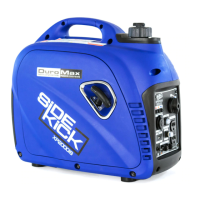
DUROMAX XP2000iS - User Manual

DUROMAX XP2000iS
28 pages
Print Icon
To Next Page IconTo Next Page
Loading...
- --- -
Dura
:Max
NEXT GENERATION POWER SYSTE MS
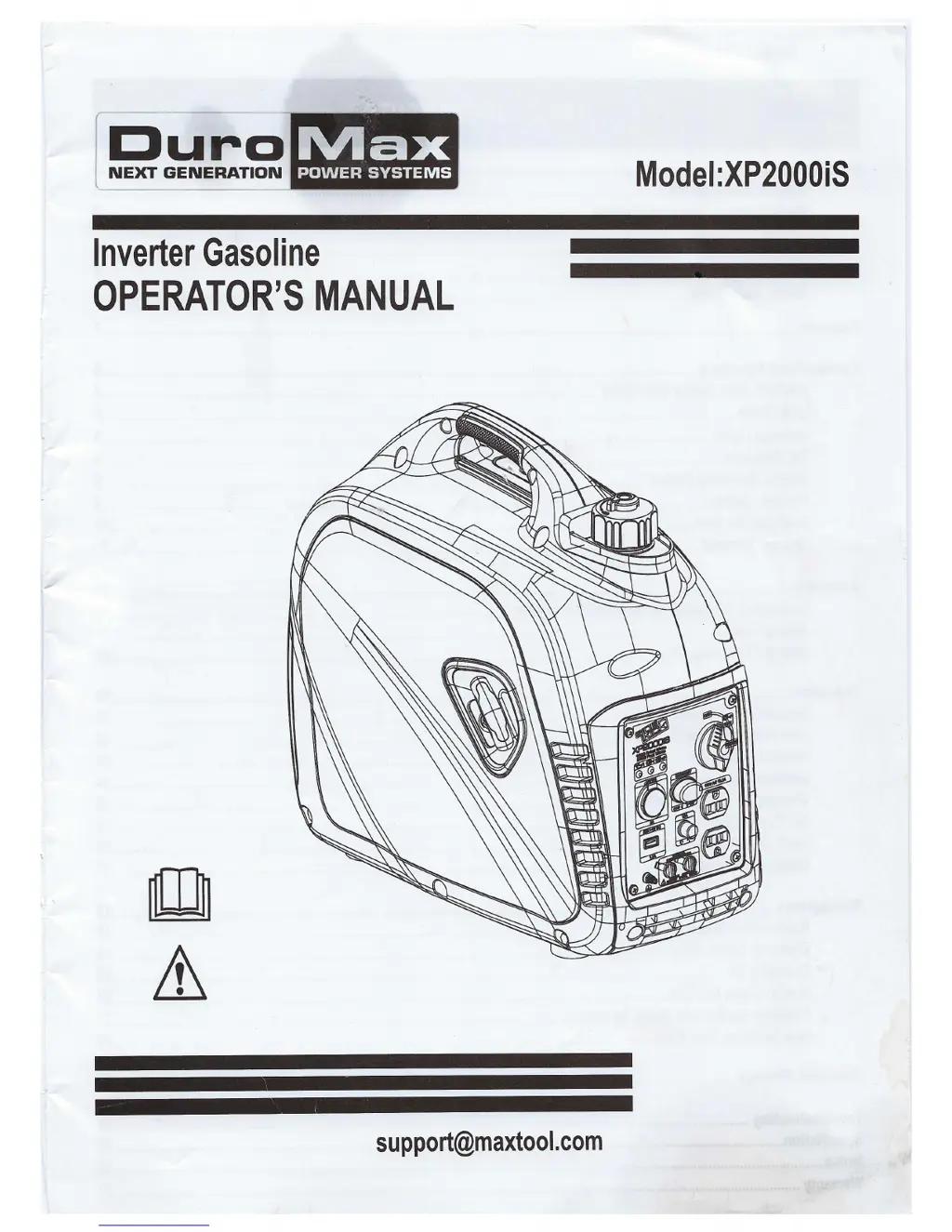
Inverter Gasoline
OPERATOR'S MANUAL
support@maxtool.com
Model:XP2000i5

Questions and Answers

  • V
    Vanessa DavisAug 3, 2025
    How to fix a DUROMAX Portable Generator that will not start, shuts down during operation, or starts and runs rough?
    • D
      Donna HuynhAug 3, 2025
      If your generator won't start, shuts down, or runs rough, consider these possibilities: Ensure the choke is correctly set to “CHOKE” when starting. Replace the fuel if it's old or if the unit is out of fuel. Check that the spark plug wire is connected to the spark plug. Clean or replace the spark plug if it's bad. Drain the fuel tank and replace the fuel if there's water in it. Turn off the choke if the engine is over choked. Add oil if the oil level is low. If the problem persists, there may be a faulty ignition, and you should contact a DuroMax dealer.
  • T
    Tonya FinleyAug 8, 2025
    What to do if my DUROMAX XP2000iS Portable Generator is running, but doesn't supply power?
    • C
      campbelljustinAug 8, 2025
      If your generator is running but not supplying power, there are several potential causes. First, check if the DC Circuit Breaker is in the “OFF” position and turn it “ON”. If the green AC Pilot Light Indicator is off, stop the engine and restart it. Also, check for and repair any poor connections or defective cord sets. Ensure the connected device is working correctly by testing with another device. If none of these steps work, there may be a fault in the generator, and you should contact the service department.
  • S
    Stephanie VasquezAug 14, 2025
    Why does my DUROMAX Portable Generator engine run good without load but bogs down when loads are connected?
    • L
      lauraparkerAug 14, 2025
      If your generator engine runs well without a load but bogs down when loads are connected, it could be due to several reasons. A short circuit in the connected device could be the problem; try disconnecting the device. The generator might be overloaded. If the issue persists, it could be that the engine speed is too slow, or there is a short circuit in the generator, in which case you should contact the service department.
  • L
    Laura WilliamsAug 21, 2025
    Why does my DUROMAX Portable Generator engine lack power?
    • R
      Rachael WarnerAug 21, 2025
      If your generator engine lacks power, it could be overloaded. If that's not the case, the engine may need servicing, and you should contact the service department.
  • A
    Angela ClarkAug 27, 2025
    What to do if DUROMAX Portable Generator engine “hunts” or falters?
    • E
      Edward NolanAug 27, 2025
      If your generator engine “hunts” or falters, it might be because the choke was removed too soon; move to choke until engine runs evenly. Alternatively, the carburetor might be running too rich or lean, in which case you should contact the service department.

Summary

Introduction and Specifications

Product Specifications

Details the technical specifications of the generator, including voltage, power, and engine details.

Contact Information

Provides ways to contact DuroMax for support or inquiries.

Safety Rules

Safety Symbols

Explains warning icons used in the manual.

Important Safety Precautions

Covers critical operational and handling guidelines for safe generator use.

Generator Features

Key Components Overview

Identifies and labels all major external parts and controls of the generator.

Control Panel Functions

Start Switch and Choke Operation

Explains the operation of the ON/OFF/CHOKE start switch.

Indicator Lights and Ports

Describes indicator lights and power outlets like USB, AC, Parallel.

Economy Control and Grounding

Covers Engine Economy switch and Ground Terminal setup.

Assembly Procedures

Connecting to Electrical System

Instructions for safely connecting the generator to a building's electrical system.

Adding Fuel

Step-by-step guide on how to safely add gasoline to the generator.

Engine Oil Management

Adding and Checking Engine Oil

Detailed steps for filling and verifying engine oil levels.

Generator Operation

Starting the Engine

Step-by-step instructions for starting the generator engine.

Stopping the Engine

Procedures for safely shutting down the generator.

Attaching Electronic Devices

Guidance on connecting devices to the generator for power.

Charging a 12 Volt Battery

Instructions for using the generator to charge a vehicle battery.

AC Parallel Operation

How to connect two generators for increased power output.

Preventing Overload

Guidance on calculating wattage and avoiding generator overload.

Maintenance Schedule

Pre-Operation Checks

Essential steps to perform before starting the generator.

Regular Maintenance Tasks

Tasks to perform after each use and at specific hour intervals.

Specific Maintenance Procedures

Checking Spark Plug

Instructions for inspecting, cleaning, and gapping the spark plug.

Oil Recommendations

Guidance on selecting the correct engine oil based on temperature.

Component Servicing

Changing Engine Oil

Step-by-step guide for draining and refilling engine oil.

Air Filter Cleaning

Instructions for cleaning and oiling the generator's air filter element.

Muffler and Spark Arrestor Inspection

Guidance on checking and cleaning the muffler and spark arrestor.

Fuel Filter Maintenance

Procedures for cleaning or replacing the fuel tank and filter.

Storage and Fuel Management

Storage and Transportation

Guidelines for storing and transporting the generator safely.

Engine Long-Term Storage

Steps to prepare the engine for extended periods of non-use.

Draining Fuel

Procedures for safely emptying the fuel tank and carburetor.

Troubleshooting Guide

Common Generator Problems and Solutions

Lists common issues and their corresponding fixes.

Technical Specifications

Generator Specifications Table

A detailed table listing the generator's model, electrical, and engine specifications.

Wiring Diagram

Electrical System Layout

A visual representation of the generator's electrical connections and components.

Warranty Information

DuroMax Limited Warranty

Details the terms and conditions of the generator's warranty coverage.

DUROMAX XP2000iS Specifications

General IconGeneral
TypeInverter Generator
Starting Watts2000
Running Watts1600
Fuel TypeGasoline
Run Time at 50% Load8 hours
Weight46 lbs
Outlets2
Engine Displacement79.7 cc
USB OutletYes
Starting SystemRecoil Start
Parallel CapableYes
Inverter TechnologyYes
Fuel Tank Capacity1.1 gallons
Run Time8 hours
Engine Type4-Stroke
Outlet Types2 x 120V AC

Related product manuals