ASSEMBLY
Adding / Checking Engine Oil
• Place generator on a level surface.
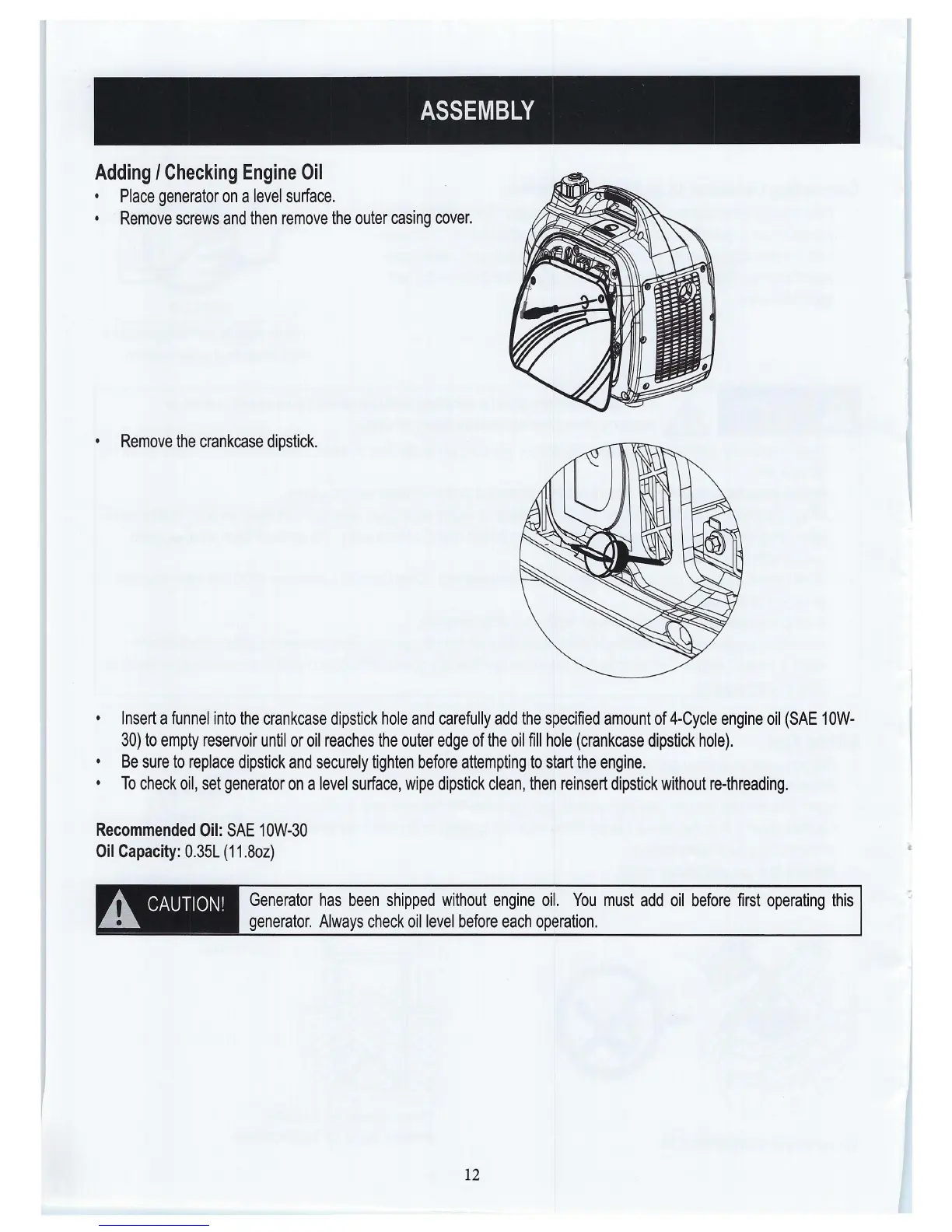
Remove screws and then remove the outer casing cover.
• Remove the crankcase dipstick.
Insert a funnel into the crankcase dipstick hole and carefully add the specified amount of 4-Cycle engine oil (SAE 1 OW-
30) to empty reservoir until or oil reaches the outer edge of the oil fill hole (crankcase dipstick hole).
• Be sure to replace dipstick and securely tighten before attempting to start the engine.
• To check oil, set generator on a level surface, wipe dipstick clean, then reinsert dipstick without re-threading.
Recommended Oil: SAE 10W-30
Oil Capacity: 0.35L (11.8oz)
A. CAUTION!
---- ~--
Generator has been shipped without engine oil. You must add oil before first operating this
generator. Always check oil level before each operation.
12


 To Next Page