DS100S AC Servo Manual
Notes:
1. If use 3 phase AC220V main power supply, please connect with terminal L1,L2,L3.
2. If use 1 phase AC220V main power supply, please connect with terminal L1,L3.
3. Terminal CN2 please connect with the signal terminal of encoder.
4. Terminal CN1 should be connected following the above wiring picture.
5. Rated current of the external power supply(12~24vdc) for digital inputs and outputs should more
than 100mA.
6. Recommend use AWG24-26 shielded cables for control and feedback signals, and correctly
ground the shielded cable.
7. Cable for control signals(CN1) should be less than 3 meters, and cable for feedback signals(CN2)
should be less than 10 meters.
8. Recommend use a circuit braker (NFB) to cut off power in the case of an overload, and use an
electromagnetic contactor to switch servo motor on and off.
Motor Code Parameter Setting Steps
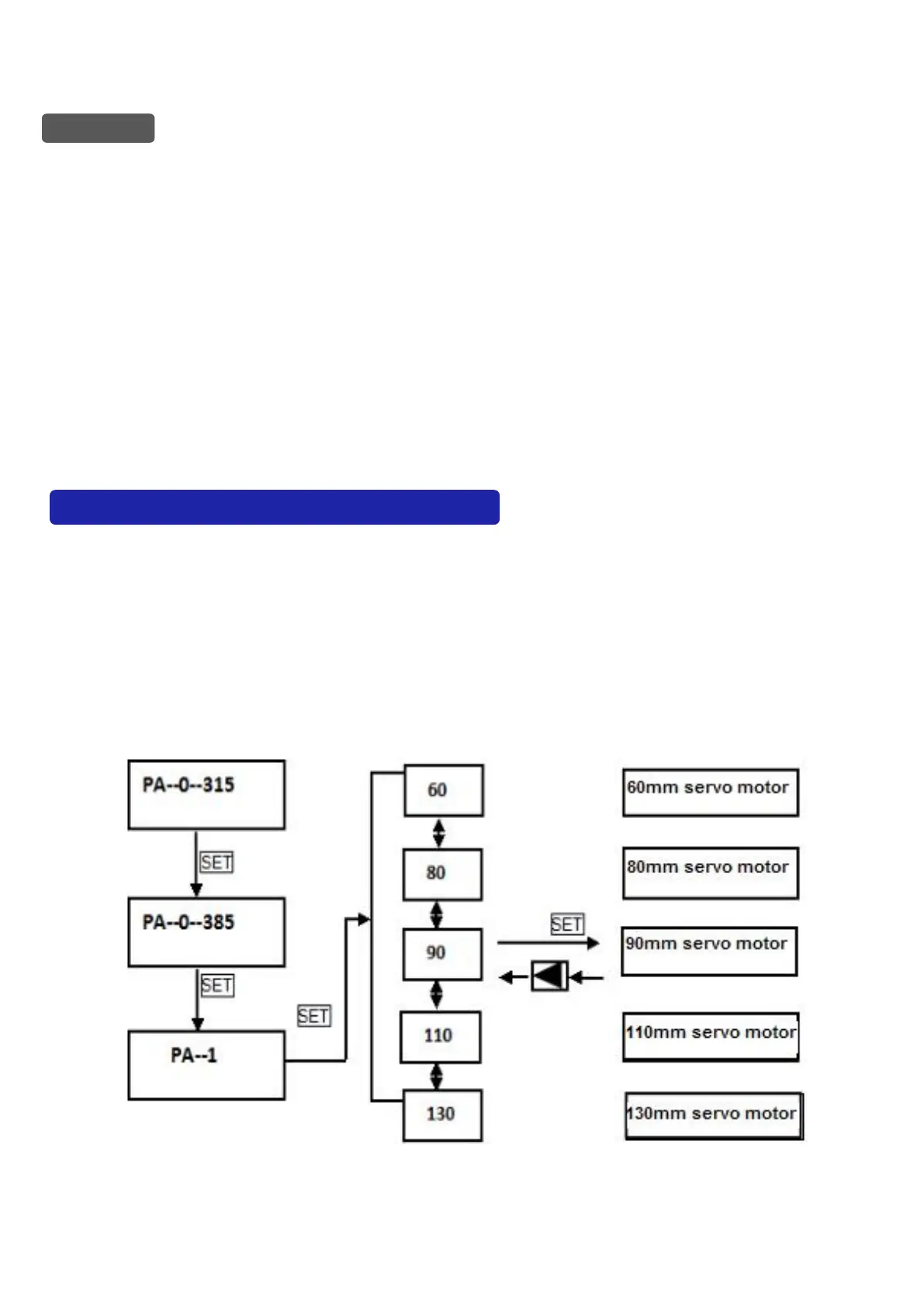
The code parameter PA-01 of a motor must be configured with the exact motor that you use. The
value of PA-01 should be set referring to the following table. If there is a mismatching
occurred,there will cause degradation or alarm. And needed attention that different types of code
have different default parameters. For example, DS100H-75 whose factory default model of ac
servo motor is 80ST-M02430. If there is necessary to modify the motor code or restore setting
parameters that was set by manufacturer, please firstly modify PA-0 to 385,and then enter into
PA-01, and finally press up key or down key to select the appropriate motor. The steps as the
following picture showed:



 To Next Page