DS100S AC Servo Manual
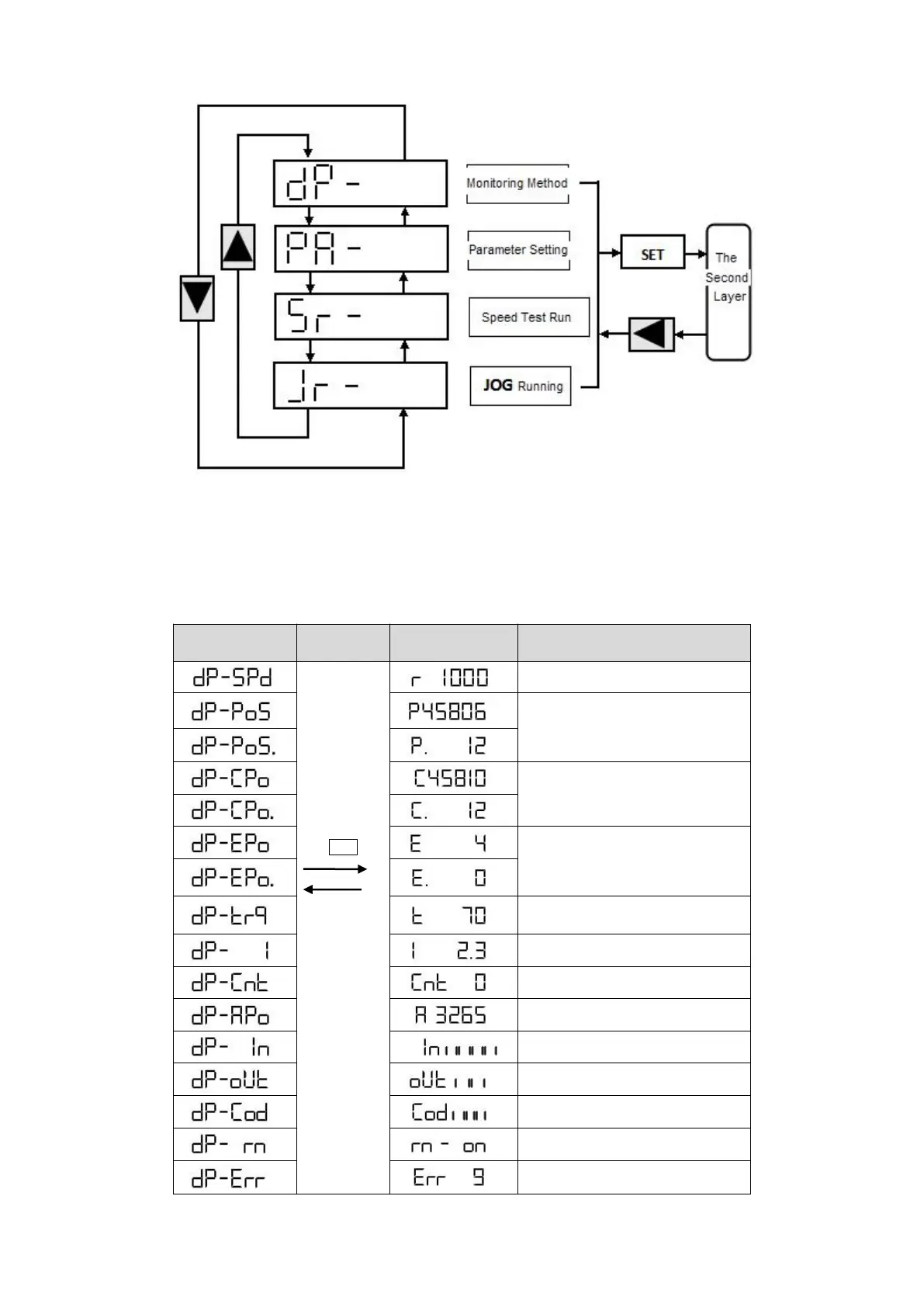
Pic 1. Operating display layer
Monitoring
In the first layer, please select
“
DP--
”
and press the SET button to enter into monitoring mode.
There are 16 displays in total. Users select the desired display mode with
↑
or
↓
key, and then
press the SET key to enter into the specific states.
The current position : 1245806
Position Command : 1245810
Position Deviation 4 pulse
Absolute Rotor Position 3265



 To Next Page