
 To Next Page
D
derrick77Aug 10, 2025
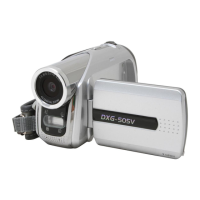
What to do if my DXG DXG-505V Camcorder cannot format the memory card?
- RRuth SchmittAug 10, 2025
If your DXG Camcorder cannot format the memory card, try formatting the memory card on a PC, ensuring you use the FAT format.

What to do if my DXG DXG-505V Camcorder cannot format the memory card?
If your DXG Camcorder cannot format the memory card, try formatting the memory card on a PC, ensuring you use the FAT format.
What to do if my DXG DXG-505V Camcorder system hangs when card is removed?
If your DXG Camcorder system hangs after removing the card, please restart the unit.
How to fix a DXG DXG-505V Camcorder when the system hangs?
If your DXG Camcorder system hangs, first check the battery contacts and then restart the device. If it still won't restart, it's possible that improper use has damaged the camcorder. Do not attempt to disassemble it; return it for repair.
Essential safety instructions for operating the digital video camera and handling components.
Guidelines for pre-operation checks, environmental considerations, and handling.
Steps for inserting batteries and memory cards before first use.
Detailed guide for capturing, managing, and playing back video recordings.
Detailed guide for capturing, managing, and playing back still photos.
Accessing and modifying camera settings like date, language, and output.
Accessing quick settings for video capture like size, quality, and effects.
Step-by-step guide to recording video in MPEG4 format.
Instructions for viewing recorded video files on the camera.
Explains photo mode indicators and how to access quick settings.
Using flash modes and a step-by-step guide to capture photos.
Techniques for taking close-up macro shots and standard photos.
Details on configuring date/time, language, video output, and other settings.
Instructions for installing necessary drivers for PC connectivity.
Steps to fix camera freezing or unresponsiveness.
 General
| Video Resolution | 640 x 480 |
|---|---|
| Optical Zoom | 4x |
| Digital Zoom | 8x |
| LCD Screen Size | 2.5 inches |
| Video Format | AVI |
| Image Format | JPEG |
| Battery | Rechargeable Lithium-ion |
| Image Sensor | CMOS |
| Storage | SD Card |