Caring for Your Printer
28
Replacing the Inkjet Cartridge
The DiscPainter printer uses a single, multicolored, inkjet cartridge (US part number 1738252; EU
part number SO740790).
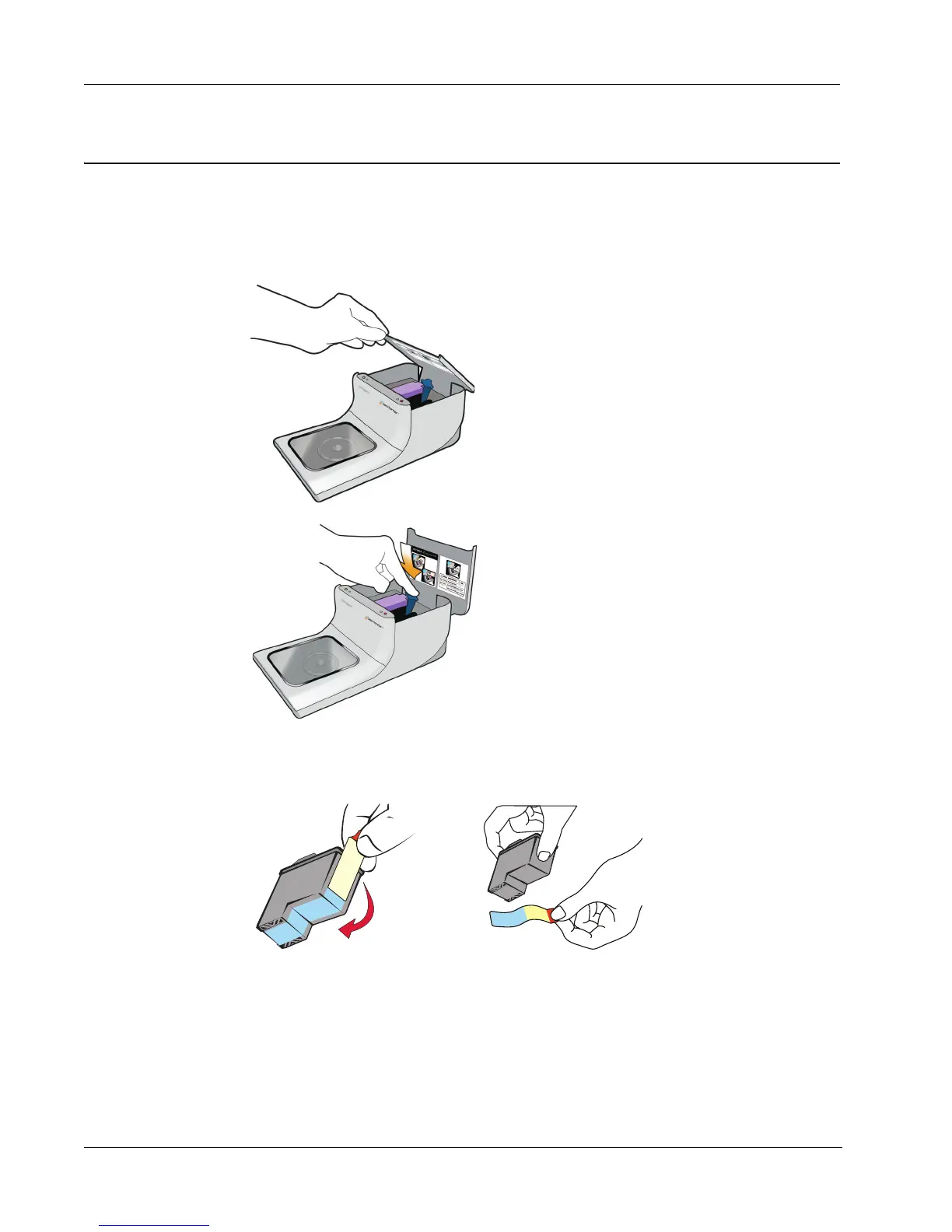
To replace the inkjet cartridge
1 Open the top cover.
2 Push the blue cartridge release lever to unlock the purple cartridge latch.
3 Remove the old cartridge.
4 Carefully remove the new inkjet cartridge from the packaging.
5 Remove the protective tape from the cartridge.



 To Next Page