1
Chapter 1
Introduction
This chapter introduces the DYMO DiscPainter printer and covers the following topics:
• Printer overview and features
• System requirements
• DiscPainter printer at a glance
• Important notes for printing on discs
• Road map for finding more information
Printer Overview and Features
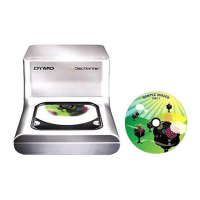
The DiscPainter CD/DVD printer is a color inkjet printer that prints high-quality graphics, text, and
images directly onto inkjet-printable CDs and DVDs with ease and accuracy. Set up is quick and
easy, and can be accomplished in just a few minutes. Regardless of your content (music, video, or
data), you can print attractive, professional-looking text and graphics on discs without using
clumsy adhesive labels.
Below are some of the printer’s most important features:
• Prints clear, attractive designs onto the printable side of CDs and DVDs
•
Prints high-resolution, color text and images using RadialPrint
™
Technology (up to 1200 dpi)
• Prints on 120 mm and 80 mm inkjet-printable discs
• Supports full-coverage (hub-printable) discs
• Includes Discus for DYMO software so that you can create your own custom designs
System Requirements
The DiscPainter printer system requirements are as follows:
Mac OS System Requirements
•
Mac OS
®
v10.3/10.4
• 512 MB RAM
• USB port (USB 2.0 certified high-speed device works with USB 1.1)
• 700 MB hard disk space
Windows System Requirements
•
Windows
®
XP and Vista
• 512 MB RAM
• USB port (USB 2.0 certified high-speed device works with USB 1.1)
• 700 MB hard disk space



 To Next Page