10
3
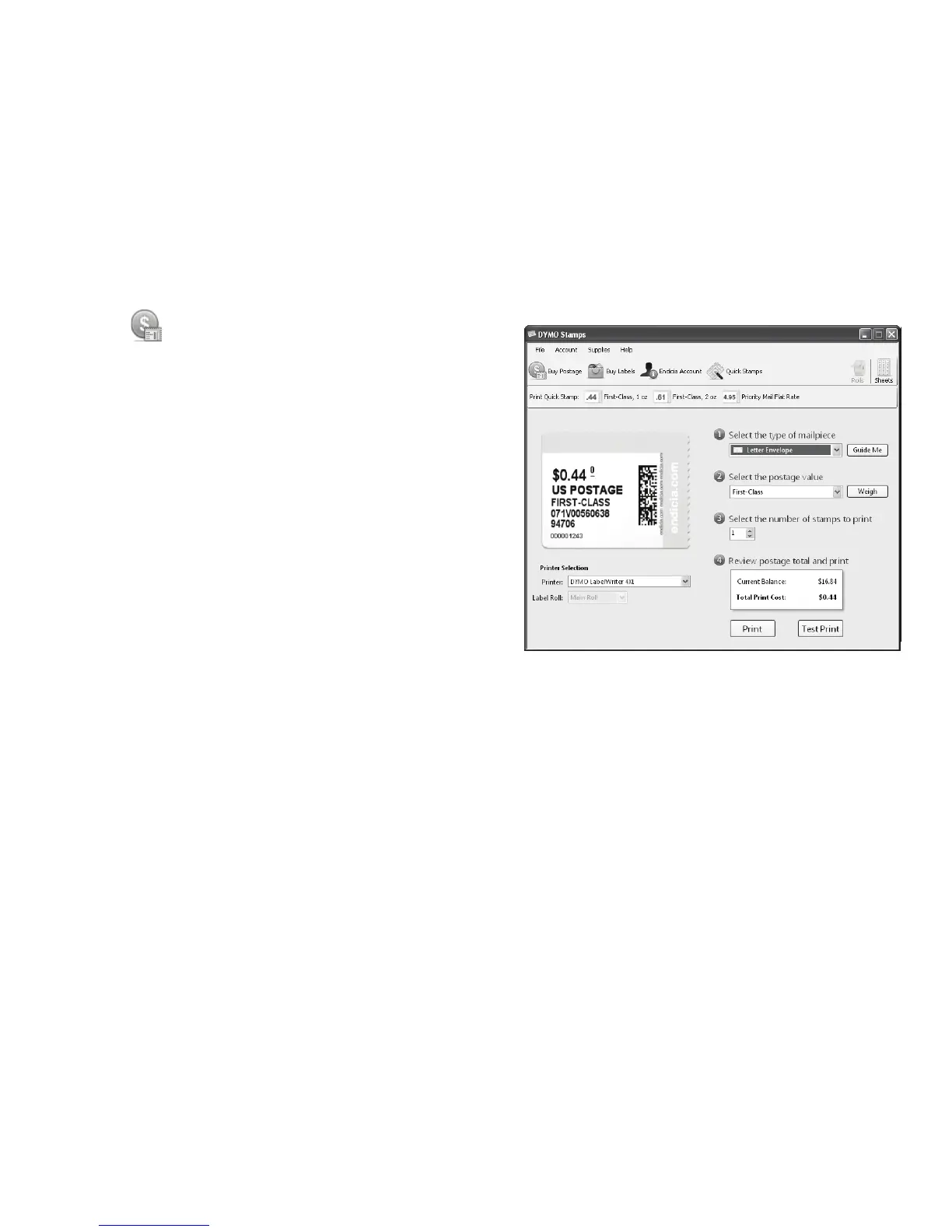
Enter your account number and pass phrase, and then click
OK
.
4 Click Buy Postage and purchase
postage for your account.
5 Select DYMO LabelWriter 4XL from the
Printer list under Printer Selection.
6 Click Test Print to print a voided
postage label.
You are now ready to start printing actual
postage whenever you need it. Refer to the
DYMO Stamps online Help for more
information about using the software.
You can add postage, buy DYMO Stamps
postage labels, and order supplies directly
from within the DYMO Stamps software.


 To Next Page
 Loading...