
 Need help?
Do you have a question about the Dymo LabelWriter Wireless and is the answer not in the manual?
General safety guidelines for using the DYMO LabelWriter.
Safety precautions related to the power cord and adapter.
Safety guidelines for operating the printer and its components.
Proper handling and storage of labels to maintain quality.
Information on the environmental impact and recycling of the printer.
Register your printer online for software upgrades and product announcements.
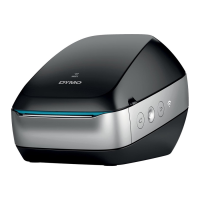
Identify key physical parts of the LabelWriter Wireless printer using diagrams.
Learn about the power button, feed buttons, and status lights.
Understand features like WPS, Reset, Label Release, and Label Guide.
Details on label types, storage, and handling.
Details on label types, ordering, and custom options.
Check the operating system and device compatibility for the printer.
Use DYMO Label software and add-ins for label design and printing.
Design and print labels using the mobile app on your smartphone or tablet.
Install DYMO Stamps for USPS postage printing.
Resources for developers creating solutions for LabelWriter printers.
Step-by-step guide to connect the printer's power adapter and cord.
Instructions on how to load a label roll into the printer.
Use WPS to quickly connect the printer to your wireless network.
Use the wizard in the Web Configuration utility for network setup.
Add the printer to your computer and print using DYMO Label software.
Design and print labels using the DYMO Connect mobile app.
Connect the printer directly to your computer using a USB cable.
List of compatible browsers for the Web Configuration utility.
Steps to access the printer's network configuration interface.
Overview of settings available in the Web Configuration utility.
Guide to re-running the network setup wizard.
Options for connecting the printer to visible or hidden networks.
Obtain a WPS PIN code for router connection.
Configure the printer to act as its own Wi-Fi hotspot.
Steps to connect the printer to a new wireless network.
Secure access to the Web Configuration utility by changing the password.
Assign a custom name to the printer for easier identification.
Set the display language for the Web Configuration utility.
Adjust the inactivity period before the utility session ends.
Instructions for cleaning the printer's exterior and interior components.
Interpret the meaning of the wireless status light indicators.
Interpret the meaning of the power status light indicators.
Solutions for common problems connecting to the wireless network.
Steps to connect the printer to a different wireless network.
Troubleshooting connection problems with the DYMO Connect app.
Troubleshooting connection problems with DYMO Label software.
Diagnose issues indicated by a flashing power status light.
Procedures for removing jammed labels from the printer.
Solutions for faint printing, spots, or uneven print quality.
Troubleshoot issues with label feeding and alignment.
Diagnose and resolve issues where the printer fails to print.
Run a self-test to verify print head and mechanism functionality.
Restore the printer to its original factory settings.
How to contact DYMO customer support for assistance.
Detailed specifications of the LabelWriter Wireless printer.
Technical details of the printer's wireless network capabilities.
List of certifications and compliance standards for the device.
 General
| Color | No |
|---|---|
| Print technology | Direct thermal |
| Maximum resolution | 600 x 300 DPI |
| Wi-Fi | Yes |
| Wi-Fi standards | 802.11b, 802.11g, Wi-Fi 4 (802.11n) |
| USB 2.0 ports quantity | 1 |
| Connectivity technology | Wired & Wireless |
| LED indicators | Status, WLAN |
| Mac operating systems supported | Mac OS X 10.11 El Capitan, Mac OS X 10.12 Sierra, Mac OS X 10.13 High Sierra |
| Mobile operating systems supported | Android 5.0, Android 5.1, Android 6.0, Android 7.1, Android 7.1.2, iOS 10.0, iOS 11.0, iOS 9.0, iOS 9.1, iOS 9.2, iOS 9.3 |
| Windows operating systems supported | Windows 10, Windows 7, Windows 8, Windows 8.1 |
| Security algorithms | WPS |
| Product color | Black |
| Cables included | AC, USB |
| Maximum label width | 62 mm |
| Pallet width | 800 mm |
| Pallet height | 1333 mm |
| Pallet length | 1200 mm |
| Pallet weight | 182440 g |
| Harmonized System (HS) code | 84433210 |
| Package depth | 254 mm |
| Package width | 179 mm |
| Package height | 184 mm |
| Package weight | 1410 g |
 Weight and Dimensions
| Depth | 204 mm |
|---|---|
| Width | 127 mm |
| Height | 124 mm |
| Weight | 660 g |









 To Next Page