Calibrating the 4-20 mA Proportional Output
You must calibrate the speed switch if the standard proportional output of 4 to 20
mA is changed to :
t
0–5 Vdc using switch C1, or
t
0–10 Vdc using switch C2
To calibrate the new proportional output
1 Attach a digital voltmeter to terminals 9 (–) & 10 (+).
2 Apply 10% of the full-scale frequency to input terminals 5 (+), 6 (–).
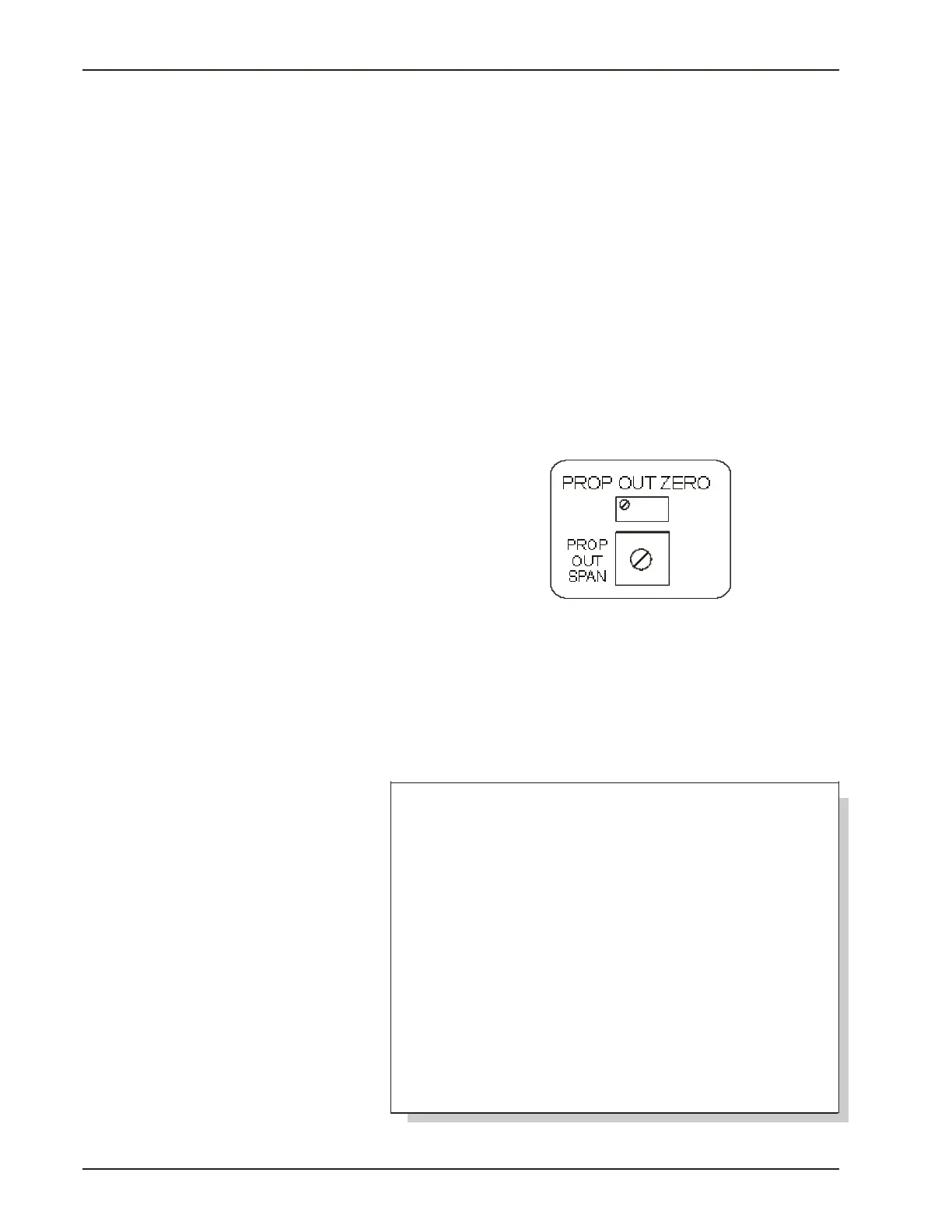
3 Adjust the PROP OUT ZERO adjust potentiometer (See Fig. 4-10,
below) to yield 10% of full-scale proportional output on the
voltmeter.
4 Apply 100% of full-scale frequency to terminals 5 (+) & 6 (–).
5 Turn PROP OUT SPAN adjust potentiometer (See example below)
to yield 100% of full-scale proportional output on the voltmeter .
6 Repeat steps 2, 3, 4, and 5 three or four times to assure accuracy.
24
Chapter 4
Fig. 4-10 The PROP OUT
ZERO and PROP OUT SPAN
adjustments are located in
the upper right corner
under the top plate of the
SST-2000A/H.
EXAMPLE: A unit calibrated for 0–500 Hz input is being
recalibrated to 0-10 Vdc proportional output (from 4–20
mAdc proportional output).
♦ Apply 10% of full-scale (50 Hz) to terminals 5 (+) & 6 (–).
♦ Adjust PROP OUT SPAN adjust potentiometer to yield
1.000 Vdc on the voltmeter.
♦ Apply full-scale frequency (500 Hz) to terminals 5 (+) &
6 (–).
♦ Turn PROP OUT ZERO adjust potentiometer to yield 10.00
Vdc.
♦ Repeat 3 or 4 times for accuracy.



 To Next Page