DS752LT5 User Manual 19
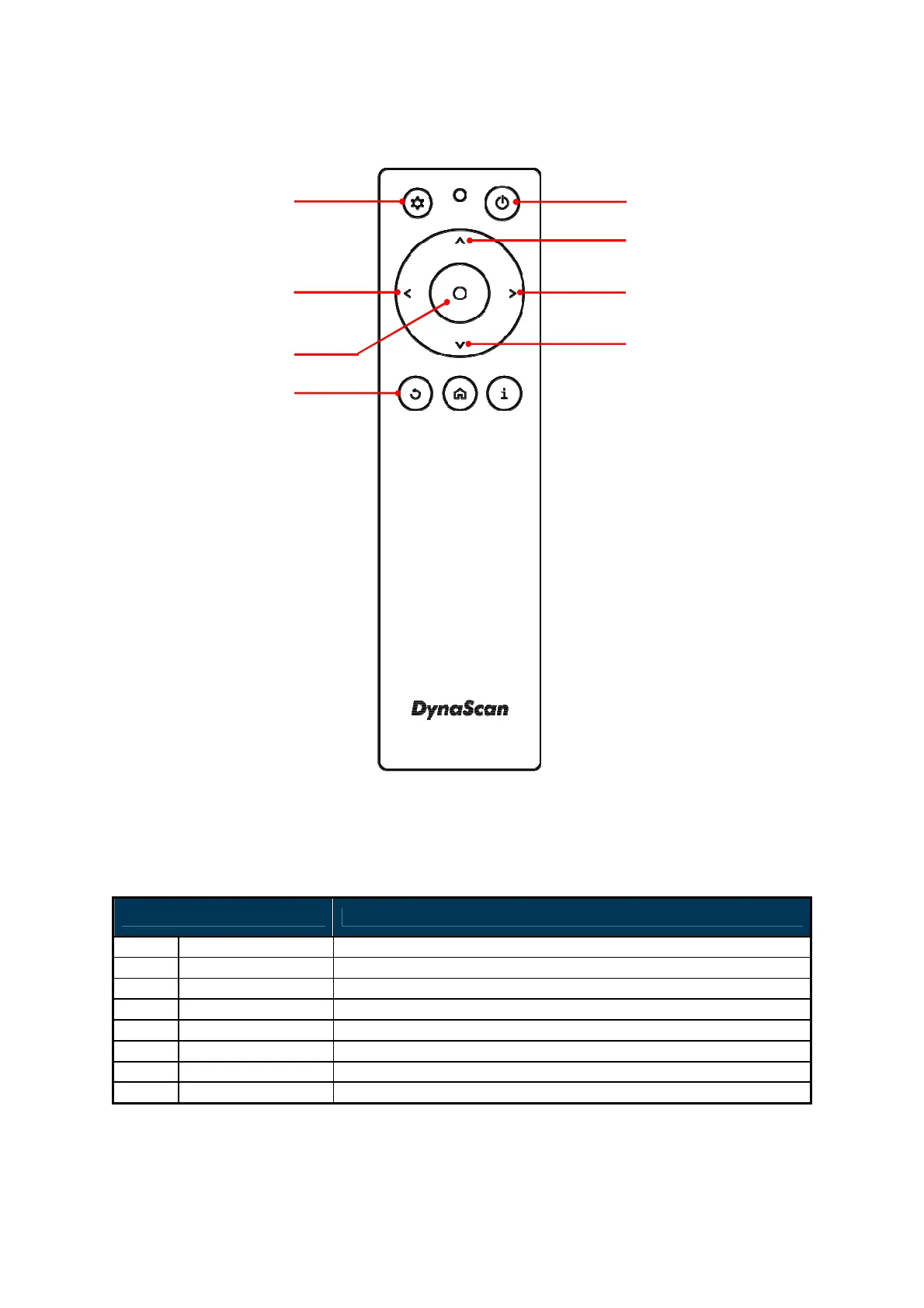
*Color and shape may vary by model.
ITEM DESCRIPTION
POWER Power On / Off
MENU OSD On / Off
UP Move the cursor up or change the setting of selected item.
LEFT Exit the current selection.
RIGHT Select the highlighted item.
DOWN Move the cursor down or change the setting of selected item.
OK Enter (for DSM365 only)
BACK Return to the last page. (for DSM365 only)


 To Next Page