DS752LT5 User Manual 18
Using the Remote Control
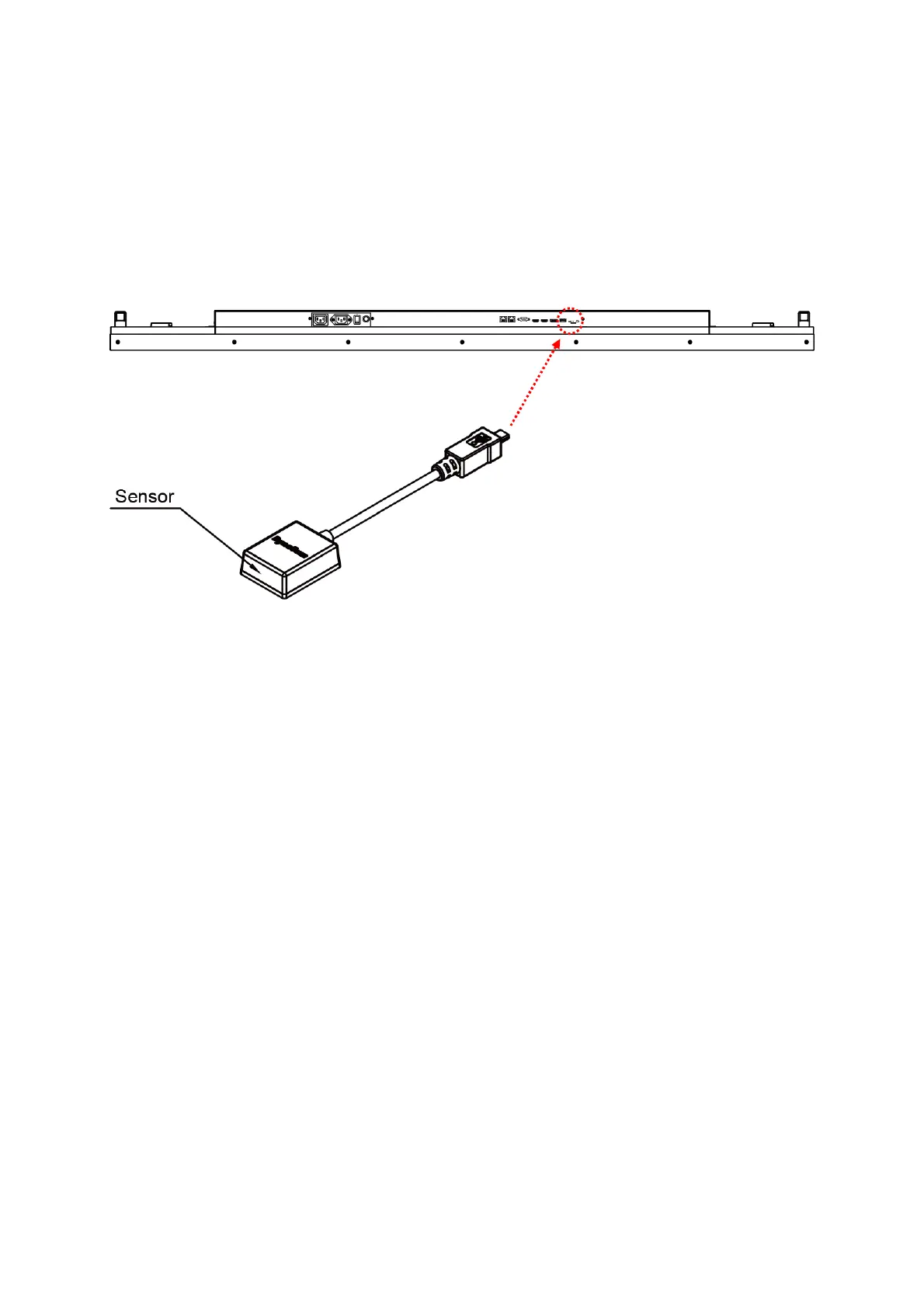
Connection using an External Sensor Kit (ESK302)
Connect the ESK302 cable to the mini USB port on the side of the display, and aim the remote at
the IR receiver as shown below. Meanwhile, the IR receiver on the display will be disabled. The
operating range of the remote control is 2.5 meters (8 feet).
Ambient light may affect the performance of the remote control. Avoid fluorescent or neon
lights in the vicinity.


 To Next Page