Need help?
Do you have a question about the Dynaudio LYD and is the answer not in the manual?
Lists essential items for setting up and using the speakers.
Mentions optional accessories or software for enhanced functionality.
Introduces a dedicated iOS app for speaker calibration and testing.
Provides critical safety alerts and general precautions for operating the equipment.
Outlines procedures for professional servicing and environmentally responsible disposal.
Details electromagnetic compatibility standards and Canadian regulatory compliance.
Describes the integrated amplifier and details the functions of the speaker's backplate controls and inputs.
Defines the acoustic axis for speaker placement and measurement.
Explains how room surfaces affect sound and provides placement guidelines.
Recommends optimal distances between speakers and listener for best audio performance.
Discusses placement on desks, using stands, and subwoofer integration.
Covers adjusting the vertical and horizontal angles for optimal sound projection to the listener.
Guides on connecting the power cable and verifying power-up.
Explains the auto-standby feature for energy conservation.
Details available audio inputs (XLR, RCA) and connection recommendations.
Advises on setting sensitivity and volume levels to prevent overload.
Explains the three-position switch for optimizing input sensitivity based on audio source.
Describes the DSP setting for adjusting low-frequency response and output volume.
Details the tilt filter settings for adjusting the speaker's overall tonal balance.
Explains the DSP switch for compensating speaker placement near walls.
Suggests using familiar audio recordings for subjective listening evaluations.
Guides on using pink noise and metering tools for objective speaker response testing.
Advises on managing sound reflections from surfaces to improve imaging and response.
Explains how to address room modes and improve low-frequency response using bass traps.
Lists essential items for setting up and using the speakers.
Mentions optional accessories or software for enhanced functionality.
Introduces a dedicated iOS app for speaker calibration and testing.
Provides critical safety alerts and general precautions for operating the equipment.
Outlines procedures for professional servicing and environmentally responsible disposal.
Details electromagnetic compatibility standards and Canadian regulatory compliance.
Describes the integrated amplifier and details the functions of the speaker's backplate controls and inputs.
Defines the acoustic axis for speaker placement and measurement.
Explains how room surfaces affect sound and provides placement guidelines.
Recommends optimal distances between speakers and listener for best audio performance.
Discusses placement on desks, using stands, and subwoofer integration.
Covers adjusting the vertical and horizontal angles for optimal sound projection to the listener.
Guides on connecting the power cable and verifying power-up.
Explains the auto-standby feature for energy conservation.
Details available audio inputs (XLR, RCA) and connection recommendations.
Advises on setting sensitivity and volume levels to prevent overload.
Explains the three-position switch for optimizing input sensitivity based on audio source.
Describes the DSP setting for adjusting low-frequency response and output volume.
Details the tilt filter settings for adjusting the speaker's overall tonal balance.
Explains the DSP switch for compensating speaker placement near walls.
Suggests using familiar audio recordings for subjective listening evaluations.
Guides on using pink noise and metering tools for objective speaker response testing.
Advises on managing sound reflections from surfaces to improve imaging and response.
Explains how to address room modes and improve low-frequency response using bass traps.
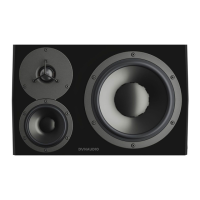
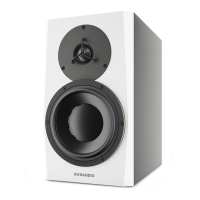
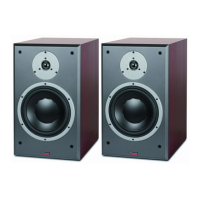
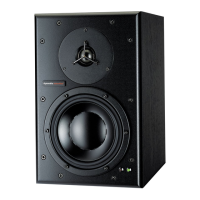
The Dynaudio LYD series comprises Personal Reference Monitors, meticulously designed and engineered by Dynaudio Labs in Denmark. These loudspeakers are crafted to deliver accurate sound reproduction, serving as a crucial component of any monitoring system. Each LYD loudspeaker is built to very high standards, ensuring quality and reliability.
The Dynaudio LYD loudspeakers are active studio monitors, meaning they feature integrated amplification and DSP (Digital Signal Processing) to optimize their performance within various listening environments. Their primary function is to provide a neutral and accurate soundstage for audio professionals and enthusiasts, allowing for precise mixing, mastering, and critical listening. The LYD series is designed to work in conjunction with the room acoustics, with various settings available to tailor the sound to the specific environment.
The transducers in your Dynaudio LYD speaker require a "break-in" period to achieve their optimal sound quality. Users may notice a significant improvement in sound quality after the initial hours of use, with further subtle enhancements occurring over subsequent hours.
The LYD speaker range incorporates an integrated Class-D amplifier, which is known for its efficiency and clean power delivery. All connections and settings for the amplifier are conveniently located on the backplate of the speaker. This integrated design simplifies setup and ensures optimal matching between the amplifier and the speaker components.
The LYD loudspeakers offer several features to enhance usability and sound customization:
Analog Inputs: The speakers provide both balanced XLR and unbalanced RCA analog inputs. The balanced XLR connection is generally preferred as it can help reduce noise and hum from the surrounding environment, ensuring a cleaner audio signal. However, both connection types are capable of delivering a high-quality input signal. Users should connect the outputs of their mixer, audio interface, or monitor controller to the loudspeaker inputs.
Power and Standby Mode: The speakers are equipped with a power ON/OFF switch and an AC power input (100-230V), allowing for global compatibility. A standby mode switch offers two settings:
Input Sensitivity: A three-position switch allows users to adjust the input sensitivity of the loudspeaker. This feature is crucial for optimizing the gain staging from the audio mixer, interface, or monitor control system into the loudspeaker. The available settings are:
DSP Settings for Room Optimization: Dynaudio engineers have developed a sophisticated DSP controller that allows users to tailor the sound of the speakers to their particular listening environment. These precision adjustments optimize the speakers for the listening space.
Bass Extension: This setting affects the low-frequency response and the maximum achievable volume. Low frequencies require significantly more energy to reproduce than high frequencies. The Bass Extension switch offers three settings:
Sound Balance (Tilt Filter): This feature provides a refined way to adjust the overall tonal character of the speaker. It helps compensate for room acoustics, such as overly dead or live rooms. The tilt filter subtly alters the entire frequency spectrum by 1.5 dB at either end, using minimal phase or linear phase filters to maintain tonal integrity without introducing audible phase anomalies. The three settings are:
Position (Boundary Effect Filters): This switch helps address anomalies caused by reflections from nearby walls.
Acoustic Axis: The acoustic axis is an imaginary line passing through the center point on the speaker, used for precise positioning. This point is located halfway between the tweeter and the woofer/midrange driver boundary. LYD 5, 7, and 8 models are designed for vertical positioning, while the LYD 48 is designed for horizontal use. All models should be pointed directly at the listener.
Listening Angle: The speakers should be positioned to create a 60-degree angle between them, forming an equilateral triangle with the listener. This ensures correct time alignment of high and low frequencies. The vertical angle should orient the loudspeaker directly toward the listener's ear level, with adjustments made if the speaker is placed higher or lower than the ear.
Cleaning: The speakers should only be cleaned with a dry cloth. Avoid using liquids or placing objects filled with liquids on the equipment to prevent electrical shock or fire hazards.
Servicing: The LYD loudspeakers contain no user-serviceable parts inside. All servicing must be performed by qualified personnel. Users are advised not to open the unit due to the risk of electric shock. If servicing is required (e.g., due to power supply cord damage, liquid spills, or drops), contact your Dynaudio dealer.
Safety Information: The manual emphasizes important safety precautions, including reading and keeping instructions, heeding warnings, following all instructions, avoiding use near water, ensuring proper grounding (using a three-wire grounding type line cord), protecting the power cord, and using only manufacturer-specified attachments/accessories. It also warns against exposing the equipment to dripping or splashing and advises against installing it near heat sources or in confined spaces.
Disposal: The product features a symbol indicating that it should not be treated as household waste. Instead, it must be handed over to an applicable collection point for the recycling of electrical and electronic equipment, especially in European countries with separate collection systems. This ensures environmentally responsible disposal and helps conserve natural resources.
EMC/EMI Compliance: The equipment has been tested and found to comply with Class B Digital device limits, providing reasonable protection against harmful interference in residential installations. In case of interference, users are advised to reorient or relocate the receiving antenna, increase separation between equipment and receiver, connect to a different circuit, or consult a radio/TV technician. For Canadian customers, the device complies with Canadian ICES-003.
Dynaudio Meter App: Dynaudio offers a free iOS app (available on the Apple App Store) called "Dynaudio Meter." This app includes a pink noise generator, an SPL meter, and an RTA (Real-Time Analyzer) spectrum analyzer. It is designed to assist users in positioning and calibrating their speaker system in the listening room. Users can connect their iOS device directly to the speakers using a conventional headphone-to-RCA adapter to play pink noise and measure the response.
Reference Material: Users are encouraged to perform subjective listening tests with familiar reference material (favorite albums, movies, recordings) to assess the sound. Listening to material known to have defects can also help reveal the neutrality of the loudspeakers.
Objective Tests with Pink Noise: For objective testing, the Dynaudio Meter app's pink noise generator and RTA can be used. Pink noise provides a balanced level of noise across the entire spectrum. By playing pink noise through one speaker at a time and observing the RTA display, users can adjust the Sound Balance filter to achieve the flattest possible response curve. This iterative process of objective measurements and subjective listening helps users arrive at the optimal settings for their Dynaudio loudspeakers.
Beyond the speaker settings, additional room treatment can further enhance the system's response:
First Reflection Treatment: Sound reflecting off hard surfaces close to the listening position can cause problems in the high-frequency response and imaging. These "first reflections" can be identified using a mirror: if you can see either loudspeaker in the mirror while sitting in the listening position, that surface is a first reflection point. Placing absorptive material (the thicker the better, with an air space behind it) at these points will reduce reflections and improve the sound.
Bass Trapping: Peaks or dips in the low-frequency response curve (20-250 Hz) often indicate room modes, which occur at specific frequencies related to the room's dimensions. Bass traps, sound absorptive devices designed for low frequencies, can be placed in or near corners to reduce reflected low-frequency energy. This dampens room resonances and smooths out the low-frequency response. Users should check the frequency response with pink noise and an RTA after placing bass traps to ensure improvement.

 To Next Page
 General