12
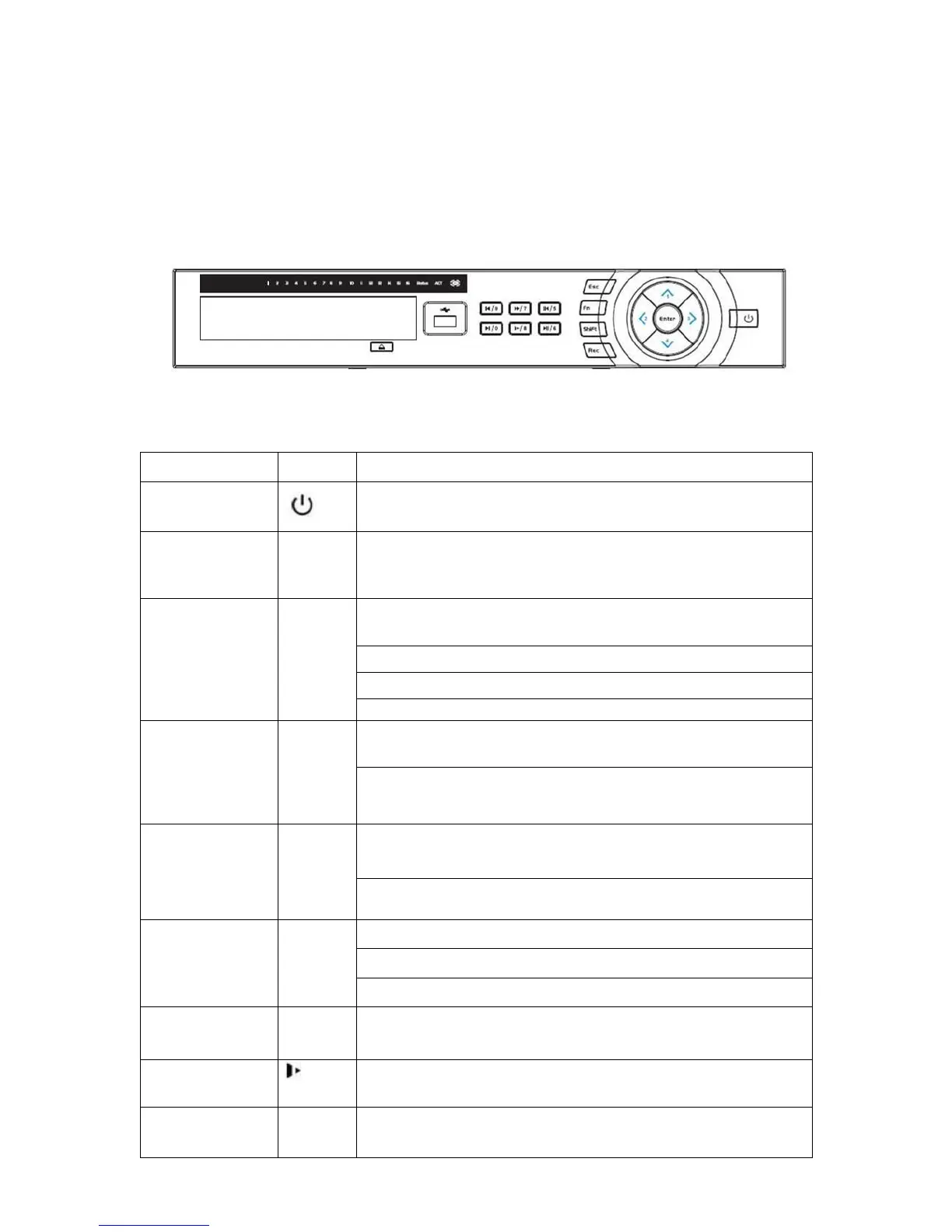
Figure 2-2
Please refer to the following sheet for front panel button information.
Name Icon Function
Power button Power button, press this button for three seconds to boot up
or shut down DVR.
Shift Shift In textbox, click this button to switch between numeral,
English(Small/Capitalized),donation and etc.
Up/1
Down/4
、 Activate current control, modify setup, and then move up and
down.
Increase/decrease numeral.
Assistant function such as PTZ menu.
In text mode, input number 1/4 (English character G/H/I)
Left/2
Right/3
Shift current activated control,
When playback, click these buttons to control playback bar.
In text mode, input number 2(English character A/B/C)
/3(English character D/E/F)
ESC ESC Go to previous menu, or cancel current operation.
When playback, click it to restore real-time monitor mode.
Enter ENTER Confirm current operation
Go to default button
Go to menu
Record REC Manually stop/start recording, working with direction keys
or numeral keys to select the recording channel.
Slow play/8 Multiple slow play speeds or normal playback.
In text mode, input number 8 (English character T/U/V).
Assistant Fn One-window monitor mode, click this button to display
assistant function: PTZ control and image color.
2.1.2 ELI-ECO4-CVI-16/8 Series
The front panel is shown as in Figure 2-2.
2 Overview and Controls
This section provides information about front panel and rear panel. When you install this
seri
es DVR for the first time, please refer to this part first.
2.1 Front Panel



 To Next Page