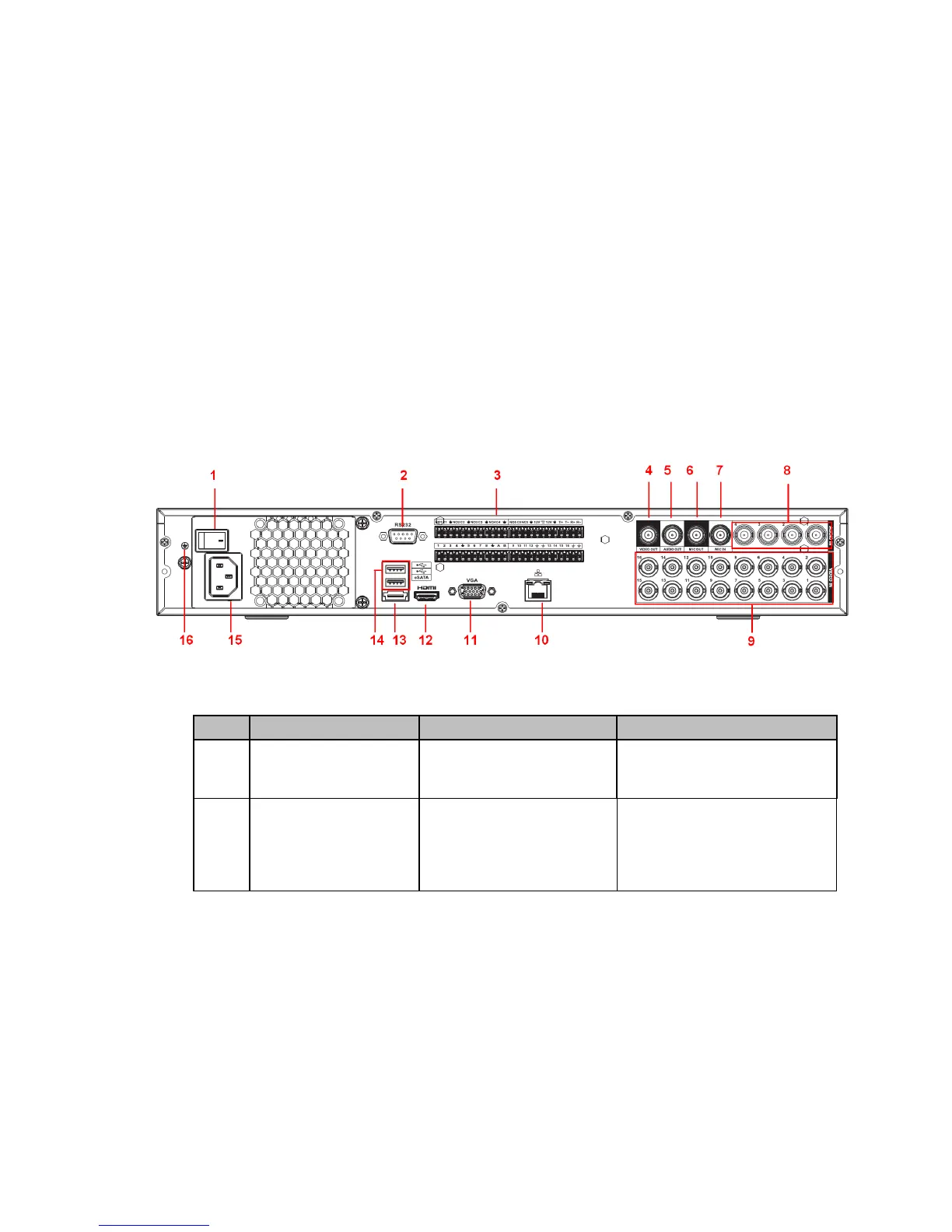
2.2.2 ELI-ECO4-CVI-16 - Rear Panel
Series
This series products’ rear panel is shown as below. See Figure 2-5.
The following figure is based on the 16-channel general 4-HDD 720P 1.5U series product.
Figure 2-5
Please refer to the following sheet for detailed information.
SN Icon Name Note
1 Power switch Power on/off button.
2 RS-232 RS-232 debug COM. It is for general COM debug to
configure IP address or
transfer transparent COM
data.
2.2 Rear Panel



 To Next Page