The alarm output can delay for the specified time after an alarm stops.
The value ranges from 1s to 300s.
System can pop up a message to alarm you in the local host screen if
you enabled this function.
System can upload the alarm signal to the centre (Including alarm
centre.
If you enabled this function, System can send out an email to alert you
when an alarm occurs.
Check the box here to enable this function. The buzzer beeps when an
alarm occurs.
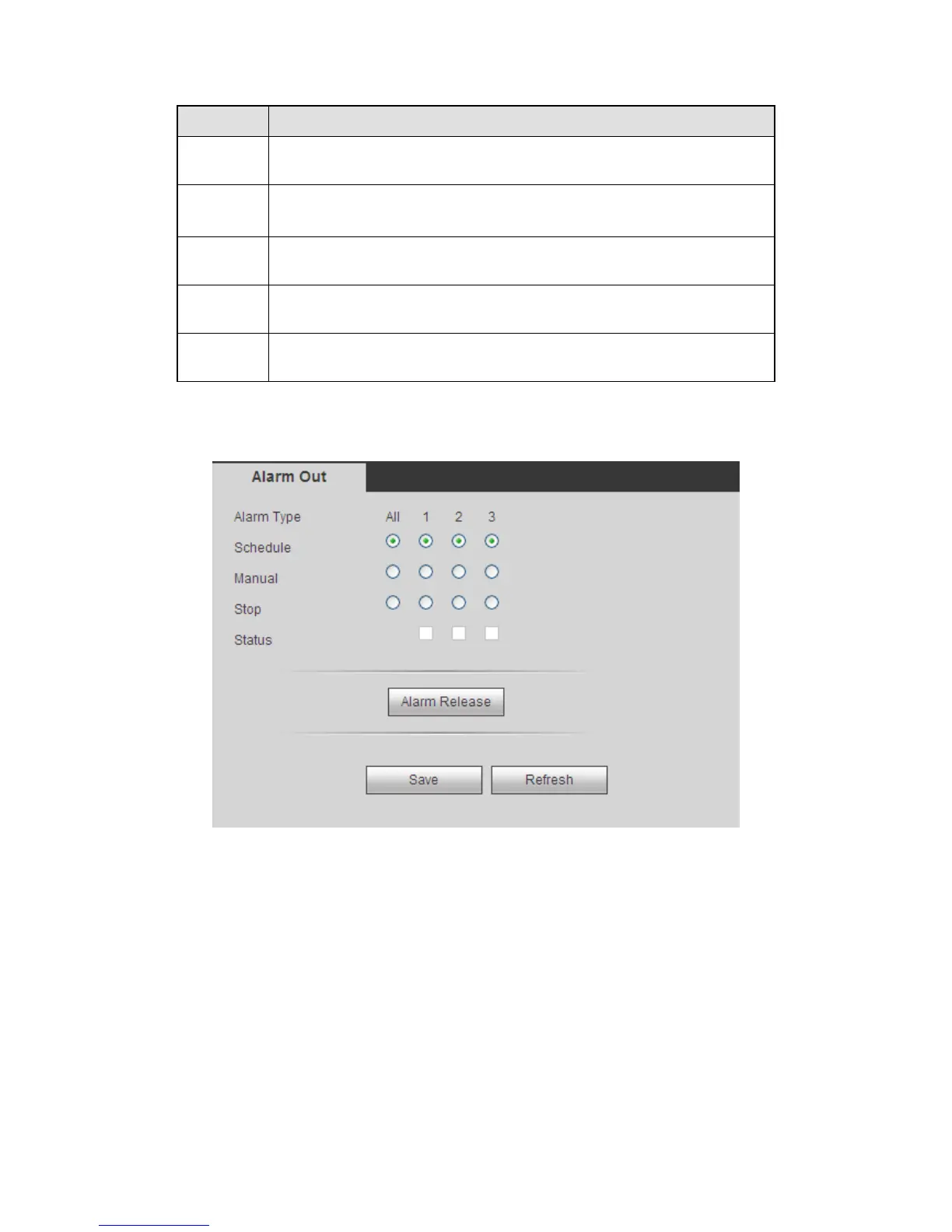
5.8.3.4 Alarm Output
It is to set alarm output mode. See Figure 5-64.
Figure 5-64
5.8.4 Storage
5.8.4.1 Schedule
5.8.4.1.1 Schedule Record
In this interfaces, you can add or remove the schedule record setup. See Figure 5-65.
There are three record modes: general (auto), motion detect and alarm. There are six
periods in one day.
You can view the current time period setup from the color bar.
Green color stands for the general record/snapshot.



 To Next Page