the video brightness if the value is high. But the video
noise may become too clear.
It includes several modes such as standard, color, bright,
gentle. Select a color mode, the sharpness, brightness,
contrast and etc can automatically switch to
corresponding setup.
Click reset button, system can auto adjust the video to
the best effect.
This function is for analog channel only.
It is to adjust the image position on the screen. The
value here refers to the pixel. The default pixel value is
16.
This function is for analog channel only.
4.4.4 Search
Please refer to chapter 4.8.1 for detailed information.
4.4.5 Record Control
Please refer to chapter 4.10.4.3 for detailed information.
4.4.6 Alarm Output
Please refer to chapter 4.10.3.4 for detailed information.
4.4.7 Remote Device
Please refer to chapter 4.10.1.1 for detailed information.
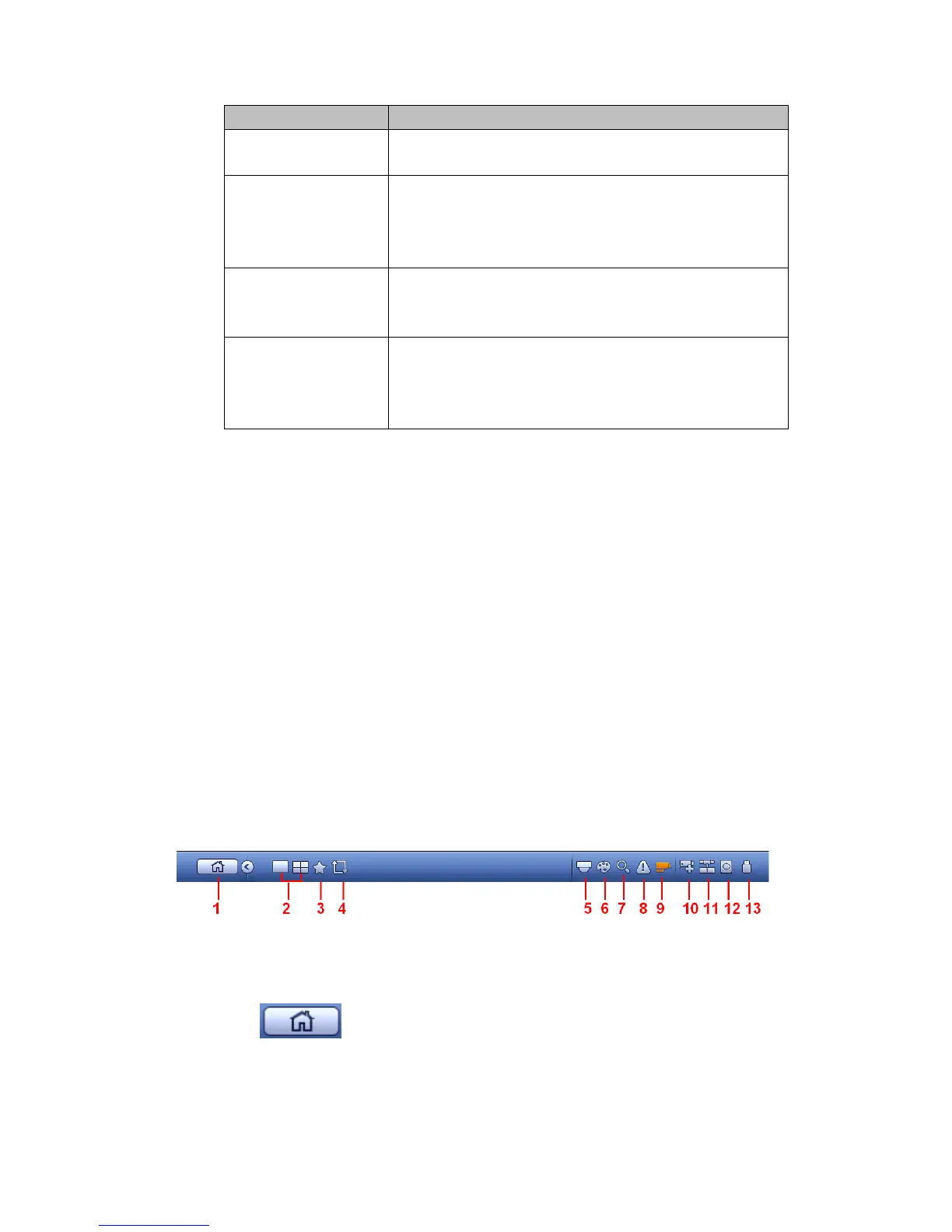
4.5 Navigation Bar
You need to go to the Main menu->Setting->System->General to enable navigation
bar function; otherwise you can not see the following interface.
The navigation bar is shown as below. See Figure 4-23.
Figure 4-23
4.5.1 Main Menu
Click button to go to the main menu interface.
4.5.2 Output Screen
Select corresponding window-split mode and output channels.
4.5.3 Favorites



 To Next Page