If you enabled this function, System can send out an email
to alert you when an alarm occurs.
You need to check the box here to enable this function.
System begins 1-wiindow or multiple-window tour display
among the channel(s) you set to record when an alarm
occurs.
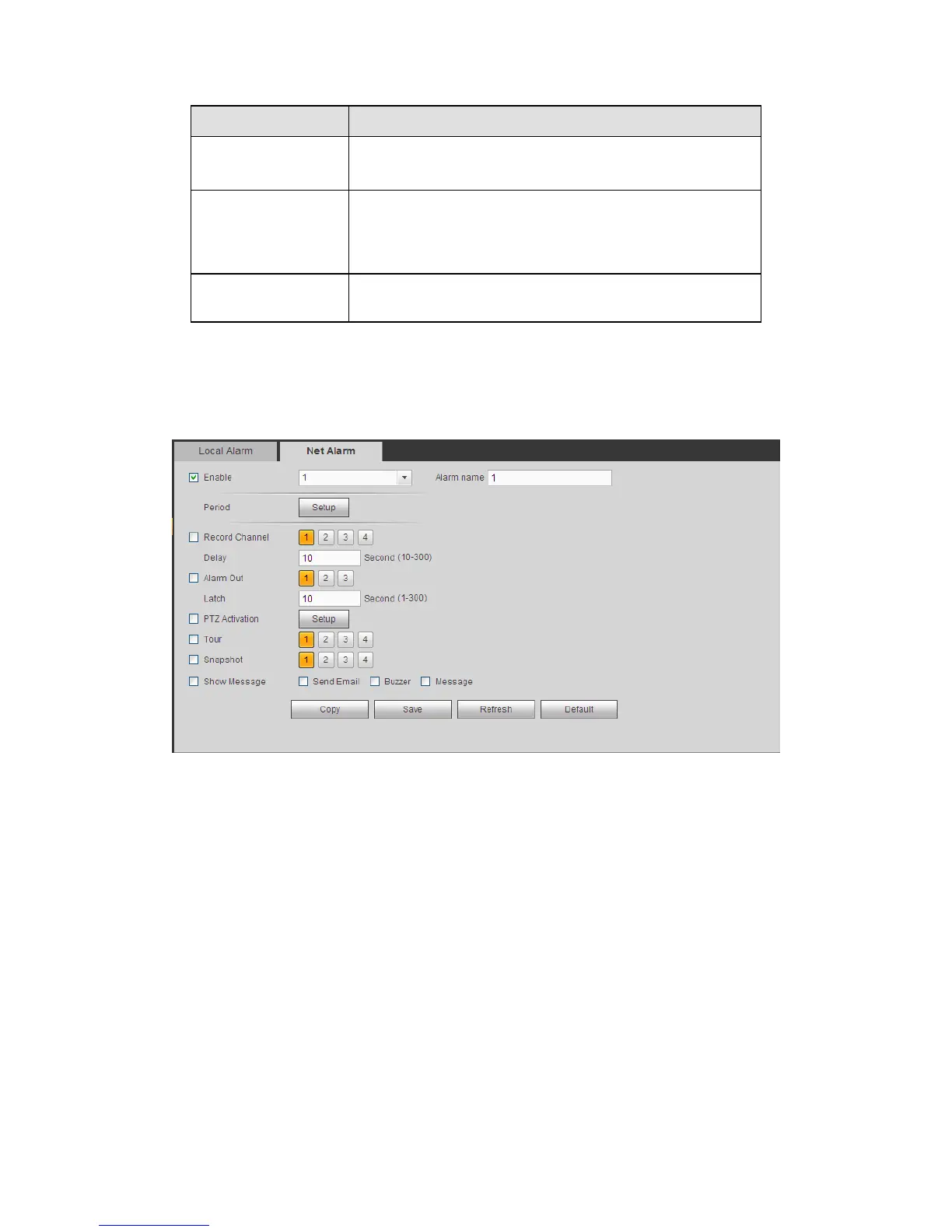
5.8.3.2.2 Net Alarm
The network alarm interface is shown as in Figure 5-61.
Network alarm refers to the alarm signal from the network. System does not anti-dither
and sensor type setup. For setup information, please refer to chapter 5.8.3.2.1.
Figure 5-61
5.8.3.3 Abnormality
It includes two types: No disk, disk error, disk no space, net disconnection, IP conflict and
MAC conflict. See Figure 5-62 and Figure 5-63.



 To Next Page