Fitting a battery
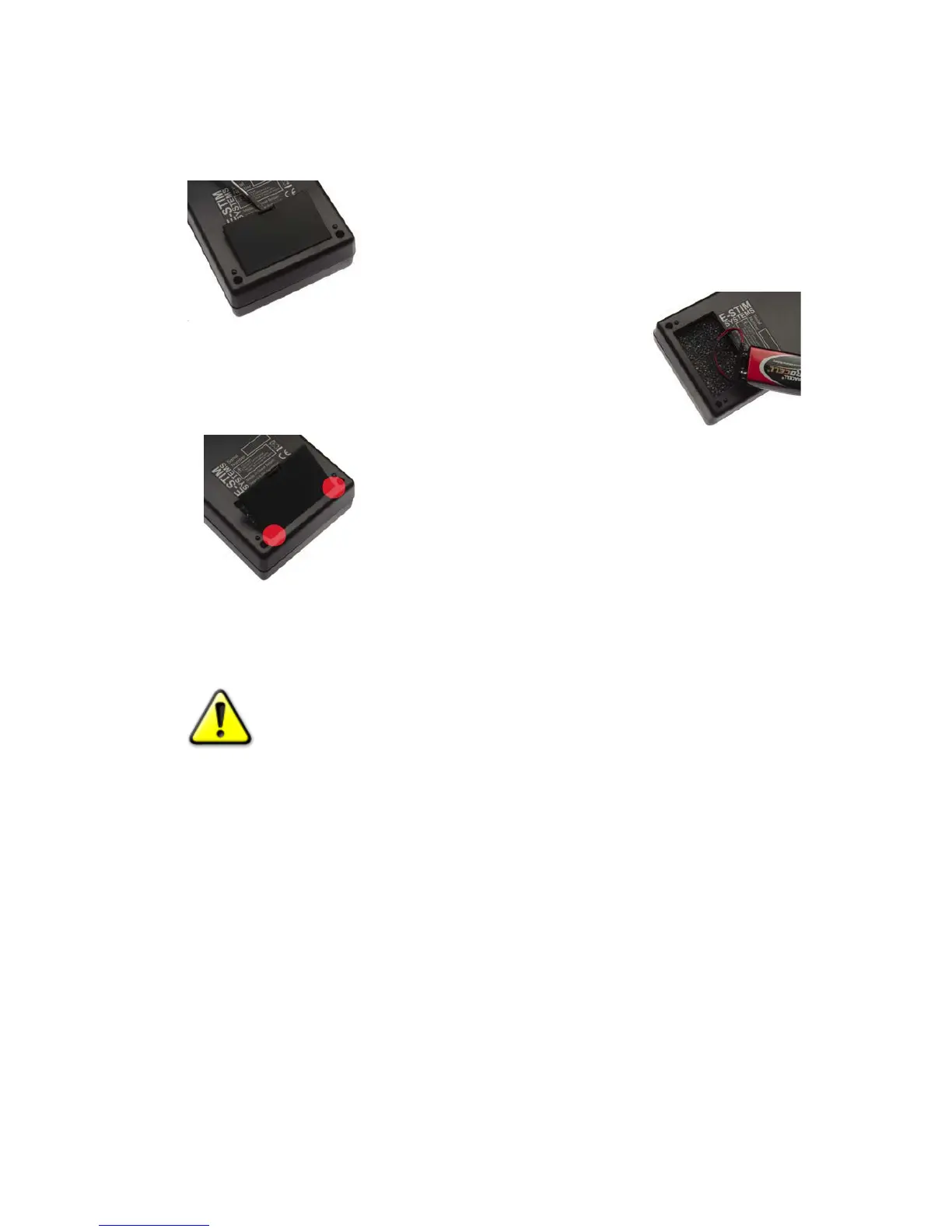
The 2B is powered by a single 9V battery. Unlike some other units it is also possible to
use rechargeable batteries in the 2B control unit. We do NOT recommend the use of
Zinc Carbon batteries with your 2B control unit.
• Ensure the unit is switched off, and any electrodes
are disconnected.
• Turn the unit over and using a small screwdriver or a
fingernail inserted into the battery compartment slot,
gently prise the battery compartment cover out.
• Remove the old battery (if
fitted) and replace with a fresh Alkaline PP3. The battery
connector is polarized so it should not be possible to
connect the battery incorrectly, but ensure the polarity
is correct before attempting connection.
• Place the battery into the unit and replace the battery
compartment cover. The cover is fitted with two tabs
which insert into the lower half of the case first, and
then the top half of the cover will clip into position.
• Turn the unit over. The unit is now ready for operation.
• Please note we do NOT recommend the use of zinc
carbon batteries due to their general poor
performance.
In the event the EBox™ 2B unit is not being used for a period of time, remove the
battery to avoid any potential damage from battery leakage.
In the event the 2B unit is not being used for a period of time, remove the
battery to avoid any potential damage from battery leakage.
External Power Supply
It is possible to use an external power supply with the 2B, but because of the isolation
and safety issues when connecting to the mains we only recommend you use an E-Stim
Systems supplied power supply. The plug socket is beside the on off switch.
Always ensure that when you connect the external power unit, the 2B is switched off.
Insert the plug into the socket, switch the mains power on, then switch the 2B on. The
display should light up as if batteries were fitted.
9


 To Next Page