22
7. PowerPlex
®
CONFIGURATION SOFTWARE
The PowerPlex
®
Configuration Software is a part of PowerPlex
®
. The software is listed in the data sheet under
“accessories”. When order your PowerPlex
®
components, please verify if the configuration software is required or
not. Possibly you already have the software from an earlier PowerPlex
®
project.
Information
The PowerPlex
®
Configuration Software is not automatically part of the delivery of PowerPlex
®
components.
Computer Requirements
The PowerPlex
®
analysis and configuration software runs on any computer or laptop running with a Windows
®
operating system. Please check your computer regarding the following requirements (Table 12).
processor with at least 1.2 GHz
minimum: 4 GByte
recommendation: 8 GByte
minimum: 1280 x 1024 Pixel
keyboard and mouse or similar
Table 12: Requirements of the configuration PC
Check if the hard disk of the computer provides sufficient disk space
De-install previous versions before installing a new version of the PowerPlex
®
Configuration Software
on your Windows
®
-based computer.
Information
You require admin access rights for installing the PowerPlex
®
Configuration Software.
Software installation
The PowerPlex
®
Configuration Software can directly be downloaded from E-T-A’s Website. A username and a
password are required which will be assigned upon request. On demand the configuration software can also be
made available on a USB flash drive. No further entries are required during the installation process. The
PowerPlex
®
Suite can also be started from a USB flash drive.
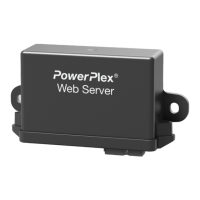
Design on a Web Server to control a PowerPlex
®
System
A Web Server has inputs and outputs like PowerPlex
®
modules. The function is basically the same as for the
modules. The difference is that the inputs and outputs only refer to graphics in the display and do not have to be
wired externally. Thus, by pressing a graphic, a symbol, an output can be activated on a module. The outputs are
also graphics which, for example, signal whether a load is active or not.
The configuration software allows you to design the graphical user interface for the web server. No special software
is required. Once the design has been created or you want to test an intermediate status on the display or web
server, the design must be transferred to the web server. The design is transferred to the WS300 via a micro-USB
cable. The USB cable also provides power to the web server. Problems always arise, especially with low-
performance hubs. Then connect the web server directly to the computer and use the regular power supply of the
web server.
More information regarding the programming of the PowerPlex
®
Web Server are explained in the PowerPlex
®
Suite Manual which is part of the Configuration Software.


 To Next Page