- 18 -
3.3 LCD Screen Operation
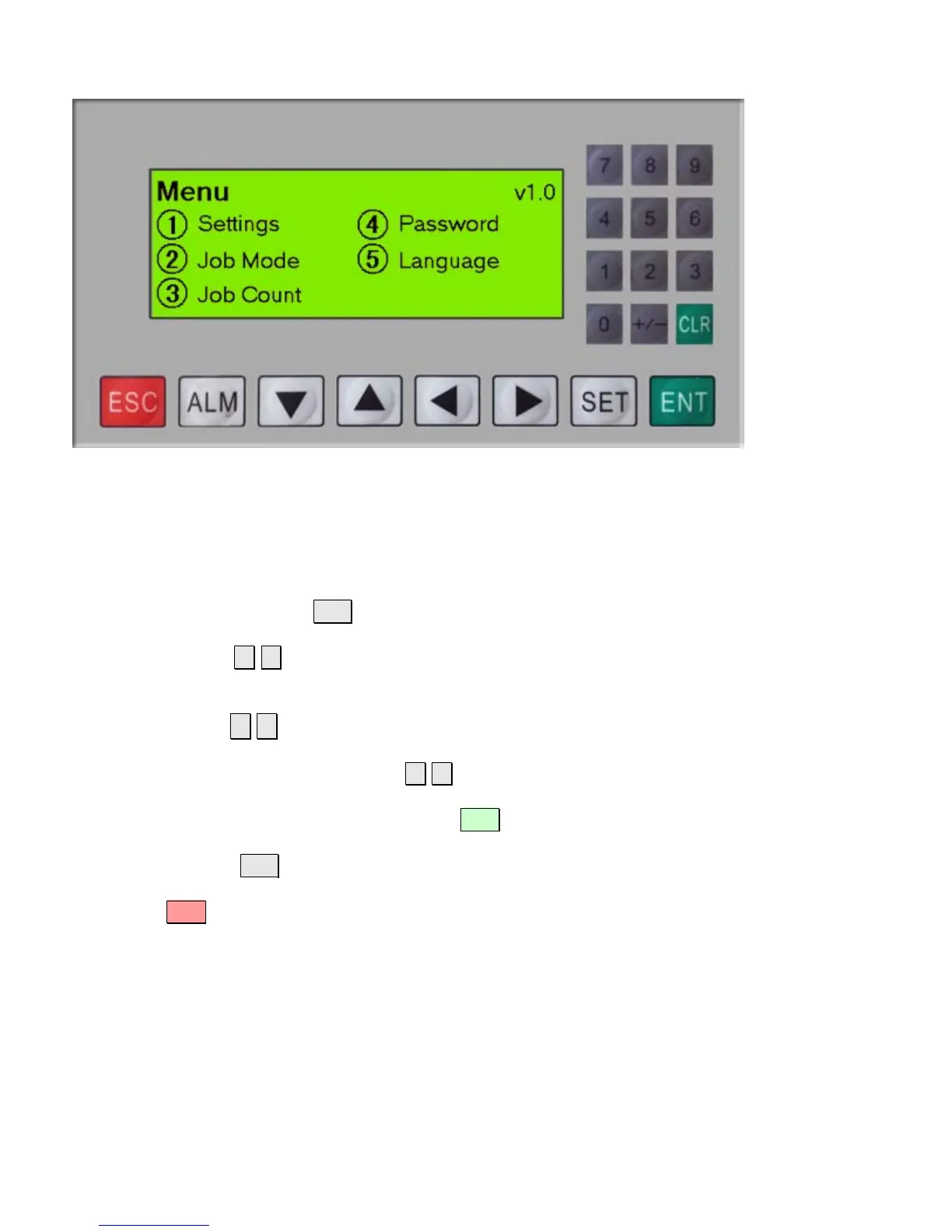
The LCD screen displays information used to control the machine and to make changes to
operational parameters. Active keys are shown with a circle or square around them. Pressing the
corresponding key will execute the function.
To change a setting, press the SET button.
Use the left and right ◄ ► arrows to move the cursor to the value/item to be changed.
Numeric values can be entered using the number pad or by scrolling through preset values using the
up and down arrows ▲ ▼ .
When applicable, the left and right arrows ◄ ► can be used to previous/next positions within a field.
Once the desired value has been entered, press ENT to save any changes.
Note: Pressing SET will not save changes at this point.
Pressing the ESC key will go back to the previous screen.


 To Next Page