59
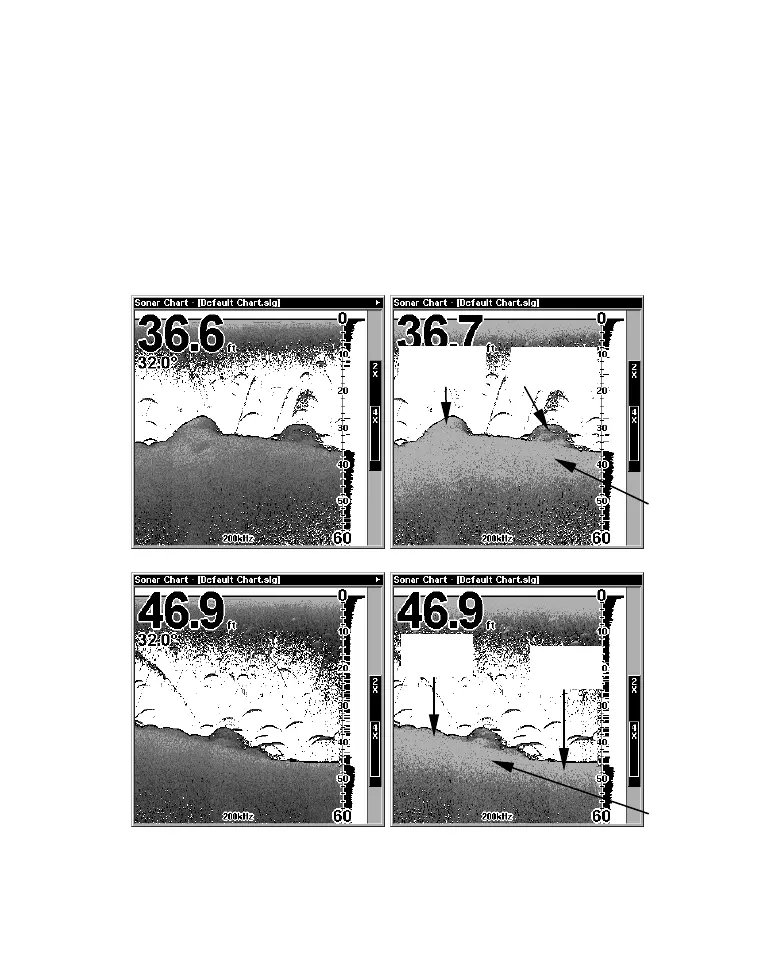
Grayline is adjustable. Experiment with your unit to find the Grayline
setting that's best for you.
To adjust the Grayline level:
1. From the Sonar Page, press
MENU|↓ to GRAYLINE|ENT.
2. The Grayline Control Bar appears. Press ↓ to decrease Grayline;
press ↑ to increase Grayline.
3. When it's set at the desired level, press
EXIT.
Muddy
bottom
Fish near
structure
Hard
bottom
Hard
structure
Grayline
Grayline
Fig. 2A
Fig. 2B
Fig. 1A
Fig. 1B



 To Next Page