73
and Voltage used. (Note: Temperature #2 requires an additional optional
temperature sensor.)
Digital Data/Chart
Customizing the Digital Data/Chart Screen
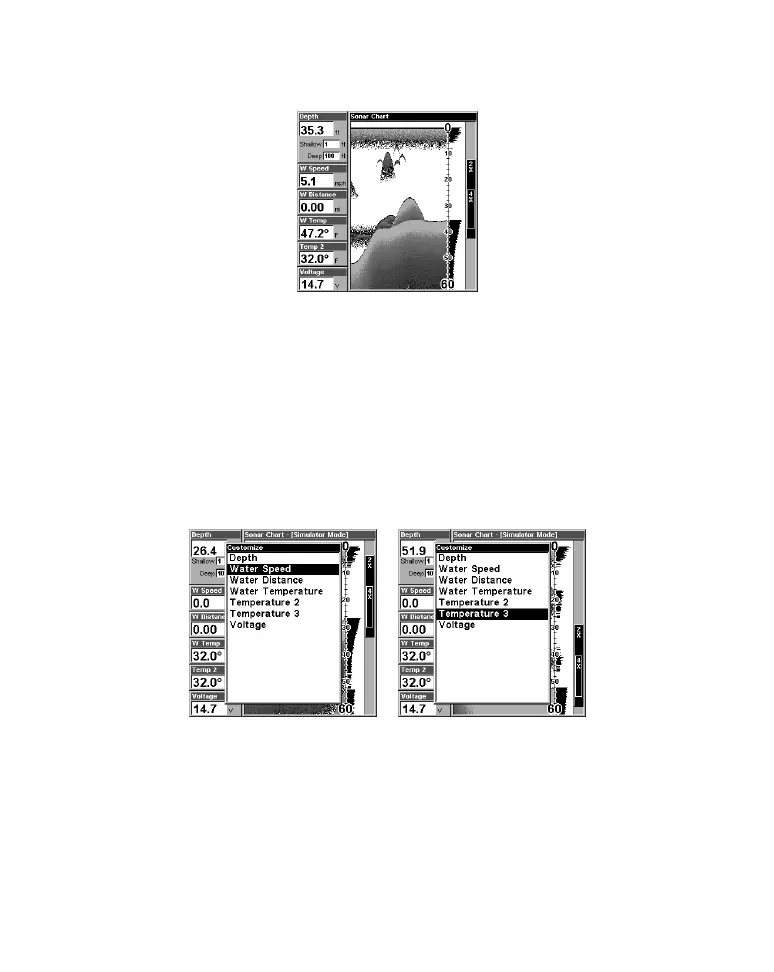
The Digital Data/Chart screen can be customized to show digital data
different from the defaults first shown. To customize this screen:
1. From the Sonar Page (in Digital Data mode), press
MENU|↓ to
CUSTOMIZE|ENT.
2. The W Speed window title bar flashes, indicating the window
contents can be changed. Press
ENT|↑ or ↓ to select data
type|
ENT|EXIT.
Options List for customizing Digital Data windows. At left, the list first
appears with Water Speed selected. At right, Temperature 3 has been
picked to replace Water Speed in the top digital data window.
Tip:
You can customize other digital data windows before returning to
the Sonar Page. After changing the first window by selecting the



 To Next Page