61
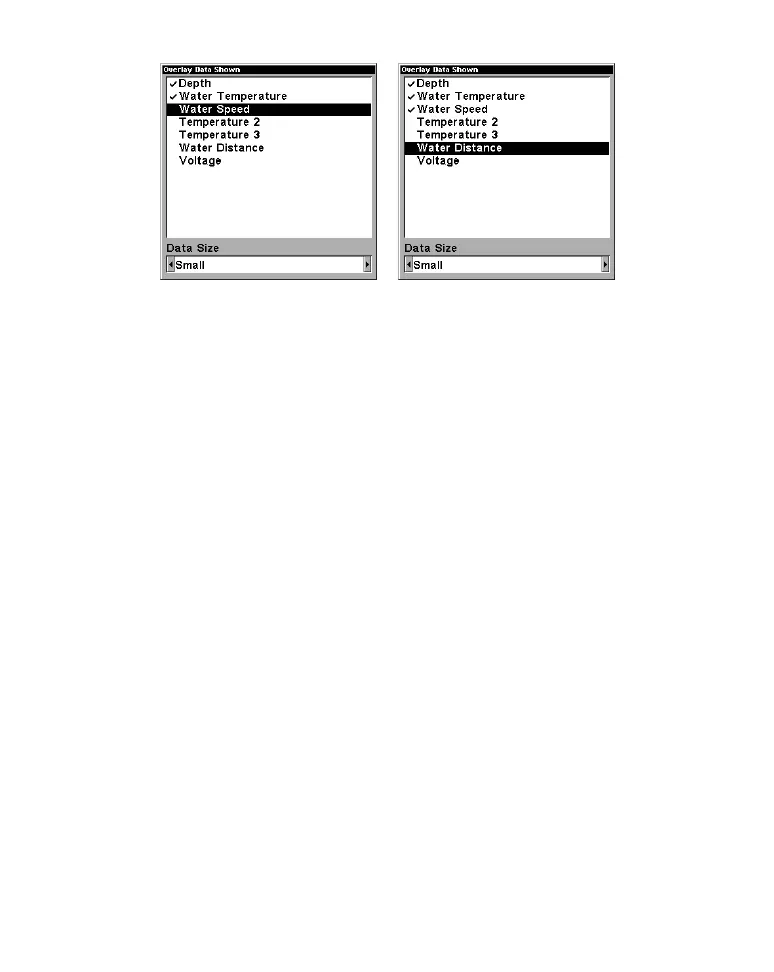
At left, we scrolled down the data list to highlight "Water Speed." At
right, data list showing "Water Speed" selected to display on Sonar Page.
3. To return to the previous page, press EXIT|EXIT.
To turn off displayed data:
1. Press MENU|↓ to OVERLAY DATA|ENT.
2. Press ↓ or ↑ to select Data Type|
ENT. The selected data type
disappears from the top of the list and reverts to its previous,
unchecked position. (If you wish, you may now use ↓ or ↑ to select other
Data Types to turn off.)
2. To return to the previous page, press
EXIT|EXIT.
To change displayed data font size:
1. Press MENU|↓ to OVERLAY DATA|ENT.
2. Press ↓ or ↑ to select Data Type|press → or ← to
Data Size|EXIT.
The selected data type will be displayed in the new size. (To change the
font size for another Data Type, press
ENT and repeat these steps,
beginning with step two above.)
3. To return to the previous page, press
EXIT.
Tip:
If you wish, you can change the displayed data font size when you
select a data type:



 To Next Page