2
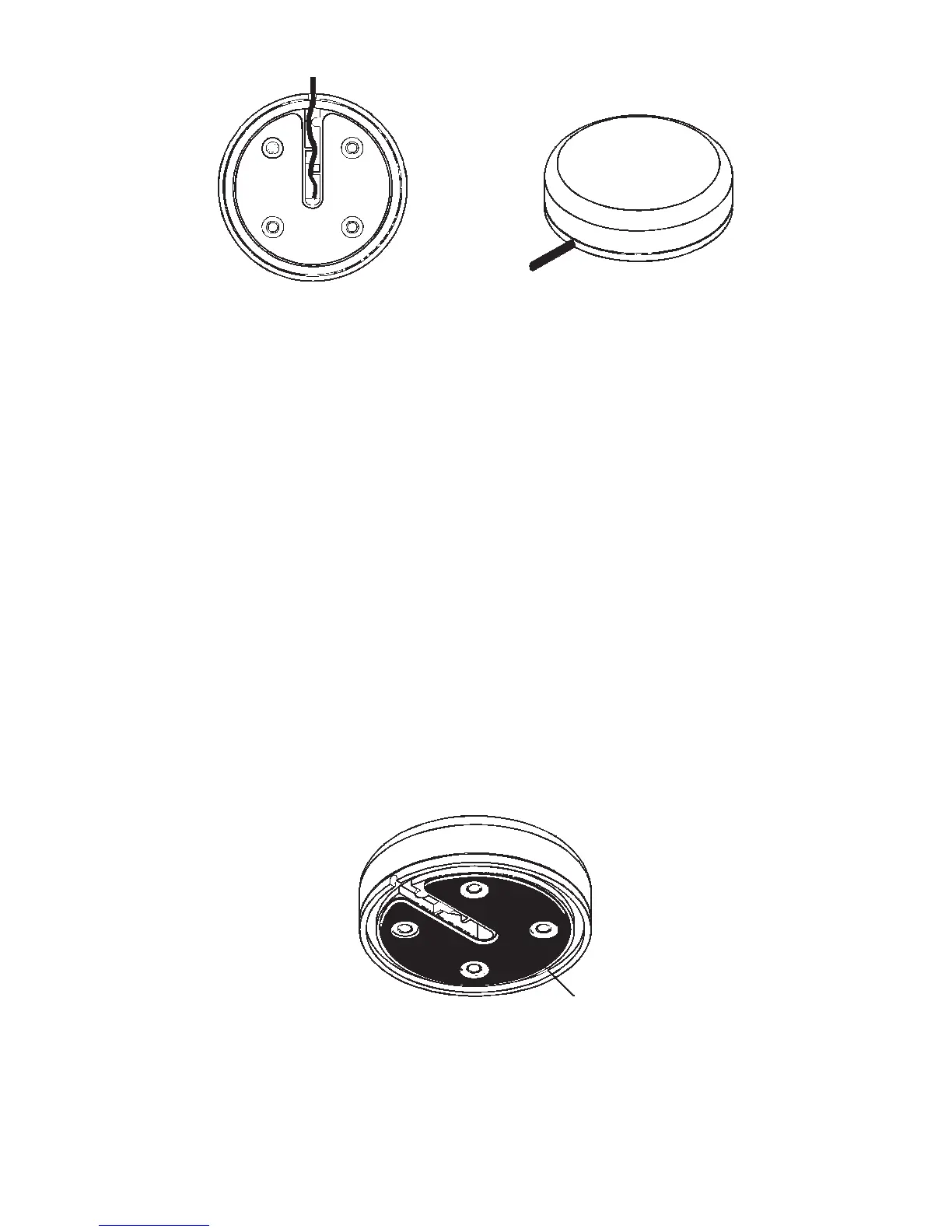
EGC-12w Module, bottom view (left) and top view (right).
Once you’ve determined the mounting location, use the template on
page 3 to drill the screw holes. The screws supplied with this unit are 4
mm x 30 mm (about 1-1/8" long). Drill 4.75 mm (3/16") holes for the
mounting screws.
If you need to route the cable through the mounting surface, you’ll need
to drill a 25 mm (1") hole for the cable's connector. There is a notch in
the antenna housing that allows the cable to pass through to the out-
side, if desired, instead of routing it through the mounting surface.
After drilling the holes, pass the O-ring over the cable and press it into
the groove on the bottom of the antenna housing. Now attach the an-
tenna to the mounting surface, using 4 mm screws and the supplied
lock washers. Route the cable and the GPS module installation is fin-
ished.
Magnet Mount
A magnet lets you temporarily mount the GPS module on any ferrous
metal surface (such as a car). To use the magnet, simply peel the back-
ing off the magnet's adhesive coating and press the magnet to the bot-
tom of the antenna housing. The module is ready for use.
Under side view showing magnet.
Pole Mount
The GPS module attaches to the pole mount adapter with the supplied 4
mm screws. You can route the cable through the slot in the side of the
module and down the side of the pole. Or, you can pass it down through the
Magnet




 To Next Page