PUSHBUTTONS
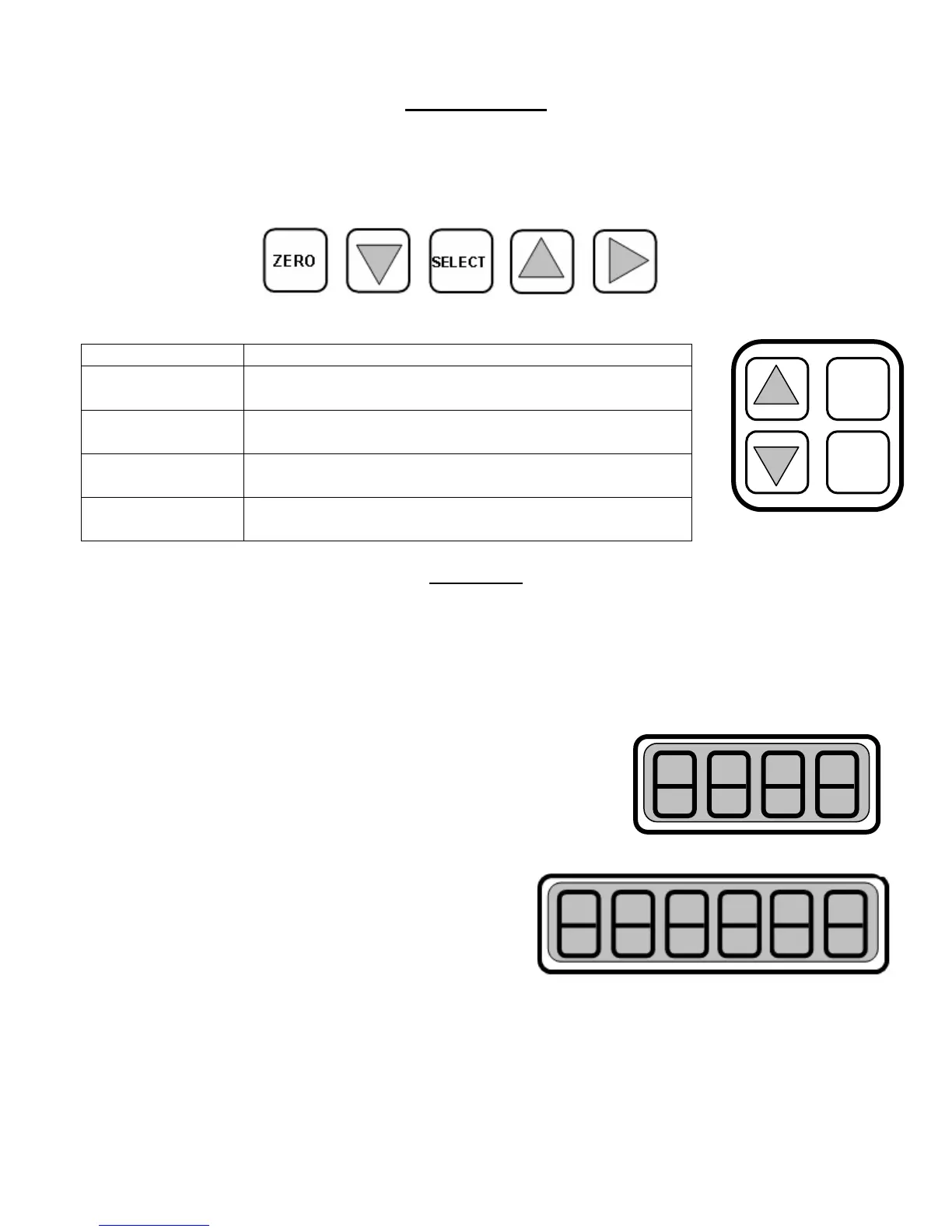
The EI-2000 has a set of pushbuttons for each of the two channels, and the EI-1000 has one
set of pushbuttons that control up to four channels (scale bases). The pushbutton functions
listed below describe their typical uses. However, when applicable, the pushbutton(s) may be
used for other functions, which is documented in this manual.
ZERO
Press to zero the gross or used weight.
-
ELE
T
ZERO
DOWN ARROW
Press to decrement (decrease) the value displayed
if it’s adjustable.
SELECT
Select gross, tare, remaining, etc. This pushbutton
is used for many other functions, as well.
UP ARROW
Press to increment (increase) the value displayed if
it’s adjustable.
RIGHT ARROW
EI-1000 only: Selects a channel or exits from front
panel configuration/calibration access.
DISPLAYS
The main operating mode of the meter is, of course, viewing the weight on the scale(s)
connected to each channel. One can select, via the appropriate SELECT pushbutton, several
weight values; they are as follows:
Gross weight
This is the total weight on the scale, which includes the weight
of the container (e.g., cylinder, tank, or barrel) and the weight of
the product.
Tare weight
This is the weight of the container (e.g., cylinder, tank, or
barrel).
Remaining weight (a.k.a. net weight)
This is the weight of the product (e.g., Chlorine) that
the container holds.
Used weight
This is the weight of the amount used since the scale was last zeroed, which is done by
either “starting” the channel (operating modes 2, 3, and 4) or pressing the ZERO pushbutton
while viewing this display. The EI-2000 display will alternate between a “USEd” message and
the actual used weight value. This value increases with decreasing weight on the scale since
it represents the amount of product used so far.
EI-2000
PUSHBUTTONS



 To Next Page