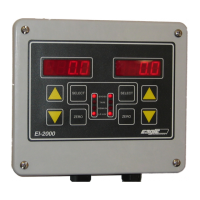
EI-1000 & 2000: Setup, Calibration and Troubleshooting.
Page 8 of 19
Troubleshooting:
Instrument doesn’t power up:
• Check the ribbon cable between the display and the CPU boards. It
should be plugged in all the way and have the red line next to the pin 1
markings.
• Unplug the power. Check that S2 is set for the proper input voltage.
Change it if needed and plug the unit back in.
• Use a multimeter to measure voltage at the H and N terminals on TB1.
There should be approximately 115 or 220 volts A.C. coming in. If not,
power is not reaching the instrument.
• Unplug the power. Measure the resistance across the plug. An EI set for
115 VAC should read near 70 ohms and a 230 VAC unit should read near
275 ohms. If not check the fuse located in the black fuseholder with a
slotted screwdriver top (directly below the transformer).
• Measure the + & - E terminals on TB4 or TB5 with the power on. You
should have 5 volts DC across them. If 5 volts is present, double check
the ribbon cable and J3 on the CPU board. If 5 volts is not present, unplug
the instrument, disconnect the scale(s) and plug the unit back in. If it
powers up now there is a short in the scale wiring.
• The jumper on J3 should be below the 1 (right side) for an EI-1000 and
below the 2 (left side) for the EI-2000.
EI-1000 display shows gibberish:
• Check J3 as shown above. If you ordered both EI-1000’s and 2000’s you
may have accidentally swapped displays.
EI-2000 display lights up the 8 LEDs but not the digits:
• The ribbon cable is plugged in backwards on one end.
Display is very dim:
• Unplug unit and check S2. If it is set for 230 VAC and you are running it on
115 this may happen.
• If S2 is ok, disconnect the scale(s) and plug the unit back in. If the display
is now bright there is a short in the cable or scale base. Check the cable
to the scale(s) for any point that may have been smashed or pinched
during installation.
• Measure the AC input voltage with a meter, it may be too low.



 To Next Page