EasyManua.ls Logo

Eagle EI-2000 - User Manual

Eagle EI-2000
44 pages
Print Icon
To Next Page IconTo Next Page
Loading...
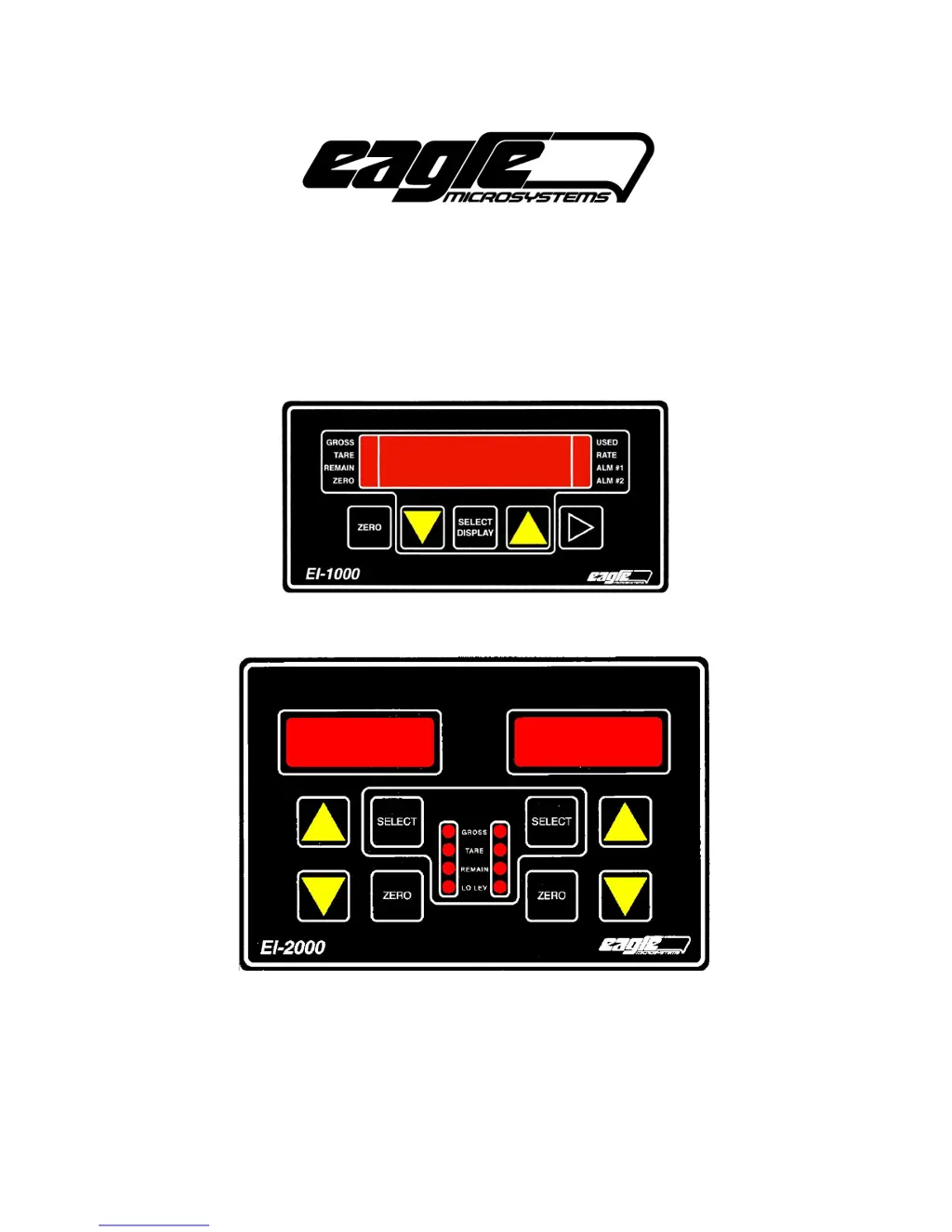
EI-1000 & 2000: Setup, Calibration and Troubleshooting.
Page 1 of 19
EI-1000 & EI-2000
DIGITAL WEIGH INDICATOR/TRANSMITTER
EAGLE MICROSYSTEMS, INC.
366 CIRCLE OF PROGRESS
POTTSTOWN, PA 19464

Other manuals for Eagle EI-2000

Questions and Answers

  • S
    Susan MannAug 18, 2025
    Why is the display very dim on my Eagle EI-2000 Accessories device?
    • M
      Michael HutchinsonAug 18, 2025
      If the display on your Eagle Accessories unit is very dim, there are a few potential causes: * First, unplug the unit and check the S2 setting. If it's set for 230 VAC while you're running it on 115 VAC, this could be the problem. * Second, if S2 is correctly set, disconnect the scale(s) and plug the unit back in. If the display is now bright, there's likely a short in the cable or scale base. Inspect the cable to the scale(s) for any points that may be smashed or pinched during installation. * Third, measure the AC input voltage with a meter to ensure it's not too low.
  • D
    Diana MunozAug 25, 2025
    What causes weight readings to drift wildly or show error codes (OL, UL, A-OL) on Eagle Accessories scales?
    • A
      Angela GardnerAug 25, 2025
      If the weight reading on your Eagle Accessories device starts drifting wildly or displays OL, UL, or A-OL, try the following: * Inspect the cable connecting the scale to the instrument for any signs of damage. * Check the wiring inside the instrument for loose or broken connections. * If you're using an LP4320, LP4300, or most multiple load cell scales, there's a summing box under the deck. Open it and check for moisture or corrosion, especially if the cable looks fine. * For all scales with a summing box, inspect the connections inside for loose or broken wires. Also, check the cables from the load cells to the summing box for any damage.
  • M
    millerlaurieAug 30, 2025
    Why isn't the weight reading tracking correctly on my Eagle EI-2000 Accessories scale?
    • G
      George AbbottAug 30, 2025
      If the weight reading on your Eagle Accessories scale isn't tracking properly, check these items: * Inspect the scale and tank to ensure they are not rubbing against anything. * Verify that all piping connected to the tank has a flexible section to allow for movement. * Check underneath the scale for any obstructions. * Make sure the adjustable feet haven't been backed out so far that they're hitting the underside of the deck.
  • E
    Elizabeth Edwards DDSSep 2, 2025
    What does it mean when my Eagle Accessories display shows 'n0 0' when I press the zero button, and how do I fix it?
    • J
      Jasmine BrownSep 2, 2025
      If your Eagle Accessories display shows “n0 0” when you press the zero button: The zero button is intentionally limited to prevent accidental zeroing at full scale. If you need to bypass this, access the Calibration section. Enter calibration mode and complete steps 1, 2, 3, and 7. Alternatively, a faster method involves opening the front cover and closing dip switch #4. The gross light(s) will flash. Press the zero button, then open switch #4.
  • L
    liuthomasSep 5, 2025
    What to do if my Eagle EI-2000 Accessories display stays at zero when pumping chemicals but works with physical weight?
    • D
      Dr. Zachary Rosario MDSep 5, 2025
      If your Eagle Accessories display remains at zero when chemical is pumped into the tank but increases when stepped on or a test weight is applied, turn off the automatic zero function by setting parameter P113 to 'off'. See the Changing Configuration Parameters and day tank setup section for more information.
  • V
    vgardnerSep 8, 2025
    Why does my Eagle Accessories EI-1000 display show gibberish?
    • S
      Susan JohnsonSep 8, 2025
      If your Eagle Accessories EI-1000 display is showing gibberish, check J3 as shown above. If you ordered both EI-1000’s and 2000’s you may have accidentally swapped displays.
  • H
    Harry YangSep 12, 2025
    What causes the Eagle Accessories EI-2000 display to light up the 8 LEDs but not the digits?
    • J
      Jeffrey MooreSep 12, 2025
      If the EI-2000 display on your Eagle Accessories device lights up the 8 LEDs but not the digits, the ribbon cable is likely plugged in backwards on one end.
  • M
    murphyrobertNov 14, 2025
    How to troubleshoot power issues with my Eagle EI-2000 Accessories instrument?
    • E
      Eugene HernandezNov 14, 2025
      If your Eagle Accessories instrument isn't powering up, here are a few things to check: * First, examine the ribbon cable between the display and CPU boards. Ensure it's fully plugged in and that the red line is next to the pin 1 markings. * Second, unplug the power and verify that S2 is set to the correct input voltage. Adjust if necessary and plug the unit back in. * Third, use a multimeter to check the voltage at the H and N terminals on TB1. You should see about 115 or 220 volts AC. If there's no voltage, the instrument isn't receiving power. * Fourth, unplug the power and measure the resistance across the plug. An EI set for 115 VAC should read near 70 ohms, and a 230 VAC unit should read near 275 ohms. If not, check the fuse located in the black fuseholder with a slotted scr...
  • H
    hhallNov 20, 2025
    What to do if my Eagle Accessories scale display stays at zero or shows unstable weight readings?
    • C
      casey32Nov 20, 2025
      If your Eagle Accessories display stays at zero, shows a slight increase, or gives unstable weight readings when you place a known weight on the scale, consider the following: * For DCS-302 or DS-750 models, check if the shipping nut or bracket has been removed from under the square box, holding the long levers against the deck. * For EDS-400 models, verify that the foam used to secure the long lever during shipping has been removed. * Ensure the foot is on the floor and the bolts mounting the load cell are not touching the floor on scales with a hinge and a load cell mounted on top of the deck. * For EI-1000 with a single scale, confirm the scale is wired to TB4 (seven-position terminal). * The EI-1000 comes with a jumper shorting the +S,-S, and –E terminals on TB5. If it was m...
  • R
    Rebecca PruittNov 26, 2025
    How do I fix an incorrect remaining weight reading on my Eagle EI-2000 Accessories scale when the gross weight is correct?
    • K
      Kyle EvansNov 26, 2025
      If the remaining weight is incorrect but the gross weight is correct on your Eagle Accessories device, here's what you can do: * Press the SELECT button several times to see if you can select the tare weight. If you can, use the UP/DOWN arrows to adjust it. * If you can't access the tare weight directly, select the remaining weight, then hold down the UP arrow. After about three seconds, the unit should jump to the tare weight and start scrolling. Release the button and use the UP/DOWN arrows to set the tare. Press SELECT when finished. * If those steps don't work, you might have an older indicator. To enter configuration mode, close dip switch S1 position 1. Set parameter P001 to "1" to select manual mode. Open the switch, and you should be able to select the tare. Note: On old sty...

Summary

Installation and Wiring

Scale Wiring

Details on color codes and terminal connections for various scale types.

Calibration Procedures

Calibrating an Empty Day Tank

Step-by-step guide for calibrating a day tank when it can be emptied.

Calibrating a Tank That Cant Be Emptied

Procedure for calibrating tanks that cannot be fully emptied before setting zero.

Operating Modes

Mode 3: Automatic Operation

Operation mode for full containers/tanks, calculating tare automatically.

Mode 4: Adjustable Tare

Operation mode for partially used cylinders, allowing manual tare adjustment.

Configuration and Parameters

Changing Configuration Parameters

Guide on how to access and modify device settings and parameters.

4-20 mA Output Setup and Testing

Steps to configure, test, and calibrate analog 4-20mA outputs.

Serial Interface Parameters

Configuration settings for RS232 and RS485 serial communication protocols.

Troubleshooting

Instrument Doesnt Power Up

Steps to diagnose and resolve issues where the instrument fails to power on.

Display Issues and Error Messages

Explains common display problems like gibberish, dimness, or specific error messages.

4-20 mA Troubleshooting

Guidance for resolving problems related to the analog 4-20mA output signals.

Hardware and Specifications

Specifications Overview

Technical details and specifications for the EI-1000 and EI-2000 units.

Ports and Jumpers

Description of physical ports, jumpers, and their functions on the device.

Eagle EI-2000 Specifications

General IconGeneral
BrandEagle
ModelEI-2000
CategoryAccessories
LanguageEnglish

Related product manuals