54
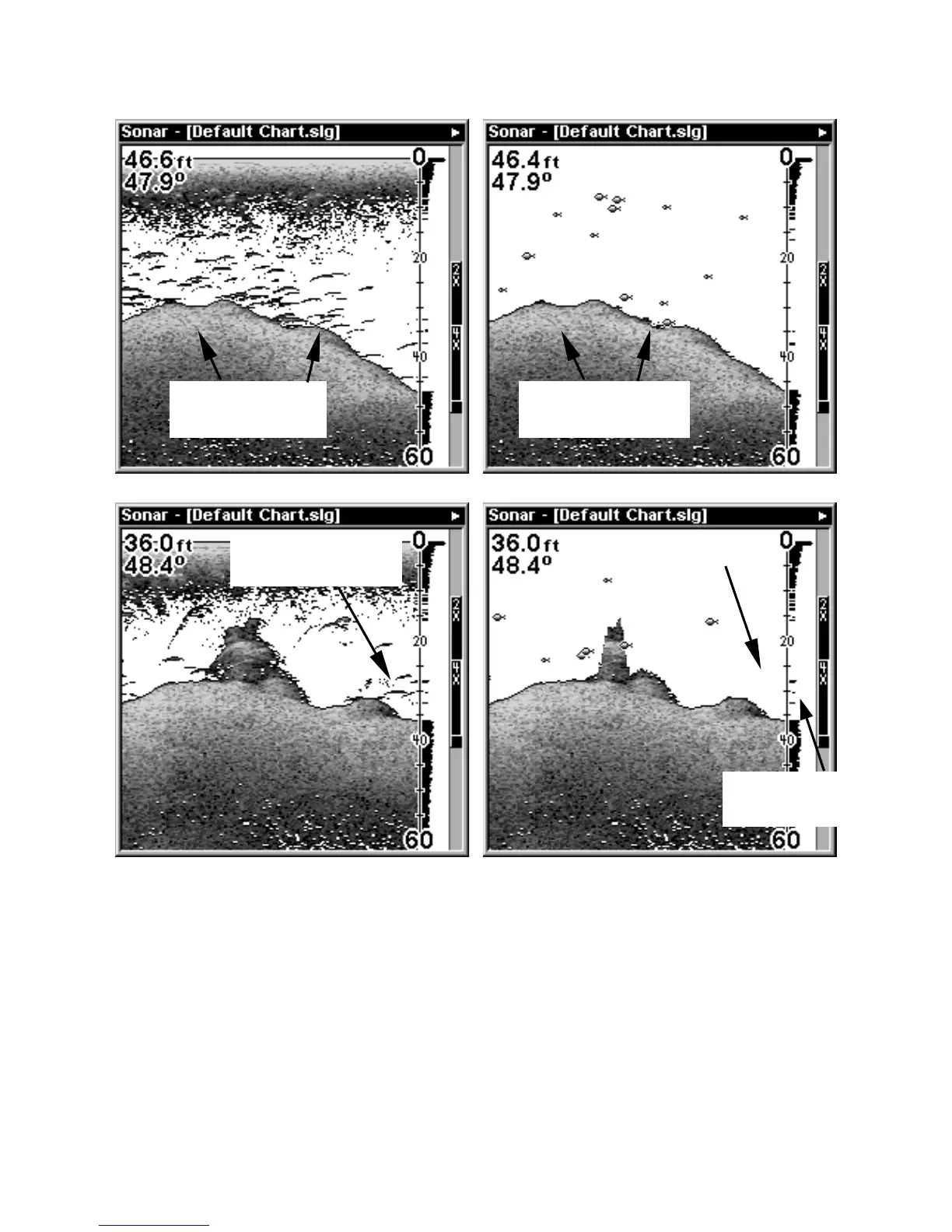
At left, figures 1A and 2A show Sonar Page in normal chart mode. At
right, figures 1B and 2B show the same underwater scene with Fish I.D.
turned on. Note how arches are replaced with symbols.
To turn the Fish I.D. feature on:
1. From the Sonar Page, press
MENU
|↓ to
S
ONAR
F
EATURES
|
ENT
.
2. Press → ↓ or → to
F
ISH
ID S
YMBOLS
|
ENT
|
EXIT
|
EXIT
.
To turn off Fish I.D., repeat the instructions in step 1.
Fish arches
above structure
No fish shown
FasTrack graph
confirms fish
Fig. 1 A Fig. 1 B
Fig. 2 A
Fig. 2 B
Many fish
arches visible
Fewer fish
symbols visible















 To Next Page