56
The normal mode of operation (with FishReveal turned off) shows the
weakest echoes as black and the strongest echoes in light gray. Since
all weak echoes are black, fish arches show boldly against the white
background. The drawback is that all weak echoes – such as thermo-
clines – are also emphasized. This can make it hard to distinguish fish
signals inside thermoclines or other cover.
In FishReveal mode, the weakest echoes are white and the strongest
echoes are black. Echoes in between vary in gray in proportion to their
signal strength. The Grayline control determines the range for black to
white. Also note that when using FishReveal, we recommend that you
turn off Auto Sensitivity and turn up Sensitivity to near maximum.
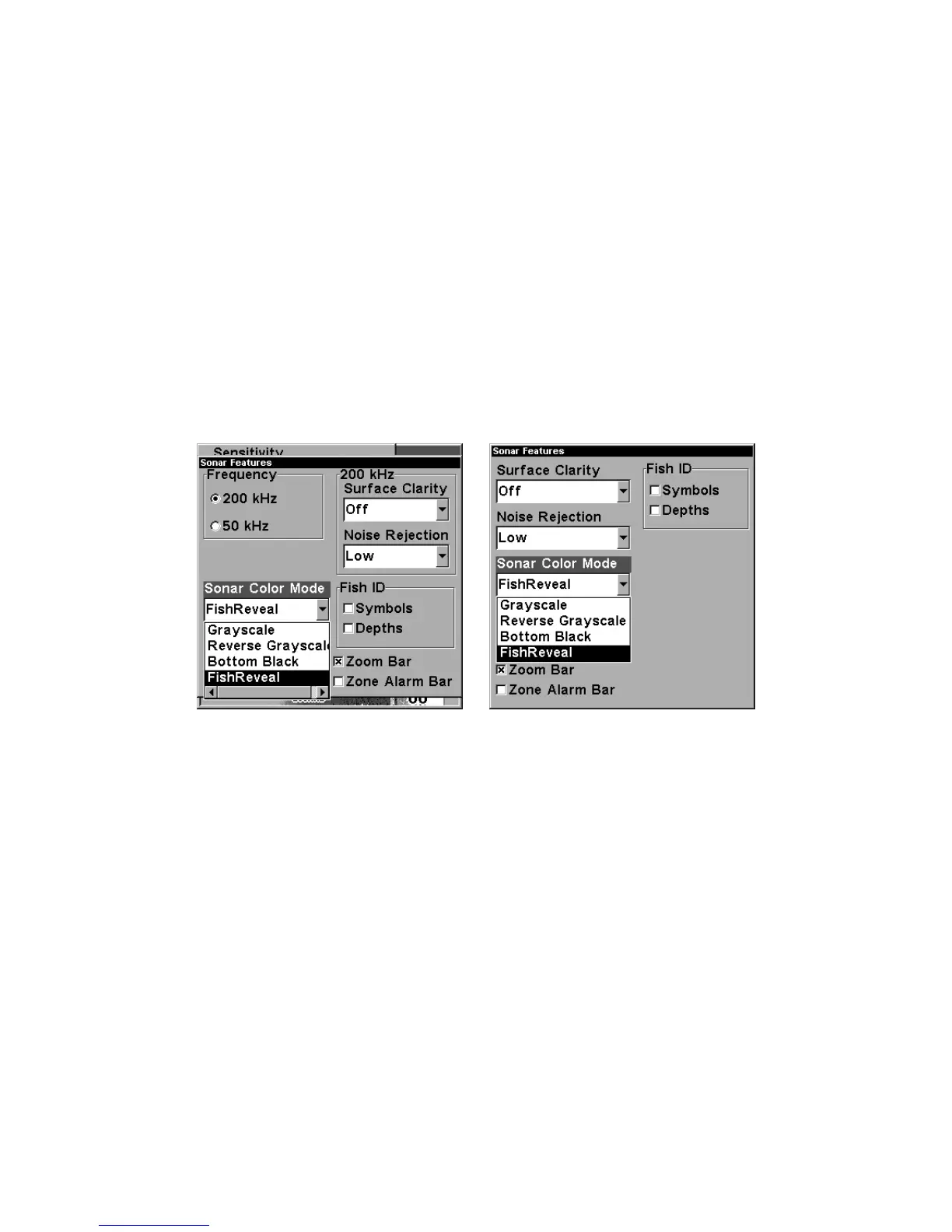
Sonar Color Mode command with FishReveal selected
(at left, dual-frequency menu; at right, single-frequency menu).
To turn FishReveal on:
1. From the Sonar Page, press
MENU
|↓ to
S
ONAR
F
EATURES
|
ENT
.
2. Press ↓ to
S
ONAR
C
OLOR
M
ODE
|
ENT
|↓ to
F
ISH
R
EVEAL
|
ENT
.
3. Press
EXIT
|↑ to
A
UTO
S
ENSITIVITY
|
ENT
|↑ to
S
ENSITIVITY
|
ENT
.
4. Press ↑ until the Sensitivity Control Bar reads 100% (or close to it),
then press
EXIT
. (If you reach the maximum limit, a tone sounds.)















 To Next Page