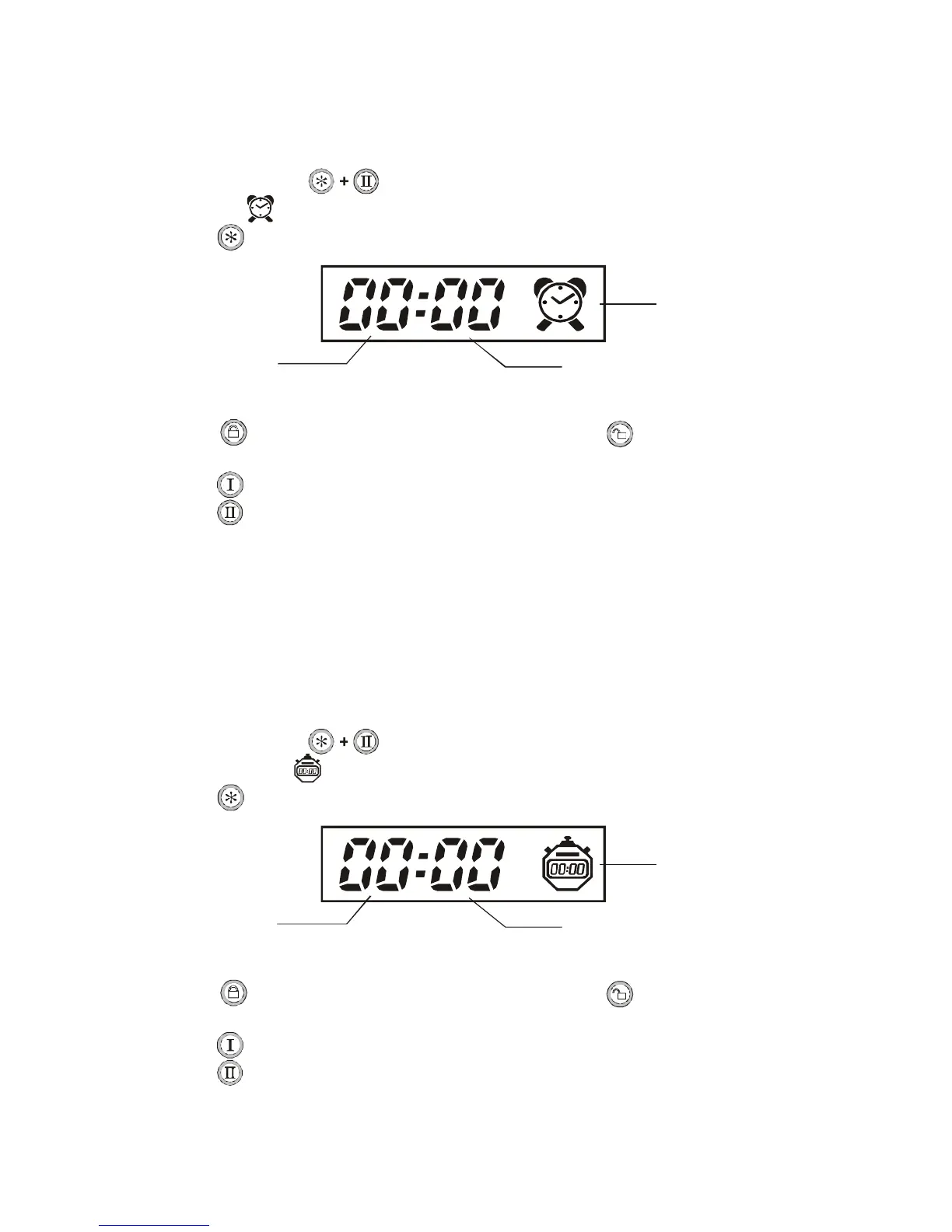
Alarm Clock Setting
This function useful to warn the user by pre-setting alarm clock time, if pre-setted
time's up, the 2way remote will give warning beep for 1 minutes.
(Press any button once to stop warning beep)
Instructions:
1. Press and hold Button for 4sec. until its give 2 beeps ,then release the buttons,
Alarm clock icon will start flashing to indicate in setting mode.
2. Press button to select Hour & Min adjust setting. Icon flashing to indicate.
3. Press button to turn up the numbers. Press button to turn down the numbers.
The button may be held down to scroll faster.
4. Press button to Enable the alarm clock, 1 beep will be heard and exit .
Press button to Disable the alarm clock, 2 beeps will be heard and exit.
Note: The remote will revert to normal operation from the set mode when 10-seconds has
elapsed without a button entry.
Countdown Timer Setting
This function useful to warn the user by pre-setting countdown time, if pre-setted
time's
up, the 2way remote will give warning beep for 1 minutes.
(Press any button once to stop warning beep)
Instructions:
1. Press and hold Button for 6sec. until its give 3 beeps ,then release the buttons,
Countdown timer icon will start flashing to indicate in setting mode.
2. Press button to select Hour & Min adjust setting. Icon flashing to indicate.
3. Press button to turn up the numbers. Press button to turn down the numbers.
The button may be held down to scroll faster.
4. Press button to Enable the countdown timer, 1 beep will be heard and exit .
Press button to Disable the countdown timer, 2 beeps will be heard and exit.
Note: The remote will revert to normal operation from the set mode when 10-seconds has
elapsed without a button entry.
Minutes display
Minutes display
24-hour display
24-hour display
Alarm clock icon
Countdown timer icon


 To Next Page