70
ISSUE POSSIBLE CAUSE SOLUTIONS
Poor sound quality • Low battery
• Wax or debris buildup
• Incorrect insertion in the ear
• Change in hearing loss
• Not set to correct program
• Charge your Eargo devices
• Clean with dry cloth and cleaning brush
• Adjust sound profile
• Replace Flexi Fibers or internal wax guards
• Adjust the device in the ear or remove and re-insert
the device
Eargo devices
don’t charge
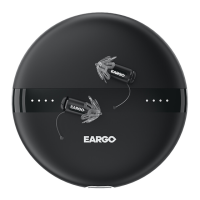
• Eargo devices not placed
correctly in charger
• Charger discharged
• Remove and reposition Eargo devices correctly in charger
signaled by the lights changing from blue to white
• Charge charger using USB cord and USB plug
No LEDs showing
on charger
• Did not take the lid o
• Charger discharged
• Take the lid o
• Charge charger using USB cord and USB plug
No sound • Dead battery
• Wax or debris is blocking
the speaker or microphone
• Charge your Eargo devices
• Clean Flexi Fiber tip and microphone with brush
• Replace Flexi Fibers or internal wax guards
Dierent volume in left
and right ear
• Not set to correct program
• Hearing loss dierent between ears
• Cycle through SPs on one ear until volume matches
in both


 To Next Page